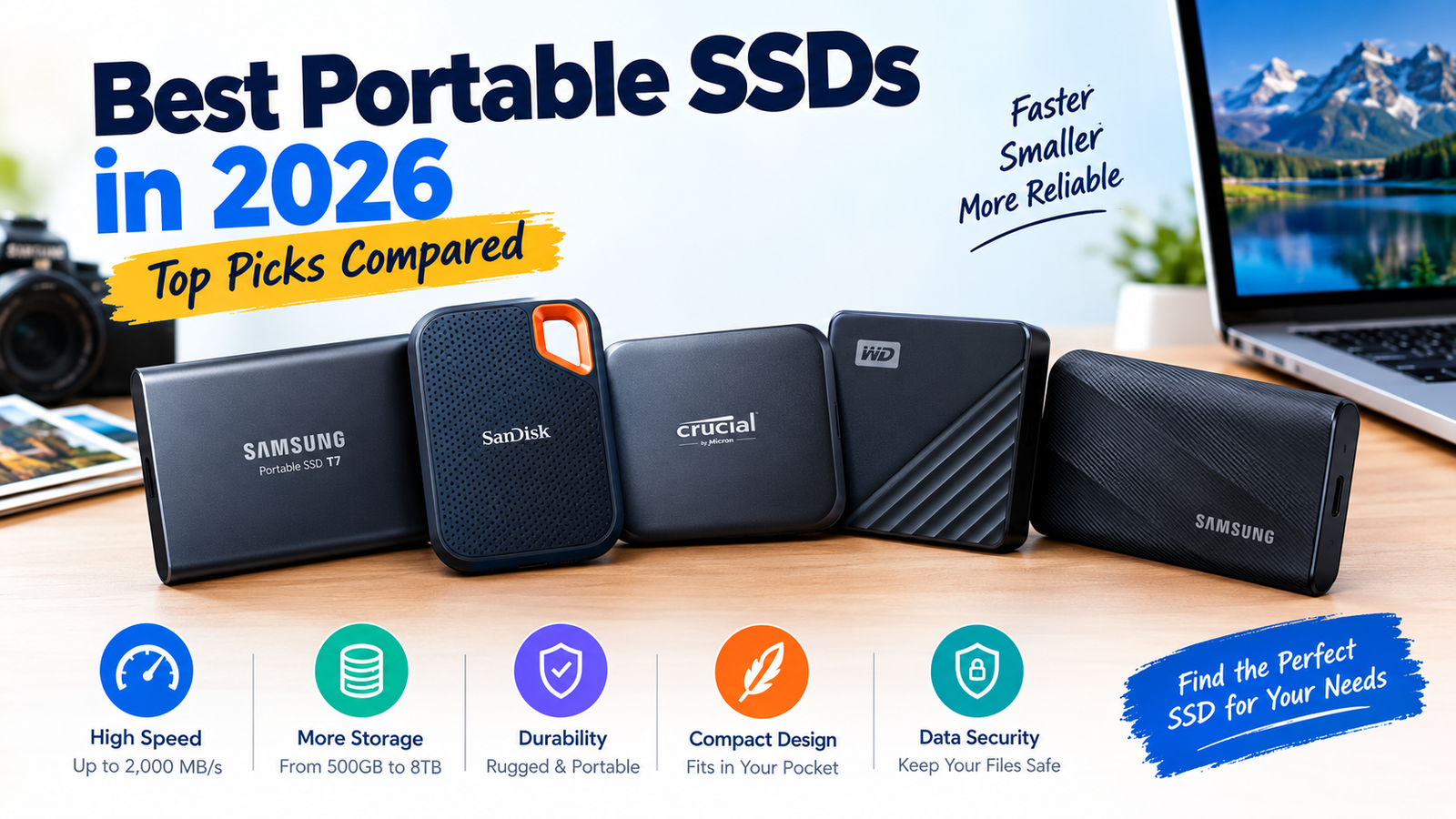


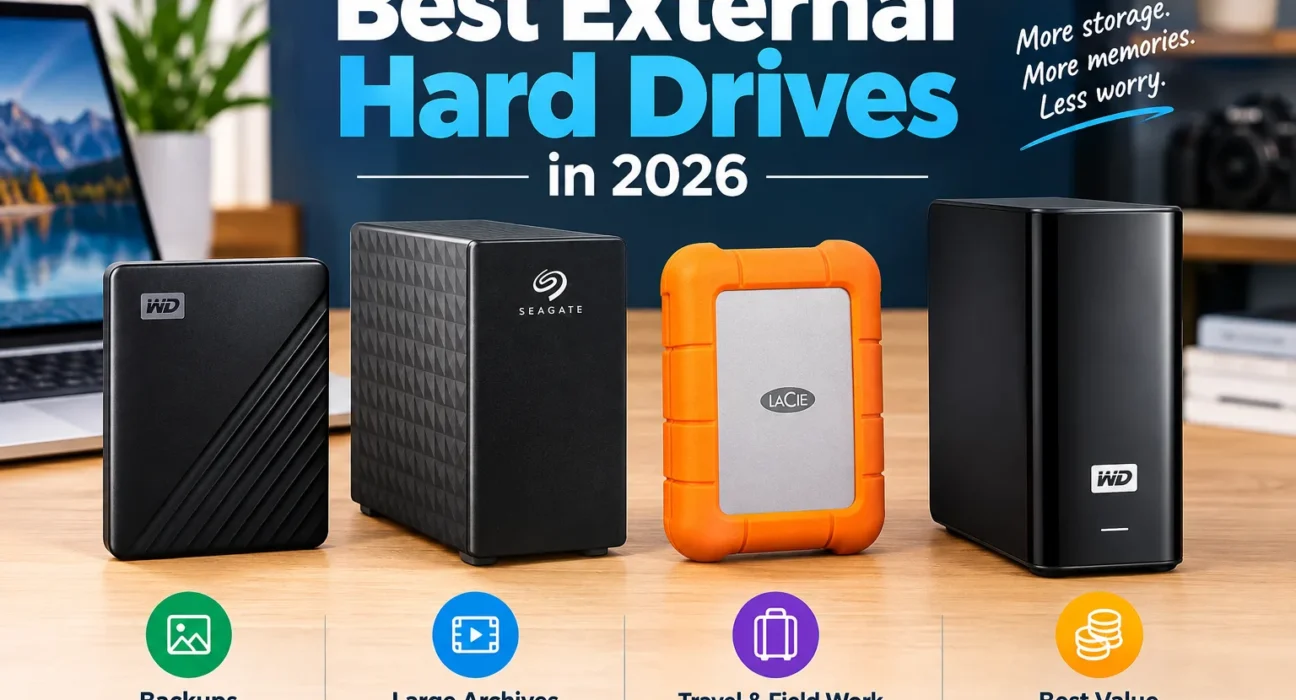
An external hard drive is still the cheapest way to hold a large photo library, a video archive or a full computer backup. In 2026 it is also a more awkward purchase than it used to be. Hard drive makers have been shipping most of their output to data centers, and that has pushed consumer prices up sharply. This guide compares the four drives most buyers shortlist, the WD My Passport, Seagate Expansion Desktop, LaCie Rugged and WD Elements Desktop, and shows how to decide by price per terabyte, protection and how you will use the drive.
Short answer: For most people, a WD My Passport (2 to 5 TB) is the safest all-round portable pick: hardware encryption, bundled backup software and a 3-year warranty on the listings we checked. Choose the Seagate Expansion Desktop or WD Elements Desktop if you want the most terabytes for the money and the drive stays on a desk. Choose the LaCie Rugged if the drive travels in a bag or lives on location shoots.
Whichever you buy, treat it as one copy of your data, not the whole plan.
Editorial status: This is a research-based guide. Specifications come from manufacturer and retailer listings, and market figures come from named third-party reports. TechNewGadgets has not yet run its own copy tests on these drives, so nothing here is a TNG measurement. Our scores are provisional and will be revised after hands-on testing.
2026 price warning. Reporting from Tom’s Hardware, citing ComputerBase tracking, put consumer hard drive prices up about 46% between September 2025 and January 2026. In September 2026, FPS Review reported a Seagate 24 TB external that sold for $279.99 at the start of the year listed at $649.41 on Amazon, and a WD 18 TB external at $794.99. WD has also said its hard drive capacity is sold out for 2026. Prices change by the day, so every price on this page needs a live check.
Quick Picks: The Best External Hard Drives at a Glance
These are shortlist candidates, not test winners. Each card names the buyer it suits best.
WD My Passport
USB-powered and pocketable, with WD Backup and password protection (Windows). Listings we checked show a 3-year warranty.
Read reviewSeagate Expansion Desktop
No software, no fuss. Plug in power and USB, then drag and drop. Warranty varies by region, so check the listing.
Read reviewLaCie Rugged USB-C
Rubber bumper, USB-C and a 2-year warranty with an included data recovery plan, at a price premium.
Read reviewWD Elements Desktop
Basic, high-capacity storage for Windows PCs. Mac users need to reformat.
Read reviewExternal Hard Drive Comparison Table
| Drive | Type | Capacities seen | Interface | Power | Warranty* | Best use |
|---|---|---|---|---|---|---|
| WD My Passport | Portable HDD | 1, 2, 4, 5, 6 TB | USB 3.2 Gen 1 (5 Gbps) | USB bus | 3 years (UK listing) | Everyday backup |
| Seagate Expansion Desktop | Desktop HDD | 4 to 24 TB | USB 3.0 (Micro-B) | AC adapter | 1 year on one Newegg CA listing | Bulk storage |
| LaCie Rugged USB-C | Portable rugged HDD | 5 TB (STFR5000800) | USB-C, 5 Gbps | USB bus | 2 years + Rescue plan | Travel, field work |
| WD Elements Desktop | Desktop HDD | 6 to 26 TB | USB 3.0 (backward compatible with 2.0) | AC adapter | 2 years on most listings | Desk archive |
*Warranty terms differ by retailer, region and capacity. Confirm on the exact product page. Rated maximum speed on the LaCie Rugged USB-C is 130 MB/s. Desktop 3.5″ drives generally run faster than 2.5″ portables, but the makers’ consumer pages rarely publish a speed figure.
Price per terabyte: what the market looks like right now
| Data point | Price | Per TB | Source and caveat |
|---|---|---|---|
| Seagate 24 TB external, start of 2026 | $279.99 | $11.67 | Best Buy price reported by FPS Review |
| Same class of drive, Sept 2026 | $649.41 | $27.06 | Amazon, 10% off, per FPS Review |
| WD 18 TB external, Sept 2026 | $794.99 | $44.17 | Per FPS Review |
| WD My Passport 5 TB | $159.95 | $31.99 | Newegg listing seen during research; confirm live price |
Market tracker HDDHunt reported in late summer 2026 that the median internal 3.5″ drive sat near $50 per TB on Amazon US, with 20 TB drives the standout value at roughly $25 per TB and 16 TB one of the weakest bands. The old rule that bigger is always cheaper per terabyte no longer holds cleanly. Work out the number yourself before you buy, using the calculator further down.
How We Selected the Best External Hard Drives
Product selection
Availability, capacity range, mainstream demand and a clear audience: everyday portable, high-capacity desktop and rugged.
Performance and usability
Rated interface and speed, setup effort, software and cross-platform behavior. Hard drive speeds vary less between brands than buyers expect.
Reliability and support
Warranty length, bundled recovery services and owner-reported problems, treated as anecdotes rather than failure rates.
Price and value
Price divided by advertised terabytes, and what the drive includes: cable, software, encryption, recovery plan.
Research limitations. No drive on this page was bench-tested by TNG. Where a figure is a manufacturer rating, we say so. Retailer listings sometimes contradict each other on warranty and connector type, so we cite the variation instead of picking one. Hard drive failure is also rare enough that no single reviewer’s testing can establish reliability.
The Best External Hard Drives Reviewed
WD My Passport: Best Everyday Portable Candidate
7.6 / 10 provisionalBest for: Students, home users and anyone backing up a laptop. Not ideal for: heavy outdoor use or very large archives.
| Spec | Detail (from listings) |
|---|---|
| Example models | WDBYVG0020BBK (2 TB), WDBPKJ0040BBK (4 TB), WDBPKJ0050BBK (5 TB) |
| Interface | USB 3.2 Gen 1, 5 Gbps; Micro-B connector on the 5 TB listing we checked; USB 2.0 compatible |
| Size and weight | About 75 x 108 x 20 mm and 210 g (5 TB listing) |
| Security | Password protection with 256-bit AES hardware encryption through WD Discovery |
| Software | WD Backup and WD Discovery; Newegg’s description marks backup and password tools as Windows only |
| Mac and Chromebook | Formatted for Windows (NTFS). macOS needs a reformat or a downloadable NTFS driver. WD also sells Mac-targeted versions. Chromebook certified. |
| Warranty | 3 years on UK retailer listings; confirm for your region |
The My Passport is the drive most people mean when they say “an external hard drive.” It is small enough for a jacket pocket, draws power from the USB port and ships with the cable. The practical advantage over cheaper no-software drives is hardware encryption: if you lose it, your files stay locked behind your password. That password feature lives in WD’s Windows software, so Mac users should plan on macOS’s own encryption instead.
Speed is the usual 2.5-inch trade-off. PCWorld’s review of the 5 TB model concluded the drive was more about capacity, price per gigabyte and style than speed, and a Gen 1 USB link is plenty for any single hard drive.
Pros
- Hardware encryption
- Long warranty on listings seen
- USB-powered, one cable
Cons
- Software features are Windows only
- No rugged protection
- Slower than any SSD
Seagate Expansion Desktop: Best High-Capacity Value Candidate
7.2 / 10 provisionalBest for: Desk-bound backups and media archives. Not ideal for: carrying around or encrypted storage.
| Spec | Detail (from listings) |
|---|---|
| Example models | STKP8000400 (8 TB), STKP12000400 (12 TB), STKP24000400 (24 TB) |
| Capacities | 4, 6, 8, 10, 12, 14, 16, 18, 20 and 24 TB seen across retailers |
| Interface | USB 3.0 (also described as USB 3.2 Gen 1), Micro-B |
| Power and size | External AC adapter included; about 125 x 179 x 42 mm and 1.18 kg on a retailer listing |
| File system | Retailer data lists exFAT out of the box; Windows recognizes it without software |
| Warranty | One Newegg Canada listing shows 1 year and bundled Rescue Data Recovery; other regions differ |
The Expansion Desktop is deliberately basic. You connect power and USB, Windows recognizes it, and you drag files across. That simplicity is the point: it has been one of the cheapest ways to buy a large block of storage, and one listing we checked shows eleven capacities from 4 to 24 TB. In 2026 that range is also where the price shock is most visible, because the biggest models rose the most in dollars.
Two limits matter. The drive has no built-in encryption, so anyone with the drive has your files. And exFAT, while readable on both Windows and Mac, has no journaling, which makes an accidental unplug riskier than on NTFS or APFS. Always eject first.
Pros
- Wide capacity ladder
- Pre-formatted exFAT works on PC and Mac
- Often the lowest price per TB on this list
Cons
- No hardware encryption
- Warranty can be as short as 1 year
- Needs a wall outlet
LaCie Rugged USB-C: Best Rugged Candidate
7.3 / 10 provisionalBest for: Photographers, field crews and frequent travelers. Not ideal for: a drive that never leaves the desk.
| Spec | Detail (from listings) |
|---|---|
| Exact model | STFR5000800 (5 TB, USB-C). LaCie also sells Micro-B “Rugged Mini” versions, so match the model number. |
| Interface and speed | USB-C, 5 Gbps; listed maximum 130 MB/s; USB-C to USB-A cable included |
| Protection | Drop resistance up to 1.2 m (4 ft) tested while the drive is off; crush resistance up to a 1-tonne car; rain resistant. Verify any IP rating on the exact model before relying on it. |
| Size and weight | 86 x 135.1 x 26 mm, 400 g |
| Warranty | 2 years with a 2-year Rescue Data Recovery plan (one in-lab attempt; not available in all countries) |
The rubber bumper makes this drive heavier and bulkier than a My Passport, and it costs noticeably more per terabyte. What you pay for is a two-part safety net: protection against the knocks of a camera bag, and a bundled recovery plan if the drive fails anyway. The USB-C connector also suits recent MacBooks and Windows laptops without an adapter.
Keep expectations realistic. LaCie’s own 1.2 m drop figure is for a powered-off drive, and a hard drive’s platters are still mechanical. One retailer review we read describes a unit that stopped being recognized after about a year in a laptop bag. That is a single owner report, not a failure rate, but it is a reminder that “rugged” lowers risk without removing it.
Pros
- Real-world protection features
- Recovery plan included
- USB-C connector
Cons
- High price per TB
- Slower than rugged SSDs
- Heavier than a standard portable
WD Elements Desktop: Best Simple Storage Candidate
6.9 / 10 provisionalBest for: Windows users who want a big archive drive. Not ideal for: Mac users, or anyone who needs encryption.
| Spec | Detail (from listings) |
|---|---|
| Example models | WDBWLG0080HBK (8 TB), WDBWLG0120HBK (12 TB), WDBWLG0220HBK (22 TB) |
| Capacities | 6, 8, 10, 12, 14, 16, 18, 20, 22 and 26 TB seen at retailers |
| Interface | USB 3.0, backward compatible with USB 2.0; AC adapter |
| File system | NTFS for Windows 10 and later; listings say it can be reformatted for Mac |
| Warranty | 2 years on most Newegg listings; one 22 TB listing shows 3 years |
The Elements Desktop is the Expansion’s closest rival: same plain concept, same large-capacity ladder. The differences are small. It ships NTFS-formatted, which is ideal for Windows backups but means a Mac will only read it until you reformat. Its warranty is typically 2 years, which is longer than the 1-year listing we saw for the Seagate.
Pros
- Very large capacities
- Longer warranty than some rivals
- Reliable plug-and-play for Windows
Cons
- No encryption or backup software
- Mac needs reformatting
- Warranty varies by capacity and seller
How We Score External Hard Drives
The same rubric is applied to every drive. Scores are provisional research scores built from listings and published reports, and will be revised after hands-on testing.
| Criterion (weight) | My Passport | Seagate Expansion | LaCie Rugged | WD Elements |
|---|---|---|---|---|
| Price per TB and value (25%) | 7.5 | 9.0 | 5.0 | 8.5 |
| Performance (20%) | 7.0 | 7.5 | 6.5 | 7.5 |
| Durability and protection (15%) | 6.5 | 6.0 | 9.5 | 5.5 |
| Compatibility and ease (15%) | 8.0 | 8.0 | 8.5 | 7.5 |
| Security and software (10%) | 9.0 | 4.0 | 7.0 | 3.0 |
| Warranty and support (15%) | 8.0 | 6.0 | 9.0 | 7.0 |
| Weighted score | 7.6 | 7.2 | 7.3 | 6.9 |
Value scores depend heavily on that day’s price. In a market moving this fast, a swing of a few dollars per TB can reorder the table.
Portable vs. Desktop External Hard Drives
Portable (2.5″)
Smaller, USB-powered, one cable. Capacity usually tops out around 5 to 6 TB. Good for laptops, travel and small libraries.
Desktop (3.5″)
Much larger capacities and typically an AC adapter. Better for a fixed backup station, but the power brick and bulk limit where it can go.
Don’t assume every desktop drive beats every portable one. The big gap is capacity and price per terabyte, not reliability. As a rule of thumb: if you carry it, buy portable; if it stays plugged in, desktop usually gives you more storage for the money.
Which should you choose?
| If you need | Choose |
|---|---|
| A drive for a laptop bag | Portable |
| More than 6 TB in one box | Desktop |
| No wall outlet nearby | Portable |
| Lowest price per TB | Desktop (confirm with live prices) |
External HDD vs. External SSD: Which Is Better?
| Factor | External HDD | External SSD |
|---|---|---|
| Speed | Rated 130 MB/s on the LaCie Rugged; faster desktops exist but are slower than any SSD | Around 1,000 MB/s on 10 Gbps drives, per the specs in our portable SSD guide |
| Durability | Spinning platters; shock matters most while running | No moving parts |
| Price per TB | Lower, even after 2026 increases | Higher; NAND prices have also risen |
| Best for | Archives, scheduled backups | Active work, editing, travel |
Choose an HDD when you are storing, not working: old photo libraries, finished video projects, household backups. Choose an SSD when you open the files every day or edit directly from the drive. Speed claims depend on the exact model, port, cable and file size, so compare like with like. See our best portable SSDs for the other side of the decision.
How Much External Storage Do You Need?
Documents, school work and a modest photo library.
Large photo collections, video archives and household backups.
Extensive media libraries and desktop archives.
Two sums most guides skip. First, advertised terabytes are decimal, but Windows reports binary units, so you see less than the box says. Second, a first backup of a large drive takes much longer than you expect.
| Advertised | Roughly shown by Windows | Time to fill at 100 MB/s | At 150 MB/s | At 200 MB/s |
|---|---|---|---|---|
| 1 TB | 0.91 TB (931 GB) | 2 h 47 min | 1 h 51 min | 1 h 23 min |
| 5 TB | 4.55 TB | 13 h 53 min | 9 h 16 min | 6 h 56 min |
| 12 TB | 10.91 TB | 33 h 20 min | 22 h 13 min | 16 h 40 min |
| 24 TB | 21.83 TB | 66 h 40 min | 44 h 27 min | 33 h 20 min |
Fill times are our own arithmetic (capacity divided by speed) and assume a constant rate. Real copies of many small files run slower. The 100 to 200 MB/s range is a planning assumption, not a measured result.
Use these rough sizes to plan: a 100 Mbps 4K video stream consumes about 45 GB per hour, and 10,000 RAW photos at about 30 MB each is roughly 300 GB. Then leave headroom for growth and for the second backup copy.
Price-per-terabyte calculator
Best External Hard Drives by Use Case
WD My Passport. Scheduled backup software and encryption on Windows.
LaCie Rugged for the bag, plus a desktop drive for the archive. Edit from an SSD, not these.
Seagate Expansion (exFAT out of the box) or a My Passport formatted for Mac. Reformat NTFS drives and back up first.
WD Elements or My Passport. Both ship NTFS-ready.
LaCie Rugged USB-C. Carry a second copy elsewhere.
Fine for PC libraries and for storing console games. Check your console’s rules: PlayStation 5 can store PS5 games on an external drive but plays older PS4 games from it, and Xbox Series X|S needs internal or expansion storage to run its own optimized games. Confirm on the console maker’s support page.
Seagate Expansion or WD Elements. Price both at the same capacity before buying.
What to Look for Before Buying an External Hard Drive
| Factor | What to check |
|---|---|
| Capacity | Current library size plus 50% growth, plus room for a second copy. Compare price per TB, not headline price. |
| Interface and connector | Micro-B, USB-A and USB-C all appear on these drives. A newer USB standard does not guarantee speed: the drive, port, cable and files decide. |
| Power | Portable drives use USB power; desktop drives need an outlet. |
| Backup software | WD Backup is Windows only. Mac users can use Time Machine. |
| Encryption | My Passport has hardware AES 256-bit. Basic desktop drives do not. |
| Warranty and support | 1 to 3 years across these drives; LaCie adds a recovery plan. |
| Price per TB | Price divided by advertised TB. Volatile in 2026, so check the same day you buy. |
| HDD vs SSD | Archive with HDD; work from SSD. |
A note on recording technology. High-capacity 2.5-inch drives commonly use shingled recording, which can slow long sustained writes. Consumer product pages rarely state the recording method, so treat sustained-copy speed on big portables with caution.
How to Set Up and Maintain an External Hard Drive
- Connect and check. Use the supplied cable. Plug a desktop drive into power first.
- Choose a file system. NTFS suits Windows only. exFAT works on Windows and Mac. APFS or Mac OS Extended suit Mac-only backups. Formatting erases everything on the drive, so copy off anything you need first.
- Create and verify your first backup. Open a handful of files from the backup afterward to confirm they work.
- Eject safely. Use “Eject” before unplugging, especially on exFAT.
- Watch drive health. Use tools such as CrystalDiskInfo (Windows) or DriveDx (Mac). Some USB enclosures don’t pass SMART data through.
- Protect against loss and ransomware. Unplug the drive when you aren’t backing up, and keep a second copy somewhere else.
One drive is not a disaster plan. Follow the 3-2-1 rule: three copies, on two kinds of storage, with one offsite or in the cloud. A cloud copy also sidesteps the hardware shortage entirely.
Frequently Asked Questions
What is the best external hard drive in 2026?
Is WD or Seagate better for external hard drives?
Is an external hard drive good for long-term backup?
How long does an external hard drive last?
Can I use the same drive on Mac and Windows?
What capacity should I buy for photos and videos?
Is an external HDD slower than an external SSD?
Can I use an external hard drive for gaming?
Are external hard drives waterproof or shockproof?
What is the best way to back up important data?
Final Verdict: Which External Hard Drive Should You Buy?
| Use case | Shortlist pick | Why |
|---|---|---|
| Best overall everyday | WD My Passport | Encryption, software, 3-year warranty on listings seen |
| Best value for bulk storage | Seagate Expansion Desktop or WD Elements Desktop | Largest capacities; whichever is cheaper per TB that day |
| Best for travel or rugged use | LaCie Rugged USB-C | Protection plus a recovery plan |
| Best if speed matters more than capacity | A portable SSD | See our SSD guide |
Our advice: decide where the drive will live, then compare price per terabyte on the day you buy. In a market this volatile, a drive that cost one price last month may cost very different money now. Buy for your actual capacity needs rather than the biggest number, and keep a second copy of anything you can’t replace.
Check today’s external hard drive prices Read the portable SSD guide
Related Guides
Best portable SSDs · Storage buying guides · Best laptops · Best MacBooks
TechNewGadgets may earn a commission when you buy through links on this page, at no extra cost to you. Specifications, prices, warranty and availability change; confirm the exact model and capacity on the retailer page. Third-party figures are attributed in context and are not TechNewGadgets measurements.