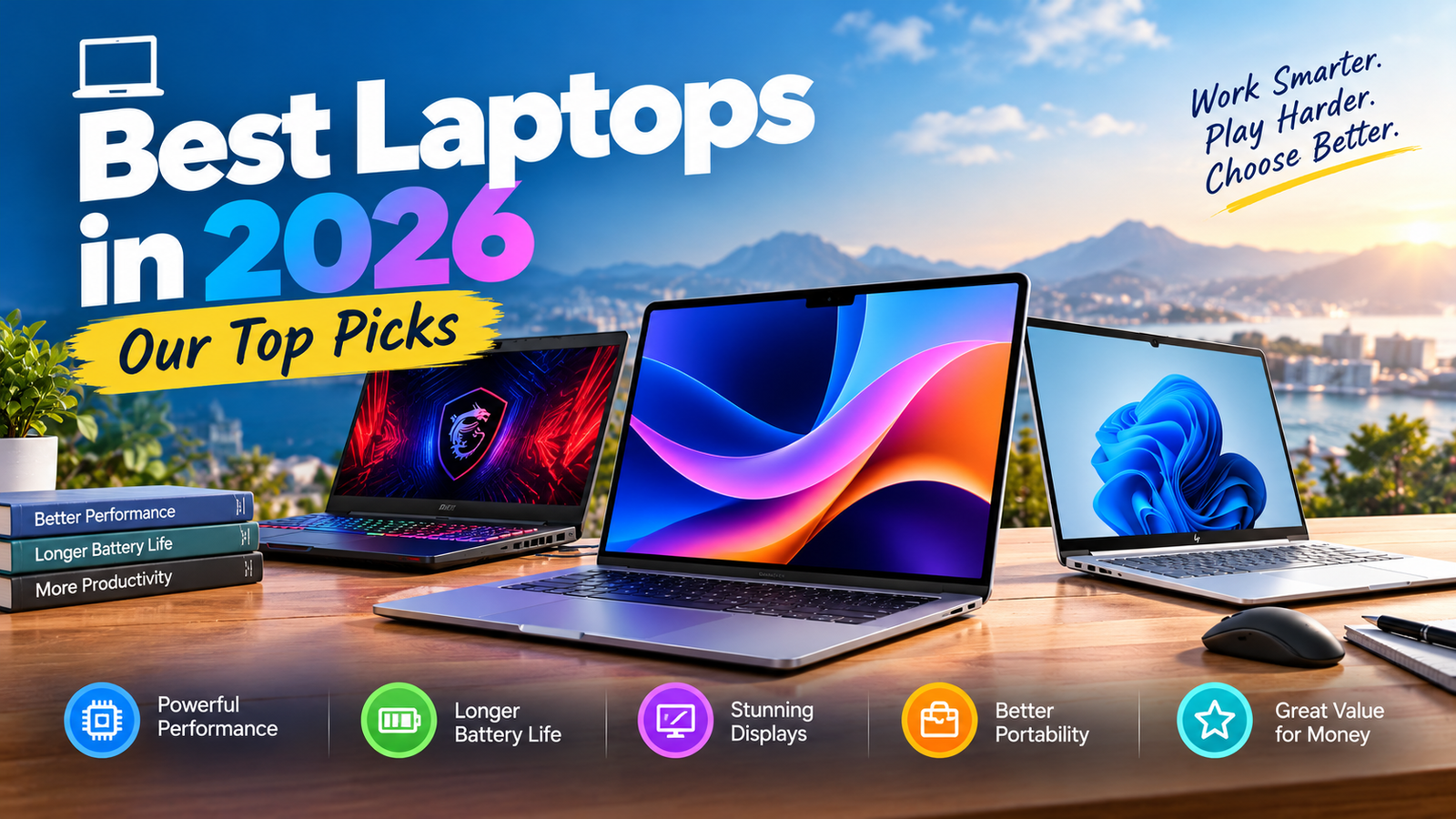
The best laptop in 2026 depends less on the logo on the lid and more on what you do all day. 2026 has been a strange year: Apple’s MacBook Neo reset what a “budget” laptop can feel like, Dell brought the XPS name back, and a memory-chip shortage has pushed many prices up, so spec-for-spec value changes month to month.
We compare laptops on performance, battery, display, keyboard and trackpad, portability, thermals, ports, webcam, speakers and long-term value.
Our Top Laptop Picks at a Glance
MacBook Air 13″ / 15″ (M5)
Fanless, silent, thin and fast, with a 512GB starting storage reported by several reviewers. Best for most people.
Dell XPS 14 (2026)
Aluminium unibody, Intel Core Ultra Series 3 options and a 120Hz display. The closest Windows answer to a MacBook Pro.
MacBook Neo
An iPhone-class A18 Pro chip in a laptop. Reviewers say it outruns similarly priced Windows laptops and Chromebooks.
MacBook Pro 14″ / 16″ (M5 family)
Sustained performance and the longest runtimes in our research. Overkill for email and browsing.
Dell XPS 13 (2026)
About 2.2 lb with a sharp touchscreen and strong web battery life. Trade-off: only two USB-C ports.
ASUS ROG Zephyrus G14
The sensible middle ground in gaming laptops: portable enough to carry, powerful enough to play.
Lenovo ThinkPad X1 Carbon
Class-leading keyboard feel, light chassis and business-grade support. Check which generation is on sale in your region.
ASUS Zenbook Duo (2026)
Two 3K OLED screens for multitaskers. Heavy and expensive, but unlike anything else.
Best Laptops Compared
Specs vary by configuration and region, so treat this as a decision map rather than a price list. Check the exact CPU, RAM and screen before you buy.
| Laptop | Best for | Chip | Screen sizes | Touchscreen | Fan | Manufacturer battery claim | TNG measured |
|---|---|---|---|---|---|---|---|
| MacBook Air (M5) | Most people | Apple M5 | 13″ / 15″ | No | Fanless | Apple’s own figure | Pending |
| MacBook Neo | Budget | Apple A18 Pro | 13″ | No | Fanless | Apple’s own figure | Pending |
| MacBook Pro (M5) | Pros | M5 / M5 Pro | 14″ / 16″ | No | Active | Apple’s own figure | Pending |
| Dell XPS 14 (2026) | Windows premium | Intel Core Ultra (Series 3) | 14″ | Config-dependent | Active | Dell’s own figure | Pending |
| Dell XPS 13 (2026) | Travel | Intel Core Ultra | 13″ | Yes | Active | Dell’s own figure | Pending |
| ROG Zephyrus G14 | Gaming | AMD + RTX GPU | 14″ | No | Active | ASUS’s own figure | Pending |
| ThinkPad X1 Carbon | Business | Intel Core Ultra | 14″ | Config-dependent | Active | Lenovo’s own figure | Pending |
Which Laptop Should You Buy?
| If you are… | Prioritise | Laptop type | Start with |
|---|---|---|---|
| Student | Battery, weight, price | Ultrabook | MacBook Neo / Air |
| Office worker | Keyboard, battery | Business laptop | ThinkPad / XPS 14 |
| Creator | Display, sustained power | Creator laptop | MacBook Pro |
| Gamer | GPU + cooling | Gaming laptop | Zephyrus G14 |
| Programmer | CPU, 16GB+ RAM, keyboard | Performance laptop | MacBook Air / Pro, XPS 14 |
| Frequent traveller | Total travel weight | Ultraportable | XPS 13 / MacBook Air 13″ |
| Small business owner | Reliability, warranty | Business laptop | ThinkPad |
How We Test Laptops
Spec sheets don’t tell you whether a laptop is pleasant at 9 p.m. on hour ten of work. Our routine is built around everyday use, and every result will be labelled TNG measured.
⚡ Performance
Boot time, app launch, a 30-tab browser workload, multitasking and sustained CPU/GPU load, not just a single benchmark burst.
🔋 Battery
Same recipe on every laptop: 100% charge, 50% brightness, Wi-Fi on, a looped browser workload, then video playback. We log 100→50%, 100→20% and full runtime.
⌨️ Keyboard & trackpad
Key travel, spacing, typing noise, flex, backlight, trackpad size, accuracy, gestures and palm rejection, scored on a one-week typing diary.
🖥️ Display
Peak brightness, colour coverage, contrast, reflections, refresh rate and OLED vs IPS behaviour in daylight and in a dark room.
🌡️ Thermals & noise
Surface temperatures at keyboard and palm-rest, plus fan noise at idle and at full load, measured at a fixed distance.
📹 Webcam & speakers
Low-light video, skin tones, microphone background-noise handling, speaker volume, bass and dialogue clarity.
Our Best Laptops of 2026, in Detail
1. MacBook Air (M5): Best Overall
Best for most peopleWhy it wins: It is the laptop reviewers recommend first, and for good reason. The M5 chip handles everyday work easily and stretches to music, video editing and digital art. The fanless design means it is genuinely silent. One major review measured roughly 15.5 hours of battery life, which is long-lasting for a thin laptop at this price.
| Spec | Details |
|---|---|
| Chip | Apple M5 (10-core CPU) |
| Sizes | 13-inch and 15-inch |
| Ports | Two Thunderbolt/USB-C, MagSafe, headphone jack |
| Battery claim vs measured | Apple’s figure vs TNG test pending |
- Silent, thin and light
- Strong sustained speed for its class
- Excellent battery life
- Great resale value
- No touchscreen
- Only two Thunderbolt ports
- Fanless design can throttle in very long workloads
- Prices rose with the RAM shortage
Buy it if you want one laptop that does almost everything well. Skip it if you need a touchscreen, lots of ports or serious gaming.
Check today’s price →2. Dell XPS 14 (2026): Best Windows Laptop
Best WindowsWhy it wins: Dell dropped the divisive touch-sensitive function row and the “Dell Premium” branding, and the XPS 14 is a real MacBook Pro rival again. You get an aluminium unibody, Intel Core Ultra Series 3 options, a 120Hz variable-refresh display and a keyboard reviewers rate among the best.
- Premium build and comfortable keyboard
- Strong performance headroom
- OLED option for rich colour
- OLED configs cost real battery life versus the base screen
- Pricier than most Windows rivals
- Configurations vary widely, so compare like with like
Buy it if you live in Windows and want a premium chassis. Skip it if battery life is your top priority and you’d be choosing OLED.
Check today’s price →3. MacBook Neo: Best Budget
Best valueWhy it matters: Apple put an A18 Pro, originally an iPhone chip, in a laptop and changed the budget category. Reviewers report it beats the old MacBook Air M1 and runs circles around comparably priced Windows laptops and Chromebooks. Dell and others have answered with cheaper systems, but one review notes that 8GB of RAM on Windows 11 just doesn’t feel as smooth.
- Remarkable speed for the price
- Fanless and silent
- Great for students and light work
- Not built for heavy creative workloads
- Limited ports and configuration options
4. MacBook Pro (M5 family): Best for Power Users & Creators
Best high-endIf your income depends on video, 3D, code compiles or music production, this is the laptop that stays fast when the workload is long. The 16-inch M5 Pro was reported at around 21 hours in one test, the longest of any laptop in our research. It is expensive and unnecessary for basic office work.
Check today’s price →5. Dell XPS 13 (2026): Best Lightweight Windows
Best for travelAt about 2.2 pounds with a sharp touchscreen and web battery life above 14 hours in published testing, it’s the Windows laptop to throw in a bag. The compromises: two USB-C ports, no headphone jack and a mediocre webcam.
Check today’s price →6. ASUS ROG Zephyrus G14: Best Gaming
Best gamingWe don’t rank gaming laptops on GPU alone. A powerful GPU in a poorly cooled chassis loses to a balanced one. The G14 is the sensible middle ground: easy to carry, with enough GPU for modern titles at 1080p and 1440p. If budget is tight, a more affordable gaming option such as the Dell G15 can make sense.
Check today’s price →7. ThinkPad X1 Carbon: Best Business Laptop
Best businessTyping feel, serviceability, security options and enterprise warranty are why ThinkPads stay on IT shortlists. Always verify the current generation and configuration before purchase, as listings in different regions lag behind.
Check today’s price →8. ASUS Zenbook Duo (2026): Best Dual-Screen
Most uniqueTwo 3K OLED screens turn a laptop into a mini workstation for traders, editors and heavy multitaskers. It’s heavy, costly and relies on a detachable keyboard setup, so it is a deliberate choice, not a default one.
Check today’s price →MacBook vs Windows Laptop: Which Should You Buy?
| Factor | MacBook | Windows laptop |
|---|---|---|
| Battery & efficiency | Excellent, consistently | Varies widely by model and screen |
| Gaming | Limited game library | Far better, with dedicated GPUs |
| Touchscreen / 2-in-1 | None | Many options |
| Hardware variety & price range | Narrow, fixed line-up | Huge, from budget to workstation |
| Ecosystem | iPhone, iPad, AirPods, iCloud | Microsoft 365, Android phone link |
| Upgrade / repair | Mostly soldered | Varies; some allow RAM/SSD swaps |
Choose a MacBook if you want quiet, long-lasting and low-maintenance. Choose Windows if you game, need a touchscreen, use Windows-only software or want to choose from many price points.
Laptop Buyer’s Guides: CPU, RAM, Storage & GPU
🧠 Processor
Apple Silicon: best efficiency. Intel Core Ultra: broad choice, strong Windows support. AMD Ryzen: excellent for gaming and multitasking. Snapdragon: long battery, but check app compatibility.
💾 RAM
8GB: basic use only. 16GB: our default recommendation. 24–32GB: creators, developers, heavy multitasking. 64GB+: specialist workloads.
📦 Storage
256GB: cloud-first users. 512GB: most people. 1TB: creators and gamers. An external NVMe SSD is often cheaper than upgrading internal storage.
🎮 Graphics
Integrated: office, browsing, media, light editing. Dedicated: gaming, 3D, CAD, heavy video and AI work.
| Size | Best for | Trade-off |
|---|---|---|
| 13–14″ | Travel, students | Smaller screen, fewer ports |
| 15″ | General use | Heavier than 13″ |
| 16″ | Productivity, creators | Larger charger and bag |
| 17″+ | Gaming, workstation | Hard to carry daily |
Best Laptops by Price (US)
US prices are moving right now because of memory costs, so we list what to look for in each band rather than a fixed model. Always check the live price before you buy.
| Budget (USD) | What to prioritise | What to avoid |
|---|---|---|
| Under $500 | 16GB RAM if possible, SSD storage, a decent screen; consider a Chromebook or MacBook Neo-class value | HDD-only storage, 4GB RAM |
| $500–$700 | Current-generation mid-range CPU, 16GB RAM, 512GB SSD | Dim 250-nit screens, 8GB RAM on Windows |
| $700–$1,000 | Good display, metal build, long battery life | Paying for a GPU you won’t use |
| $1,000–$1,500 | Premium ultrabooks and MacBook Air class, entry gaming | Spending on specs you won’t use |
| $1,500–$2,000 | OLED displays, creator laptops, stronger GPUs | Choosing on peak benchmarks alone |
| $2,000+ | Pro-grade displays, sustained performance, workstation use | Overbuying for office work |
Which Laptop Will Last Longest?
Expensive doesn’t mean durable. Look at five things: processor headroom, RAM (it can’t be upgraded on most thin laptops, so buy more up front), SSD size, software-update commitment and battery replacement ease. A 16GB laptop bought today is likely to feel current for longer than an 8GB one that saved you a little now.
| Laptop | Price paid | Years used | Approx. cost/year |
|---|---|---|---|
| Example A | $1,199 | 5 | $240 |
| Example B | $999 | 4 | $250 |
| Example C | $699 | 4 | $175 |
Illustrative hardware cost per year: purchase price ÷ expected years of use. Example prices are not real listings.
Frequently Asked Questions
What is the best laptop in 2026?
For most people it’s the MacBook Air with the M5 chip. For Windows, the Dell XPS 14 (2026) leads. For gaming, look at the ASUS ROG Zephyrus G14.
Is 16GB RAM enough?
Yes, for most users. It handles office work, browsing with many tabs, and light creative work. Go to 24–32GB for video editing, development with containers or heavy multitasking.
Is a 512GB SSD enough?
For most people, yes, especially with cloud storage. Creators and gamers should choose 1TB or add an external NVMe SSD.
Is MacBook better than Windows?
Neither is universally better. MacBooks lead on battery and quietness; Windows leads on choice, touchscreens, gaming and price range.
Which laptop is best for students?
The MacBook Neo for tight budgets, the MacBook Air for long-term value, or a lightweight Windows laptop such as the XPS 13 if you prefer a touchscreen.
Which laptop is best for programming?
Prioritise a good keyboard, 16GB+ RAM and sustained performance: MacBook Air or Pro, XPS 14, or a ThinkPad.
Do I need a dedicated GPU?
Only for gaming, 3D, CAD, heavy video editing or AI work. Integrated graphics are fine for everything else.
Intel, AMD, Apple Silicon or Snapdragon?
Apple Silicon for efficiency, Intel for broad compatibility, AMD for gaming and multitasking value, Snapdragon for battery life if your apps support it.
How long should a laptop last?
Typically four to six years with 16GB RAM and a good SSD. Batteries often need replacing around the three-to-four-year mark.
14-inch or 16-inch?
14 inch if you travel often; 16 inch if the laptop mostly sits on a desk and you want more screen.
How TechNewGadgets Scores Laptops
| Category | Weight |
|---|---|
| Performance | 20% |
| Battery | 20% |
| Display | 15% |
| Keyboard & trackpad | 10% |
| Design & portability | 10% |
| Thermals & noise | 10% |
| Ports & connectivity | 5% |
| Webcam & audio | 5% |
| Value | 5% |
| Total | 100% |
Manufacturer specifications are never treated as our own measurements. Claimed battery life, brightness and performance are shown separately from TNG measured results. Final numerical scores appear only once a laptop has completed our full routine.
Best Laptop in 2026: Our Verdict
- Buy the MacBook Air (M5) for the best all-round balance.
- Buy the Dell XPS 14 (2026) if you’re a Windows user who wants premium.
- Buy the ROG Zephyrus G14 if gaming or GPU power is your priority.
- Buy the MacBook Neo if budget matters most.
Whichever you choose, aim for 16GB of RAM and at least a 512GB SSD, and confirm the exact configuration before checking out.
Disclosure: TechNewGadgets may earn a commission when you buy through links on this page, at no extra cost to you. As an Amazon Associate we earn from qualifying purchases. Prices, specifications and availability change often; confirm on the retailer’s page.