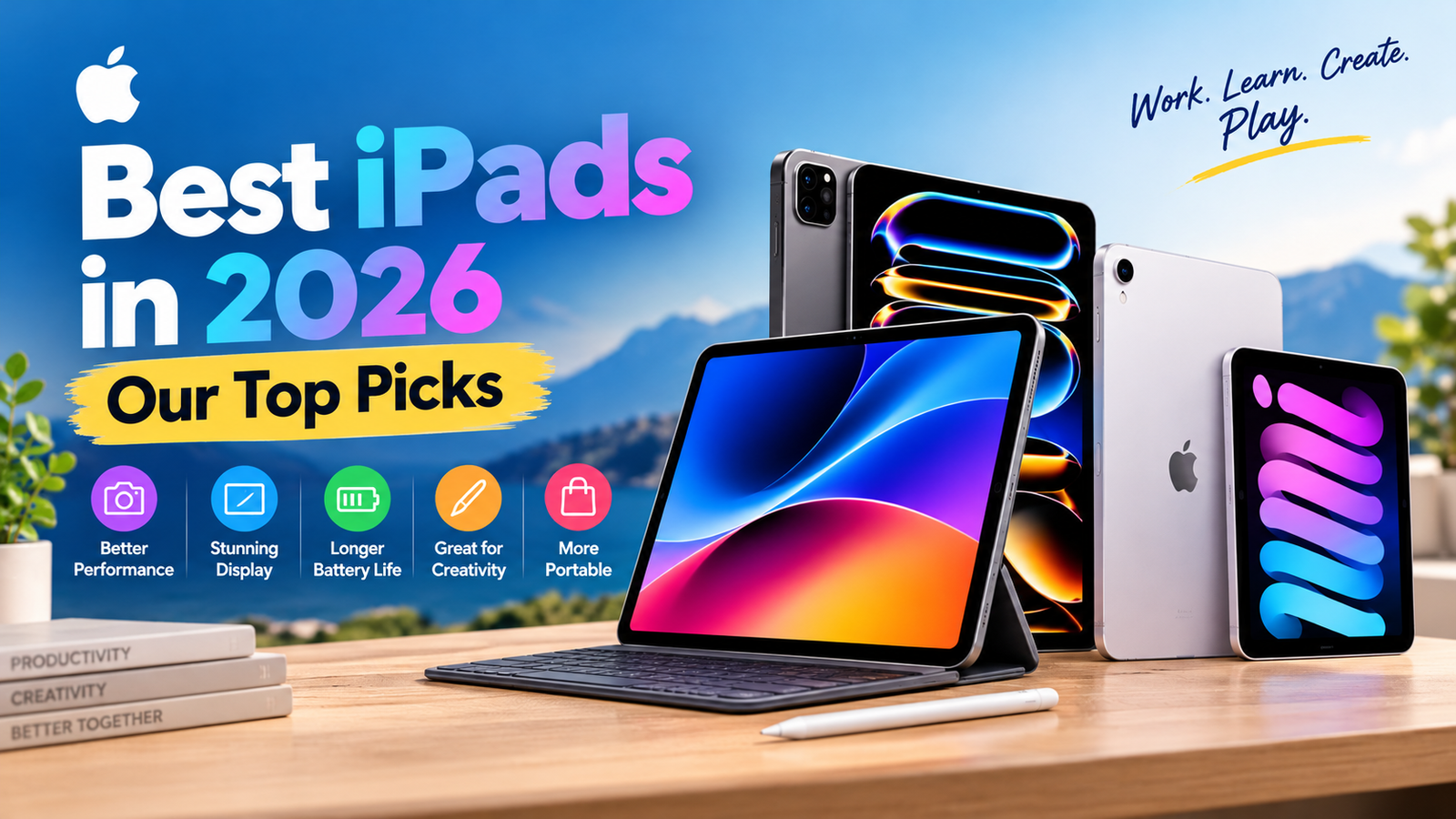
Apple sells four iPad families, and they cost anywhere from $349 to $1,299 at launch pricing. The right one depends less on budget than on how you’ll use it: reading on a train, taking lecture notes, editing 4K footage, or just streaming and browsing. We compared the current lineup on display, chip, battery, weight, Apple Pencil support, keyboard options, and what each one actually costs per year of use.
Researched & reviewed by the TechNewGadgets Editorial Team · Specs and prices checked: October 2026 · We have not hands-on tested these models; scores below are editorial scores built from published specifications and independent reporting.
Quick Answer: The Best iPads at a Glance
| iPad | Best for | Key strength | Starts at | Editorial score |
|---|---|---|---|---|
| iPad Pro (M5) | Best overall, professionals | OLED 120Hz display, M5 power | $999 (11″) | 9.5/10 |
| iPad Air (M4) | Best for most people | Near-Pro speed, 12GB RAM, two sizes | $599 (11″) | 9.2/10 |
| iPad (A16) | Best value | Lowest price, solid everyday speed | $349 | 8.8/10 |
| iPad mini (A17 Pro) | Best compact | Pocketable, 293g, Apple Intelligence | $499 | 8.7/10 |
| Previous-gen Air or Pro | Best deal hunt | Discounts from retailers | Varies | 8.2/10 |
Prices are Apple’s US launch list prices for Wi-Fi models and can change. Retailers often discount older stock, so confirm on the day you buy.
Check latest iPad prices →How We Evaluate iPads
Every iPad is scored on the same ten criteria so a $349 tablet isn’t judged against a $1,299 one by feel. Weighting reflects what buyers regret most: display and performance count most, followed by battery, Pencil and keyboard support, and price.
Display
Panel type, size, resolution, brightness, refresh rate, and glare handling.
Performance
Chip, RAM, thermals, multitasking headroom, and how long the hardware stays comfortable.
Battery & charging
Apple’s rated figures, kept separate from any measured result.
Portability
Weight, thickness, and one-handed comfort.
Pencil experience
Which Pencil works, pairing and charging, hover, and squeeze.
Keyboard & multitasking
Official keyboard options, trackpad, ports, and external display support.
Cameras & speakers
Front and rear cameras, document scanning, video calls, and audio.
Software & value
iPadOS 26 support, Apple Intelligence eligibility, price, and cost per year.
Best iPads Compared
| Model | Screen | Chip | Storage | Pencil | Keyboard | Weight (Wi-Fi) | Best for |
|---|---|---|---|---|---|---|---|
| iPad Pro | 11″ or 13″ Tandem OLED, 120Hz | M5 | 256GB–2TB | Pencil Pro, USB-C | Magic Keyboard | ~444g / ~579g | Professionals |
| iPad Air | 11″ or 13″ Liquid Retina LCD, 60Hz | M4 | 128GB–1TB | Pencil Pro, USB-C | Magic Keyboard | ~460g / ~616g | Most people |
| iPad | 11″ Liquid Retina LCD, 60Hz | A16 | 128GB–512GB | Pencil USB-C, 1st gen (adapter) | Magic Keyboard Folio | ~477g | Value |
| iPad mini | 8.3″ Liquid Retina LCD, 60Hz | A17 Pro | 128GB–512GB | Pencil Pro, USB-C | Third-party | 293g | Portability |
Weights are approximate Apple figures for Wi-Fi models; cellular versions weigh slightly more. Scroll the table sideways on phones.
Individual iPad Reviews
1. iPad Pro (M5): The Best iPad You Can Buy
Why we recommend it
The Pro is the only iPad with an OLED panel, and it shows. Blacks are truly black, HDR video has real punch, and the 120Hz refresh makes Pencil strokes and scrolling feel instant. Apple introduced the M5 model in October 2025, and reporting suggests the next Pro isn’t due until 2027, so buying now doesn’t mean buying a lame duck.
Design and build
Both sizes are remarkably thin, around 5mm, and light for their screen area. It’s the only iPad with Face ID, and the USB-C port is the fastest of the range, which matters if you edit from external SSDs. Wi-Fi 7 comes via Apple’s N1 chip, and cellular models use the C1X modem.
Display
Beyond brightness and contrast, the Pro offers an optional nano-texture glass on higher-storage configurations that cuts glare for outdoor and studio use. If you work near windows or on a train, that’s the upgrade that makes a visible difference. Photographers and colorists will appreciate the wide-gamut OLED for judging edits.
Performance
The M5 is far more chip than most iPad apps need today, but that’s the point of buying a Pro: it won’t slow you down in Final Cut, Logic, DaVinci Resolve, or heavy Procreate canvases, and 16GB of RAM on the 1TB and 2TB models helps with huge projects. On-device Apple Intelligence features run comfortably.
Battery life
Apple rates the Pro at up to 10 hours of web or video. We haven’t measured our own results, so treat that as a vendor claim. OLED panels can draw more power at high brightness, so heavy HDR use will shorten real-world endurance.
Apple Pencil experience
The Pro supports the Apple Pencil Pro and Pencil (USB-C). Pencil Pro adds squeeze gestures, barrel roll, and Find My. The 120Hz panel reduces perceived lag, which artists notice immediately.
Keyboard and laptop replacement
The Magic Keyboard turns it into a laptop-like machine with a trackpad and function row. External display support and fast USB-C make it the closest iPad to a real desktop workflow, though iPadOS still lacks some Mac-only pro software.
Cameras
12MP rear camera with LiDAR for scanning, and a landscape-oriented 12MP front camera that finally makes video calls look natural when docked to the keyboard.
Pros
- Best display of any iPad
- Most powerful chip and RAM
- Fastest USB-C and Wi-Fi 7
- Long software runway
Cons
- Expensive, and accessories add a lot
- Storage upgrades are costly
- Overkill for browsing and streaming
2. iPad Air (M4): The Sensible Default
Why we recommend it
Apple refreshed the Air in March 2026 with the M4, 12GB of RAM, and Wi-Fi 7, while holding the 11-inch entry price at $599. That’s a lot of tablet for the money, and a spring 2027 redesign is rumored, so this is a good time to buy but not the last chance.
Design and display
You choose between an 11-inch and a roomy 13-inch screen, both LCD. Colors are accurate and sharp, but you don’t get OLED contrast or 120Hz. For notes, documents, video, and drawing, most people won’t miss them; for HDR movies or fast scrolling, the Pro is visibly nicer.
Performance
The M4 and 12GB of RAM handle multitasking, photo editing, and 1080p video work with ease, and it supports Apple Intelligence. Casual gaming is smooth. It’s the first Air that feels future-proof rather than merely fast.
Battery, Pencil, and keyboard
Apple rates battery at up to 10 hours of typical use. The Air supports Apple Pencil Pro and Pencil (USB-C), and has its own Magic Keyboard in both sizes. With the 13-inch model plus keyboard, it makes a very capable laptop alternative for writing and web work.
Pros
- Great performance-per-dollar
- Pencil Pro support
- Two screen sizes
- 12GB RAM and Wi-Fi 7
Cons
- 60Hz LCD, no OLED
- Starts at 128GB, which fills up fast
- Keyboard accessories are pricey
3. iPad (A16): The Budget Pick That Still Does Plenty
Why we recommend it
At $349 for 128GB, it’s the cheapest way into a current iPad, and it commonly goes on sale for less during Prime Day, back-to-school, and Black Friday events. It handles Netflix, YouTube, Zoom, Google Docs, Office, and most popular games without complaint.
What you give up
The A16 iPad does not support Apple Intelligence, uses older Wi-Fi 6, has a slower USB-C port, and works with the older Pencil (USB-C) and the first-generation Pencil via adapter, not Pencil Pro. The screen is also less refined than the Air’s. A new base iPad with a faster chip is rumored for early 2027, though Apple hasn’t confirmed it.
Pros
- Lowest price
- Great for school and family use
- Large app support
Cons
- No Apple Intelligence
- Pencil Pro not supported
- 6GB RAM limits heavy multitasking
4. iPad mini (A17 Pro): The One You’ll Actually Carry
Why we recommend it
No other iPad is as easy to hold with one hand. It also supports Apple Intelligence and Apple Pencil Pro, making it the cheapest iPad with those features. Its pixel density is the highest of any iPad, so text looks very crisp.
Should you wait?
Yes, if OLED matters to you. Bloomberg-sourced reports point to an October 2026 OLED mini with an A19 Pro chip, but it’s unconfirmed, and reports suggest a 60Hz OLED panel and possibly a higher price. If you need a mini today, the current model remains a polished device, and it may get cheaper once a successor arrives.
Pros
- Truly pocketable
- Pencil Pro support
- Apple Intelligence
Cons
- Small for multitasking
- LCD, likely to be replaced soon
- No first-party keyboard
Which iPad Should You Buy?
| If you are… | Buy | Why |
|---|---|---|
| Most people | iPad Air | Best balance of price and power |
| A student | iPad A16 or Air 11″ | Notes, PDFs, schoolwork |
| An artist | iPad Air or Pro | Pencil Pro; Pro adds 120Hz OLED |
| A photographer | iPad Pro | Color and brightness for editing |
| A video editor | iPad Pro 13″ | Performance, RAM, fast storage I/O |
| A traveler or reader | iPad mini | Compact and light |
| Buying for a child | iPad A16 | Lowest cost to replace or repair |
| A gamer | iPad Air or Pro | Faster chip; Pro adds 120Hz |
| Replacing a laptop | iPad Air 13″ or Pro | Keyboard, ports, multitasking |
Which iPad Has the Best Display?
| Model | Size | Panel | Refresh | Brightness | Best for |
|---|---|---|---|---|---|
| iPad Pro | 11″ / 13″ | Tandem OLED | 120Hz | 1,000 nits (1,600 HDR) | Creators, HDR video |
| iPad Air | 11″ / 13″ | Liquid Retina LCD | 60Hz | ~500 nits | Everyday use |
| iPad | 11″ | Liquid Retina LCD | 60Hz | ~500 nits | Value |
| iPad mini | 8.3″ | Liquid Retina LCD | 60Hz | ~500 nits | Reading |
Refresh rate affects how fluid scrolling and Pencil lines feel, while OLED affects contrast, which is most visible in dark rooms and HDR video. If you mostly read and write, the LCD models are plenty good. If you draw for hours or watch films, the Pro’s panel is a genuine upgrade, not a spec-sheet flourish.
Which iPad Is Best for Apple Pencil?
iPad Pro and Air
Support Apple Pencil Pro (squeeze, barrel roll, Find My) and Apple Pencil USB-C. Pencils attach magnetically and charge on the side.
iPad mini
Also supports Pencil Pro and USB-C, so it’s a strong little sketchbook and note-taker.
iPad (A16)
Works with Apple Pencil USB-C and the first-gen Pencil via adapter. It doesn’t support Pencil Pro and doesn’t attach magnetically.
Best iPad for Students
Students need three things: all-day battery, a low price, and good Pencil support for notes. The base iPad is enough for lectures, PDFs, and Google Docs, and costs the least to replace if it gets damaged. Step up to the 11-inch Air if you want Pencil Pro, more RAM for split-screen research, and a longer runway. Buy a keyboard if you’ll type essays, and budget for a case.
Best iPad for Gaming
Most iPad games run well even on the A16. The Air’s M4 and 12GB of RAM give you headroom for demanding titles, while the Pro adds 120Hz for smoother motion in games that support it. For most players the Air is the performance-per-dollar choice; the Pro makes sense only if you also need its display. The mini is surprisingly good for handheld-style play.
Best iPad for Artists and Digital Drawing
The Air is the budget artist’s choice, with Pencil Pro and a large 13-inch canvas option. The Pro is for professionals who want OLED color accuracy and 120Hz response, plus extra RAM for high-layer-count Procreate files. Choose 256GB or more for art, since project files and brushes add up.
Battery Comparison
| iPad | Apple’s claim | Our measured result | Notes |
|---|---|---|---|
| iPad Pro | Up to 10 hours web/video | Not yet tested | OLED at high brightness uses more power |
| iPad Air | Up to 10 hours | Not yet tested | Efficient LCD helps |
| iPad | Up to 10 hours | Not yet tested | Smaller chip, modest draw |
| iPad mini | Up to 10 hours | Not yet tested | Smaller battery, small screen |
Apple’s figures are vendor claims under its own test conditions. We’ll add measured numbers here once we run our own tests.
iPad vs Other Tablets
Android and Fire tablets can be a better fit for specific budgets or Google-centric households, but they aren’t the focus of this page. Our head-to-head guides:
Should You Upgrade From a Previous Generation?
If your iPad is more than five years old, or no longer updates, upgrading is worth it. If you own an M2-class Air or Pro, the gains are real but incremental, so only upgrade for a specific need like OLED, Wi-Fi 7, or Pencil Pro. Users of the A16 iPad who want Apple Intelligence should look at the Air or mini.
How Much Storage Do You Need?
| User | Suggested storage | Why |
|---|---|---|
| Streaming and web | 128GB | Cloud-based, small footprint |
| Student | 128–256GB | Notes, PDFs, a few apps |
| Gamer | 256GB | Large game installs |
| Artist | 256–512GB | Big layered files |
| Photographer | 512GB+ | RAW files |
| Video editor | 1TB+ or external SSD | 4K footage |
iPad Prices and Deals
| Model | Wi-Fi starting price | Cellular from |
|---|---|---|
| iPad (A16) | $349 | $499 |
| iPad mini (A17 Pro) | $499 | $649 |
| iPad Air 11″ / 13″ (M4) | $599 / $799 | $749 / $949 |
| iPad Pro 11″ / 13″ (M5) | $999 / $1,299 | $1,199 / $1,499 |
Apple’s list prices are the starting point. Amazon, Best Buy, and Walmart often discount, and sales around Prime Day and Black Friday can be significant. Education pricing and trade-ins can also help.
Check today’s iPad deals →Which iPad Offers the Best Long-Term Value?
Illustrative ownership calculation: purchase price divided by an assumed five years of use. This isn’t a lifespan guarantee.
| iPad | Price | Assumed ownership | Cost per year |
|---|---|---|---|
| iPad (A16) | $349 | 5 years | ~$70 |
| iPad mini | $499 | 5 years | ~$100 |
| iPad Air 11″ | $599 | 5 years | ~$120 |
| iPad Pro 11″ | $999 | 5 years | ~$200 |
iPad Buying Guide: Pros and Cons
Advantages
- Long software support
- Huge app ecosystem
- Excellent Pencil experience
- Strong accessory range
Limitations
- Accessories add up
- iPadOS isn’t macOS
- Some pro workflows still need a laptop
- Storage upgrades are expensive
Frequently Asked Questions
Which iPad is best overall?
The iPad Pro (M5) is the most capable, but the iPad Air (M4) is the best choice for most buyers because it delivers most of the performance for much less money.
Which iPad is best for students?
The base iPad for budget, or the 11-inch Air if you want Pencil Pro, more RAM, and a longer lifespan.
Is the iPad Air worth buying over the regular iPad?
Yes if you want Apple Intelligence, Pencil Pro, 12GB of RAM, Wi-Fi 7, or a 13-inch screen. If you only stream, browse, and do schoolwork, the base iPad is enough.
Is an iPad Pro worth the extra money?
Only if you’ll use the OLED display, 120Hz, extra RAM, or fast USB-C. Otherwise the Air is better value.
Which iPad is best for drawing?
The Air for most artists; the Pro for professionals who want OLED and 120Hz.
Which iPad has the best battery life?
Apple rates all four at up to 10 hours. Real results depend on brightness, apps, and age, and we’ll publish measured numbers when tested.
Which iPad is best for gaming?
The Air for value, the Pro for the smoothest display. The base iPad handles casual games well.
Can an iPad replace a laptop?
For writing, browsing, email, and creative work, often yes, especially an Air or Pro with a keyboard. For specialized desktop software, probably not.
How much iPad storage should I buy?
128GB for light use, 256GB for most people with games or art, and 512GB or more for photo and video work.
Which Apple Pencil works with each iPad?
Pro, Air, and mini work with Pencil Pro and Pencil USB-C. The base iPad uses Pencil USB-C or first-gen via adapter.
Should I buy an iPad or an Android tablet?
If you use an iPhone or Mac and want the best app and Pencil experience, iPad. If you’re Google-centric or on a tight budget, an Android tablet may suit you better.
How TechNewGadgets Reviews iPads
Sources consulted: Apple’s iPad specifications and press materials, MacRumors, Macworld, and Bloomberg reporting as relayed by those outlets. Unannounced products are labeled as rumors.
Final Verdict: Which iPad Should You Buy?
| Buyer | Recommendation |
|---|---|
| Best overall | iPad Pro (M5) |
| Best for most people | iPad Air (M4) |
| Best value / budget | iPad (A16) |
| Best for students | iPad (A16) or Air 11″ |
| Best for artists | iPad Air or Pro |
| Best for gaming | iPad Air |
| Best for professionals | iPad Pro |
| Best compact | iPad mini |
Our overall recommendation: iPad Air (M4). Best alternative: iPad Pro (M5) if you’ll use the display and power.
Check today’s iPad prices →TechNewGadgets may earn a commission when you buy through links on this page. This doesn’t affect our recommendations.