


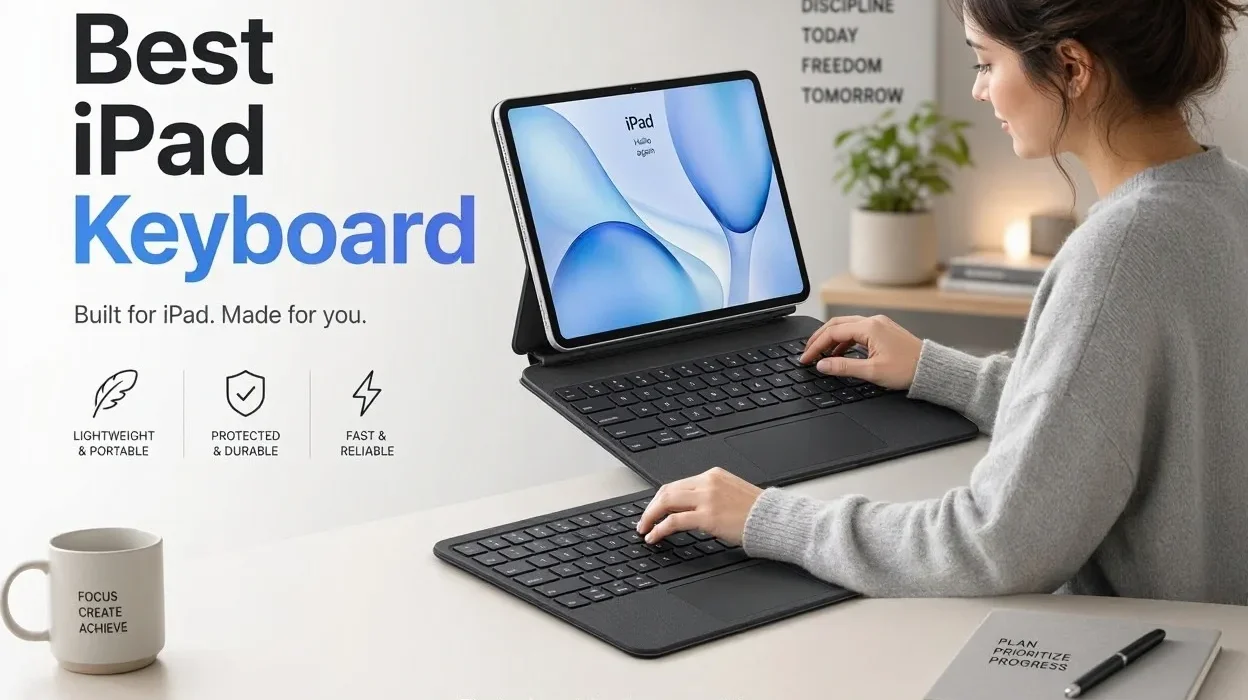
An iPad is two different devices depending on the hour. In the morning it is a one-handed reading and video slab. By mid-afternoon it is the thing a 1,200-word email, a half-built spreadsheet and nine browser tabs are fighting over, and the on-screen keyboard that was fine for a text message suddenly eats half the display. The best iPad keyboard cases are built for that second life without ruining the first.
The catch is that every case pays for one strength with a different cost. Floating, laptop-style designs feel the closest to a notebook but leave the tablet bare once you pull it out. Kickstand folios keep a protective shell on the iPad all day but sit lower and weigh more. Slim folios are light and cheap but usually skip the trackpad. A rugged shell protects the iPad and adds bulk you will notice in a backpack. This guide ranks eight options by how those trade-offs play out for real buyers, and it is explicit about what is a verified spec and what is editorial judgment.
The Short Answer
- Most people: Logitech Combo Touch. It fits the widest range of current iPads, has a trackpad and backlit keys, needs no pairing or charging, and keeps a protective shell on the iPad when the keyboard is off.
- Premium desk setup: Apple Magic Keyboard for iPad Pro or iPad Air, if you can accept the price and the fact that it is not a tablet-first case.
- Standard iPad (A16 or 10th generation): Apple Magic Keyboard Folio for the Apple-made option, or Logitech Combo Touch for a better-protected, often cheaper one.
- Tight budget: Logitech Slim Folio if you can live without a trackpad, or ESR Rebound and Typecase Touch if you want one.
Quick Picks
Comparison Table
Everything in this table comes from maker pages, retailer spec sheets or independent reviews. Swipe sideways on a phone.
| Product | Best for | Trackpad | Keyboard type | Main advantage |
|---|---|---|---|---|
| Logitech Combo Touch | Most iPad owners | Yes | Detachable, backlit, Smart Connector | No pairing or charging; shell stays on when keyboard is removed |
| Apple Magic Keyboard (iPad Pro / iPad Air) | Premium laptop-style desk use | Yes (haptic on Pro) | Floating cantilever, attached, Smart Connector | Best-regarded typing and trackpad of the group |
| Logitech Slim Folio | Budget buyers, long battery life | No | Folio with fixed keyboard, Bluetooth, no backlight | Light, with batteries rated for up to three years |
| ESR Rebound | Magic Keyboard look for less | Yes | Magnetic floating stand, backlit, Bluetooth | Cantilever-style setup at a lower price |
| Magic Keyboard Folio | Standard iPad owners wanting Apple parts | Yes | Two-piece, detachable keyboard, 14-key function row | Apple fit and finish, no pairing or charging |
| ZAGG Rugged Book | Kids, field work, rough commutes | No (a separate trackpad model exists) | Detachable, backlit, Bluetooth | 6.6-foot drop rating (ZAGG’s claim) |
| Typecase Touch | Feature-heavy for little money | Yes | 360° hinge, backlit, Bluetooth | Rotating hinge and trackpad at a budget price |
| Compact Bluetooth keyboard (Logitech Keys-To-Go 2) | Keeping the case you already own | No | Standalone Bluetooth keyboard with built-in cover | Works with any iPad; carries separately |
How We Evaluated the Best iPad Keyboard Cases
This ranking is research-based. TechNewGadgets has not put these cases through hands-on or laboratory testing, so nothing here is a typing-speed result, battery test, drop test or measurement of our own. Rankings rest on four inputs: official product pages and compatibility lists (Apple, Logitech, ZAGG, ESR), retailer specification sheets, hands-on reviews from independent publications such as Tom’s Guide and Techlicious, and a design analysis of what each layout means for someone using it. When something could not be verified, it was left out.
Each product was scored against the same eight questions:
- Typing comfort and layout: key travel, full-size keys, function row, backlighting.
- Trackpad usability: whether one exists, and whether it supports iPadOS Multi-Touch gestures.
- Tablet flexibility: can you remove the keyboard and keep the iPad protected?
- Portability: thickness and weight, where a source supplies them.
- Protection: front, back and edge coverage, plus any drop rating, treated as a maker claim.
- Build quality: materials as described by reviewers.
- Compatibility: which current iPads are supported, because most keyboard cases are model-specific.
- Price against features: what you give up at each price step.
Verified marks a fact taken from a maker page, retailer spec sheet or published review. Editorial view marks our judgment about what that fact means in use. Prices were found during research and move often, especially around Black Friday, so the number in a review is a guide rather than a quote.
Individual Product Reviews
1Logitech Combo Touch
Best Overall- Fits (verified)
- iPad (A16) and 10th gen; iPad Air 11-inch (M2 to M4); iPad Pro 11-inch (M4, M5); 13-inch Air and Pro versions also sold
- Connection
- Apple Smart Connector, powered by the iPad
- Trackpad / backlight
- Multi-Touch trackpad; backlit keys (A16 version: 16 brightness levels)
- Design
- Detachable keyboard, kickstand case, four modes (type, view, sketch, read)
- Price found
- A16 version $159.99 list, $139.99 on Logitech.com in November; Air 11-inch $199.99 at retailers
Editorial viewReal-world use
The design question that matters here is what happens when you take the keyboard off. Techlicious, which tested the A16 and 10th-generation version, reports that the hard shell stays on the iPad when the keyboard is detached, so reading on the couch or handing the tablet to a child does not mean going bare. That is the main reason this case beats floating designs for anyone who uses the iPad as a tablet as much as a laptop.
On a desk it behaves like a kickstand notebook. The stand gives a wide range of angles (retailer spec sheets list a type-mode angle of 60 degrees for the A16 version and 20 degrees for sketch mode), which suits drawing with an Apple Pencil as well as typing. The trade-off is a stable base that sits lower than a floating design, so the screen is closer to the desk surface, and on a lap or airplane tray a kickstand needs more depth than a clamshell laptop.
Because it uses the Smart Connector, there is nothing to pair and nothing to charge. That matters on busy days: pick the iPad up, snap the keyboard on, type. The cost, as with all Smart Connector keyboards, is that the keyboard draws power from the iPad, and some owners say that shortens battery life slightly.
Keyboard and Trackpad
Reviewers describe a soft, fabric-wrapped palm area and a responsive trackpad that holds up for long typing sessions. The keyboard has a row of iPadOS shortcut keys and automatic backlight adjustment. Logitech calls the Air and Pro trackpad the largest it has put on a Combo Touch.
Strengths
- Shell remains on when keyboard is detached
- No Bluetooth pairing, no keyboard charging
- Covers base iPad, Air and Pro families
- Backlit keys with a real trackpad, usually below Apple’s price
Weaknesses
- About 1.1 lb for the 11-inch Air version and 572 g for the A16 version, per retailer specs, on top of the iPad
- Kickstand sits lower than a cantilever
- Reviewers do not describe it as premium as Apple’s metal-and-glass design
Who should buy it: anyone who wants one case for typing, reading and sketching, students, and parents who want the shell to stay on.
Who should skip it: buyers who want the closest thing to a laptop and are happy to remove the iPad from a separate case when they need a tablet.
2Apple Magic Keyboard (iPad Pro and iPad Air)
Best Premium- Fits (verified)
- iPad Pro 11- and 13-inch (M4, M5) with the Pro model; iPad Air 11- and 13-inch (M2 to M4) with the Air model
- Connection
- Smart Connector, with a USB-C port in the hinge for pass-through charging
- Keys / trackpad
- Scissor keys with 1 mm travel, 14-key function row, large glass trackpad; Pro adds haptic feedback and an aluminum palm rest
- Backlight
- Pro: yes. Air: not listed in Apple’s spec highlights, and B&H lists illumination as “No”
- Price found
- Pro from $299 (11-inch) and $349 (13-inch); Air from $269 (11-inch) and $319 (13-inch)
Editorial ViewReal-world use
The floating cantilever is the point. The iPad hovers above the keyboard deck, which puts the screen at a comfortable height on a desk and makes video calls look less like looking down at a tablet. Tom’s Guide, which names it best overall in its October 2026 update, says typing feels close to a MacBook Air and that the trackpad is very good for multi-touch gestures. For long emails, spreadsheets and heavy Split View work, the function row (brightness, volume, shortcuts) and the large trackpad are what make it feel like a small laptop.
The compromises are structural. It folds into a case, but it does not turn into a tablet case: when you lift the iPad out to read or draw, it is bare, and the keyboard cannot be used wirelessly on its own. Tom’s Guide calls it a bit heavy, and retailer listings put the Pro 11-inch keyboard at roughly 1.9 lb. Engadget also flags limited drop protection alongside the price. If you mostly watch video or read, a lot of that money pays for features you will rarely use.
iPad Air buyers: the Air model is cheaper, but it is not a Pro keyboard with a different label. Coverage at launch noted it lacks the Pro’s aluminum palm rest, and spec sources suggest it is not backlit. If backlit keys matter to you, check the current listing before ordering, or compare it with the Combo Touch.
Strengths
- Typing and trackpad praised across independent reviews
- Floating design lifts the screen to a better height
- USB-C pass-through frees the iPad’s port
- No pairing; powered by the iPad
Weaknesses
- Most expensive option in this guide
- iPad is unprotected once removed
- Heavy for a keyboard case
- Pro and Air versions differ; models do not cross-fit
Who should buy it: iPad Pro and Air owners who type daily at a desk and want laptop-grade input.
Who should skip it: tablet-first users, people who want a case on the iPad at all times, and anyone price-sensitive.
3Logitech Slim Folio
Best Budget- Fits (verified)
- iPad (A16) and 10th-generation iPad version; Techlicious tested it with that class of iPad
- Connection
- Bluetooth
- Power
- Two replaceable CR2032 coin cells, rated for up to three years
- Trackpad / backlight
- Neither
- Price found
- $99.99 list; Tom’s Guide shows it around $72 to $77 at times
Editorial ViewReal-world use
This is the case for a student who drafts essays in Pages or Google Docs and never touches a mouse. Techlicious notes a full-size keyboard with iPadOS shortcut keys, a soft fabric exterior that keeps weight down, and a holder for Apple Pencil or a stylus. Tom’s Guide adds that setup is quick and calls it an ideal traveling case for students.
The costs show up the moment you do something other than type. There is no trackpad, so every selection, scroll and tap goes back to the screen. There is no backlight, which matters in a dim lecture hall or on a red-eye flight. And it is a one-piece folio: Tom’s Guide points out that you cannot detach the keyboard from the case. When you want to read, you fold it back and hold a slightly thicker tablet.
The battery story is the quiet advantage. Coin cells for up to three years mean no cable to forget and no battery to degrade. The inconvenience is hunting for CR2032s when they finally die.
Heads up for Air and Pro owners: the Slim Folio is a standard-iPad product. Logitech’s Flip Folio covers 11-inch Air and Pro models and has been listed around $173 to $180 at retailers, which is not budget money. For a cheaper Air or Pro case with a trackpad, ESR and Typecase are the more affordable routes.
Strengths
- Light and slim for the category
- Long battery life on replaceable cells
- Full-size keyboard with shortcut keys
- Pencil or stylus holder
Weaknesses
- No trackpad, no backlight
- Keyboard does not detach
- Standard-iPad models only in this price tier
Who should buy it: students and writers who want a simple typing case on a base iPad.
Who should skip it: anyone who wants a trackpad, works in dim rooms, or wants a removable keyboard.
4ESR Rebound Keyboard Case
Best Value Alternative- Fits (verified)
- iPad (A16), iPad Air 11- and 13-inch (M2 to M4 listings), iPad Pro 11- and 13-inch (M4, M5)
- Connection / power
- Bluetooth; non-removable battery, charged by USB-C (800 mAh listed on the Air 11-inch M4 page)
- Keys / trackpad
- Scissor-style keys, multi-touch trackpad, backlight with adjustable color and brightness
- Design
- Magnetic cantilever-style stand; clasp holds an Apple Pencil
- Price found
- Air 11-inch (M4) $119.99 on ESR’s site (struck-through $144.99); A16 version about $80 on sale
Editorial ViewReal-world use
The appeal is easy to see: the same floating stand and trackpad idea as Apple’s keyboard at roughly a third to half of the price depending on the model. Techlicious tried the A16 version and found the elevated screen more natural than expected, particularly for video calls, and called the backlit keyboard good for longer writing sessions.
Where it stumbles is the same place all floating designs do, and in ESR’s case it is a little worse. Techlicious says once you remove the iPad from the magnetic stand it has no protection at all, and that the viewing angle adjusts only slightly. Tom’s Guide, reviewing the rotating Rebound variant, says it is less durable than average and on the expensive side for what it is. A magnetic stand also leans on magnets for holding power, so on a wobbly lap or a crowded train tray it is a less forgiving setup than a kickstand.
There is one more thing to know before you buy: ESR sells the floating Rebound Magnetic and a rotating Rebound 360. Reviews of one do not always describe the other, so check which version you are ordering.
Strengths
- Cantilever look and trackpad at a lower price
- Backlight with color and brightness choices
- Available for base iPad, Air and Pro
- Rechargeable, with a Pencil clasp
Weaknesses
- iPad is bare once removed (Techlicious)
- Limited angle adjustment on the floating model
- Reviewers flag durability and build quality
- Prices swing widely between sales
Who should buy it: desk-based users who want the floating-screen layout without Apple pricing.
Who should skip it: commuters, parents and anyone who needs the case to survive drops.
5Apple Magic Keyboard Folio
Best for Standard iPad- Fits (verified)
- iPad (A16) and iPad (10th generation) only
- Design
- Two pieces: a detachable keyboard and a protective back panel, both magnetic, with an adjustable stand
- Keys / trackpad
- Scissor keys with 1 mm travel, 14-key function row, click-anywhere trackpad
- Connection
- Magnetic attachment, no pairing or charging required (Apple)
- Price found
- From $249 on Apple.com
Editorial viewReal-world use
The two-piece design is the interesting part. You can leave the keyboard behind and keep the back panel on, so reading or watching video does not need a bare tablet, and a floating-hinge keyboard does not offer that. Apple describes front and back protection from the combination, which means the keyboard can stay in a bag while the panel rides on the iPad.
The trade-off is the stand. Apple’s adjustable stand supports continuous angles, but because it is a separate rear panel and not an integrated frame, the whole setup sits on a kickstand footprint that takes up more desk than a folio. Tom’s Guide describes the Folio as doing roughly the same job as the Magic Keyboard, but with a removable keyboard deck and a regular stand rather than the cantilever.
The price is where it loses ground. At $249 and up, it costs well over the $159.99 list price of Logitech’s Combo Touch for the same iPad, and that one has a backlit keyboard. The Folio’s function row and Apple-quality feel are real advantages; the question is whether they are worth about $90 or more.
Strengths
- Detachable keyboard and a protective back panel
- Function row and click-anywhere trackpad
- No pairing, no charging
Weaknesses
- Priced well above Logitech’s equivalent
- Works only with iPad (A16) and 10th gen
- Stand takes more desk space than a folio
Who should buy it: base-iPad owners who want Apple’s own keyboard and prefer a clean, slim two-piece layout.
Who should skip it: budget-minded buyers and anyone who needs backlit keys (Apple’s spec highlights for the Folio do not list them; the Combo Touch has them).
6ZAGG Rugged Book
Best for Protection- Fits (verified)
- Versions for iPad (A16) and 10th gen, and for iPad Pro 11-inch (M4, M5 per CDW); ZAGG’s Air/Pro 11-inch page lists Air M2 and M3, so confirm any Air M4 fit
- Connection / power
- Bluetooth with multi-device pairing; rechargeable by USB-C
- Design
- Detachable backlit keyboard, magnetic hinge, four modes (case, video, book, keyboard)
- Protection claim
- ZAGG rates it for drops up to 6.6 feet (maker claim)
- Price found
- $149.99 on ZAGG’s Air/Pro 11-inch version; confirm the price for the A16 version
Editorial viewReal-world use
This is the case you hand to a teenager or take to a job site. ZAGG advertises 6.6 feet of drop protection, and since that rating comes from the manufacturer, it is best read as a design goal and not as an independent result. Tom’s Guide notes the swiveling hinge, which gives laptop-style angle adjustment, and the “video” mode where you flip the iPad to face away from the keyboard for presentations. The keyboard also works when detached, so you can prop the iPad on a stand and type from a distance.
The rugged shell costs weight and thickness. Tom’s Guide says it is thicker and a bit heavier and that the iPad can be tricky to remove from the case. There is also no built-in trackpad on the standard Rugged Book, so navigation is by touch. A separate Rugged Book Connect with a trackpad is sold for the A16 and 10th-gen iPad, and one retailer lists it at 2.30 lb, so treat it as a different product with a different price.
ZAGG’s Rugged Book listings vary by retailer, and some show earlier iPad generations only. Match the model number before ordering.
Strengths
- Drop protection claim of 6.6 feet
- Four modes and a flexible hinge
- Keyboard works while detached
- Backlit, with multi-device pairing
Weaknesses
- Thicker and heavier than folios
- No trackpad on the standard model
- iPad can be awkward to remove
- Generation fit varies by listing
Who should buy it: kids’ iPads, field work, and anyone whose tablet lives in a bag.
Who should skip it: travelers counting grams, and anyone who wants a trackpad without paying for a separate model.
7Typecase Touch
Best Feature-Rich Alternative- Fits (verified)
- iPad (A16), 10th gen, iPad Air 11- and 13-inch, iPad Pro 11- and 13-inch, and iPad mini versions
- Connection / power
- Bluetooth; non-removable battery, charged by USB-C
- Keys / trackpad
- Multi-touch trackpad; backlight with 11 color options; iPadOS shortcut keys on the function row
- Design
- Dual-axis 360° hinge with seven use modes; Pencil loop on the left side; 12-month warranty
- Price found
- About $65 for the A16 version at Walmart; roughly $114 to $131 for iPad Pro 11-inch listings
Editorial viewReal-world use
The 360-degree hinge turns the case into a two-in-one: fold the keyboard behind the iPad and you have a tablet, flip it for tent or stand modes, open it for typing. Tom’s Guide says the swivel design is versatile, calls the typing surface excellent, and notes that the function row and trackpad support iPadOS shortcuts. It also points out that this design means you cannot remove the keyboard or easily take the iPad out of the case.
That is a real compromise for a tablet-first user. A rotating hinge gives you more positions, but when it is folded behind the iPad you are holding a keyboard-backed slab that is thicker than a plain case, and your fingers rest on keycaps. Reviewers also describe the materials as cheap-feeling, and the multi-color backlight as unnecessary for a work tool, although it can be switched off.
One honest limitation of this ranking: we did not find hands-on reviews of the Typecase Touch from major technology publications beyond Tom’s Guide’s write-up, so its long-term durability is less well documented than Logitech’s or Apple’s. That is a reason to buy from a retailer with an easy return policy.
Strengths
- Trackpad, backlight and Pencil loop at a budget price
- Rotating hinge for flexible modes
- Versions for nearly every current iPad, including mini
Weaknesses
- Keyboard cannot be removed
- Materials described as cheap-feeling
- Thin independent track record
Who should buy it: budget buyers who want a trackpad and backlight and like having multiple positions.
Who should skip it: anyone who wants a detachable keyboard or a premium build.
8Compact Bluetooth Keyboard (Logitech Keys-To-Go 2)
Best Portable Alternative- Fits (verified)
- Any iPad that supports Bluetooth keyboards
- Design
- Slim standalone keyboard with a built-in cover; pairs with multiple devices (Techlicious)
- Trackpad / protection
- None; it does not protect the iPad
- Price found
- $79.99 list; Techlicious listed $64.99 on sale
Editorial ViewReal-world use
This option makes sense when you already own a case you like. Keep your Smart Folio, an art-friendly cover or a tough kid case, and add a keyboard only on days that need one. Techlicious describes roomy keys, a built-in cover and a form that slips into a purse or small backpack. Because the keyboard is separate, you can place it where you like, which helps when the iPad is on a stand at eye level.
The cost is stability and convenience. A standalone keyboard needs a flat surface and a stand, so lap use is clumsy, and there is no trackpad, so you will be tapping the screen. You also have to pair and charge it, which is more setup than a Smart Connector case.
Apple notes that iPad works with Bluetooth keyboards from Apple and third parties, so you are not limited to this model. A keyboard you already own may do the job.
Strengths
- Keeps your existing iPad case
- Light and easy to carry
- Pairs with more than one device
Weaknesses
- No trackpad, no iPad protection
- Needs a stand and a flat surface
- Pairing and charging required
Who should buy it: travelers and occasional typists who like their current case.
Who should skip it: lap typists, and anyone who wants one grab-and-go case.
iPad Keyboard Case Buying Guide
Check Your iPad Model Before Anything Else
Most keyboard cases are model-specific, and the screen size alone is not enough. On your iPad, open Settings, then General, then About, and read the Model Name (Apple’s own instruction). Then match it to the generation:
- The iPad (A16) and the 10th-generation iPad share a size and design, so many cases list both.
- The iPad Air from M2 to M4 shares dimensions within each size, which is why Apple’s Air keyboard lists M2, M3 and M4 together. It also lists the 4th and 5th generation Air.
- The iPad Pro M4 and M5 share a form factor in each size, but a retailer Q&A confirms the 11-inch Pro M4 Magic Keyboard is not an Air accessory, and older 11-inch Pro cases should not be assumed to fit.
- The 11-inch and 13-inch versions are not interchangeable.
| Your iPad | Best matches in this guide |
|---|---|
| iPad (A16) or 10th gen | Combo Touch, Magic Keyboard Folio, Slim Folio, ESR Rebound, Typecase Touch, ZAGG |
| iPad Air 11-inch or 13-inch (M2 to M4) | Combo Touch, Magic Keyboard for iPad Air, ESR Rebound, Typecase Touch, ZAGG (check model) |
| iPad Pro 11-inch or 13-inch (M4, M5) | Combo Touch, Magic Keyboard for iPad Pro, ESR Rebound, Typecase Touch |
| iPad mini | No strong integrated case in this research; Typecase offers mini versions, and a Bluetooth keyboard is the safer route |
Do You Need an Ipad Keyboard Case with a Trackpad?
If you work at a desk with the iPad propped at eye level, a trackpad is worth having: selecting text, moving a cursor in a spreadsheet and switching apps with gestures without lifting your hand to the screen all go faster. Tom’s Guide recommends the Magic Keyboard, ESR Rebound and Typecase Touch for exactly that reason. If you mostly type notes, answer messages and write drafts, a trackpad adds weight and cost you may not use. The Slim Folio exists for that buyer.
Detachable vs. Fixed Keyboard
A detachable keyboard helps when you switch between writing and tablet use through the day. You can leave the keyboard behind for reading or drawing without losing the protective shell, as with the Combo Touch and Magic Keyboard Folio. The cost is a heavier, thicker kit and a bit less stability on a lap. Fixed designs such as the Slim Folio or Magic Keyboard (Pro and Air) are steadier on the legs, but you give up a keyboard-free tablet mode.
Ipad Keyboard Case with Backlit Keys: Do You Need Them?
Backlighting is the difference between a keyboard you can use in a dark classroom or on a plane and one you cannot. Combo Touch, ESR Rebound, ZAGG Rugged Book, Typecase Touch and the Pro Magic Keyboard are backlit. The Slim Folio is not. The Air version of Apple’s Magic Keyboard is the surprise: spec sources do not list backlighting, so confirm before buying if you type in the dark.
Bluetooth vs. Smart Connector
Smart Connector keyboards (Apple’s and Logitech’s Combo Touch) draw power from the iPad and connect the moment they snap on. No pairing, no charging, no battery icon to monitor. The trade-off is that some owners report a faster iPad battery drain. Bluetooth cases (Slim Folio, ESR, ZAGG Rugged Book, Typecase) carry their own battery and need pairing, but they keep working when detached and can pair with more than one device. ZAGG’s Rugged Book is an example of multi-device pairing.
Keyboard case vs. Standalone Keyboard
A case protects the iPad and gives you a built-in stand. A standalone keyboard is lighter, lets you keep the case you already own, and can be placed anywhere, but you need a stand and a flat surface. If you already own a comfortable Bluetooth keyboard, a case may be an unnecessary spend.
Protection vs. Portability
Every layer of protection adds grams. A rugged case with a drop rating protects the iPad and adds bulk in a backpack. A floating keyboard looks slim but leaves the iPad bare when detached. A slim folio is easy to carry but offers a thinner shell. Decide first where the iPad spends its day (a desk, a bag, a child’s hands), then pick the protection level.
Apple Pencil Compatibility
On iPad Air and iPad Pro, the Pencil attaches to the side of the iPad, so the case needs to leave that edge accessible. Tom’s Guide notes the Magic Keyboard allows this but offers no strap. The base iPad does not charge a Pencil magnetically, so cases there offer a holder: Combo Touch, Slim Folio and Typecase all include a loop or holder, and ZAGG lists a Pencil holder. If you draw a lot, look for a case that holds the Pencil securely and a stand angle suited to sketching.
What to Expect from a Budget Keyboard Case
Below roughly $100, you give something up. In the cases here that means a trackpad (Slim Folio), premium materials and protection (ESR and Typecase, according to reviewers) or a detachable keyboard. A cheap case can still be a good buy if you know which compromise you are making, and a retailer with a clear return policy is worth the extra care.
Price check: keyboard cases are heavily discounted around Black Friday and Prime Day. The Combo Touch for A16 was $139.99 on Logitech.com in November against a $159.99 list price, and ESR’s listings carry struck-through “regular” prices. Compare against recent street prices before treating a “sale” as a deal.
| Product | Connection | Backlit | Detachable keyboard | Price found (USD) |
|---|---|---|---|---|
| Logitech Combo Touch | Smart Connector | Yes | Yes | $139.99–$159.99 (A16); $199.99 (Air 11-inch) |
| Magic Keyboard (Pro) | Smart Connector | Yes | No | From $299 / $349 |
| Magic Keyboard (Air) | Smart Connector | Not listed | No | From $269 / $319 |
| Logitech Slim Folio | Bluetooth | No | No | $99.99 list |
| ESR Rebound | Bluetooth | Yes | No | ~$80–$120 |
| Magic Keyboard Folio | Magnetic | Not listed | Yes | From $249 |
| ZAGG Rugged Book | Bluetooth | Yes | Yes | $149.99 (Air/Pro 11-inch) |
| Typecase Touch | Bluetooth | Yes | No | ~$65 (A16) |
| Keys-To-Go 2 | Bluetooth | Not listed | Standalone | $79.99 list |
Best iPad Keyboard Case for Every Use
Students
Pick: Logitech Combo Touch for an A16 or Air; Slim Folio if budget is tight.
Why: Combo Touch keeps a shell on for the backpack, and a trackpad helps with long documents. Slim Folio is light and runs for years on coin cells.
Compromise: Combo Touch adds weight; Slim Folio has no trackpad or backlight.
Office and remote workers
Pick: Apple Magic Keyboard (Pro or Air), or Combo Touch.
Why: The floating design lifts the screen and the trackpad speeds up spreadsheet and Split View work.
Compromise: The iPad is bare when removed, and the price is high.
Travelers
Pick: Logitech Slim Folio for a base iPad, or a Keys-To-Go 2 with your existing case.
Why: Both are light, and Tom’s Guide calls the Slim Folio an ideal traveling case.
Compromise: No trackpad, and the Slim Folio is not backlit for dark flights.
Writers
Pick: Apple Magic Keyboard for typing feel; Slim Folio for simple, long-battery drafting.
Why: Reviewers rate Apple’s keys highest, while Techlicious recommends the Slim Folio for writers who want a straightforward typing case.
Compromise: Apple’s cost, or the Slim Folio’s missing backlight and trackpad.
iPad-first users
Pick: Logitech Combo Touch or Magic Keyboard Folio.
Why: A detachable keyboard with a shell that stays on is the only layout that treats the tablet as the main device.
Compromise: More weight, and a stand that sits lower than a cantilever.
Laptop-replacement buyers
Pick: Apple Magic Keyboard on an iPad Pro or Air.
Why: Tom’s Guide says it is worth the extra cost if you want the closest experience to using a small laptop.
Compromise: You are buying a laptop-style accessory, and heavy lap use is less stable than on a true laptop.
Budget shoppers
Pick: Slim Folio (no trackpad), Typecase Touch or ESR Rebound on sale (with trackpad).
Why: They cost the least for what they offer.
Compromise: Materials, durability and, in some cases, protection.
Who Should Avoid an iPad Keyboard Case?
A keyboard case is a good buy for people who type often, and a poor one for people who do not. Skip it, or choose a different accessory, if you fit one of these.
- You mostly stream movies. A keyboard adds weight and thickness you will hold in your hand for hours. A plain folio or Apple Smart Folio keeps the iPad light.
- You mainly read or browse. For ebooks and web pages, a keyboard is dead weight. A slim case with a stand is easier on the wrist.
- You draw and rarely type. A digital artist needs a flat-feeling tablet and a stable stand. A keyboard case can get in the way of how you hold the iPad. If you do type sometimes, a detachable design such as the Combo Touch is the compromise.
- You already own a comfortable Bluetooth keyboard. Tom’s Guide notes that most keyboards, including desktop ones, work with an iPad, and Apple’s Magic Keyboard (USB-C) lists iPad Pro and iPad Air models among its supported devices. Add a stand and a simple case, and you may not need to buy anything else.
- You type only in short bursts. Dictation and the on-screen keyboard cover quick replies, and a $100 to $300 accessory is hard to justify.
Frequently Asked Questions
What is the best iPad keyboard case overall?
Logitech Combo Touch is the best overall pick for most people. It covers the base iPad, iPad Air and iPad Pro, has a trackpad and backlit keys, needs no pairing or charging, and keeps a protective shell on the iPad when the keyboard is detached. Apple’s Magic Keyboard is better for typing and trackpad feel, but it costs more and works as a laptop-style case rather than a tablet case.
Is Apple’s Magic Keyboard worth the money?
It is worth it if you type for long stretches at a desk and own a compatible iPad Pro or Air. Tom’s Guide says it is worth the extra cost for the closest experience to a small laptop. It is less compelling if you read and watch more than you type, since the iPad is bare when removed and the price starts at $269 for the Air version and $299 for the Pro.
Is Logitech Combo Touch better than Magic Keyboard?
For most buyers, yes: it is cheaper, covers more iPads, and keeps a shell on the tablet when the keyboard is detached. The Magic Keyboard wins on typing feel, trackpad quality and the floating screen height. Pick the Combo Touch if you use the iPad as a tablet often, and the Magic Keyboard if you mostly work in laptop mode.
Can an iPad keyboard case replace a laptop?
For email, documents, browsing and note-taking, yes, particularly with a trackpad and an iPad Air or Pro. It is less suited to heavy multi-window workflows, desktop-only software, or working on your lap for long periods, because a floating hinge or kickstand is less stable than a laptop’s clamshell.
Do keyboard cases have trackpads?
Some do. Combo Touch, Apple’s Magic Keyboard and Magic Keyboard Folio, ESR Rebound and Typecase Touch include one. Logitech Slim Folio and the standard ZAGG Rugged Book do not, and a standalone Bluetooth keyboard does not either.
Do iPad keyboard cases need charging?
It depends on the connection. Smart Connector keyboards, including Apple’s Magic Keyboard and the Combo Touch, draw power from the iPad and need no charging. Bluetooth cases such as ESR, Typecase and ZAGG have rechargeable batteries, while the Slim Folio uses replaceable CR2032 coin cells rated for up to three years.
Can one keyboard case fit multiple iPad generations?
Sometimes within a family, never across all of them. Cases made for the iPad (A16) usually also list the 10th generation. Apple’s Air keyboard lists M2, M3 and M4 models plus the 4th and 5th generation Air, and Pro cases list M4 and M5 together. A case for one screen size will not fit another, and older Pro cases should not be assumed to fit a thinner M4 or M5 Pro.
Can the Magic Keyboard for iPad Pro fit the iPad A16?
No. Apple sells the Magic Keyboard Folio for the iPad (A16) and 10th-generation iPad, and separate Magic Keyboards for the iPad Pro and iPad Air.
Which keyboard case is best for students?
Logitech Combo Touch is the best all-round pick if the budget stretches, because the shell stays on in a backpack and the trackpad helps with long papers. If money is tight, the Slim Folio is a lighter option for pure typing, and ESR Rebound or Typecase Touch add a trackpad for less.
Which iPad keyboard case is best for travel?
For a base iPad, the Slim Folio is light and runs for years on replaceable batteries. If you need a trackpad or backlight and can carry extra weight, Combo Touch is the practical choice. For people who already own a case, a Logitech Keys-To-Go 2 adds typing without a new case.
Do iPads work with regular Bluetooth keyboards?
Yes. Apple says iPad works with Bluetooth keyboards from Apple and third parties, and Tom’s Guide notes you can plug in a desktop keyboard with a USB-C adapter. A case adds protection and a built-in stand, but it is not required for typing.
Does a keyboard case drain the iPad battery?
Smart Connector keyboards draw power from the iPad, and Tom’s Guide notes some owners say this shortens battery life. Bluetooth cases use their own battery, so the iPad itself is unaffected.
Is there a good keyboard case for iPad mini?
Options are thin. This research did not find a strong integrated option from Apple or Logitech for the mini. Typecase lists mini versions, and a standalone Bluetooth keyboard such as the Keys-To-Go 2 is the safer route.
Final Verdict: Which iPad Keyboard Case Should You Buy?
If you only remember one thing from this guide, it is that the best iPad keyboard cases are defined by what you give up. Pick the compromise you can live with.
Our Recommendations
- Most users: Logitech Combo Touch. It is the best balance of keyboard, trackpad, protection and price, and it fits the widest range of current iPads.
- Premium buyers: Apple Magic Keyboard for iPad Pro (or iPad Air), if typing and trackpad quality are worth the money and you accept a bare iPad when it is removed.
- Budget buyers: Logitech Slim Folio if you do not need a trackpad; ESR Rebound or Typecase Touch if you do, bought from a retailer with a clear return policy.
- Tablet-first users: Combo Touch, or Magic Keyboard Folio on a base iPad, because both let you remove the keyboard and keep a protective shell on.
- Rough handling: ZAGG Rugged Book, accepting extra bulk.
Before buying, check your iPad’s exact model name, decide whether a trackpad and backlight are worth the extra money, and compare the current price against recent sales. If you are still choosing the iPad itself, start with our best iPads of 2026 guide, and if you are weighing a tablet against a notebook, see our best laptops and best MacBooks roundups.
Sources consulted: Apple’s iPad keyboard pages and tech specs (apple.com, Magic Keyboard Folio specs); Logitech, ZAGG and ESR product pages; Tom’s Guide’s best iPad keyboards (updated October 12, 2026); Techlicious’s keyboard case tests (January 2026); 9to5Mac’s Magic Keyboard coverage; and retailer spec sheets from B&H, Best Buy, CDW and Newegg. Prices and compatibility change; check the retailer page before purchase. This page may earn commission from links, which does not change the ranking.