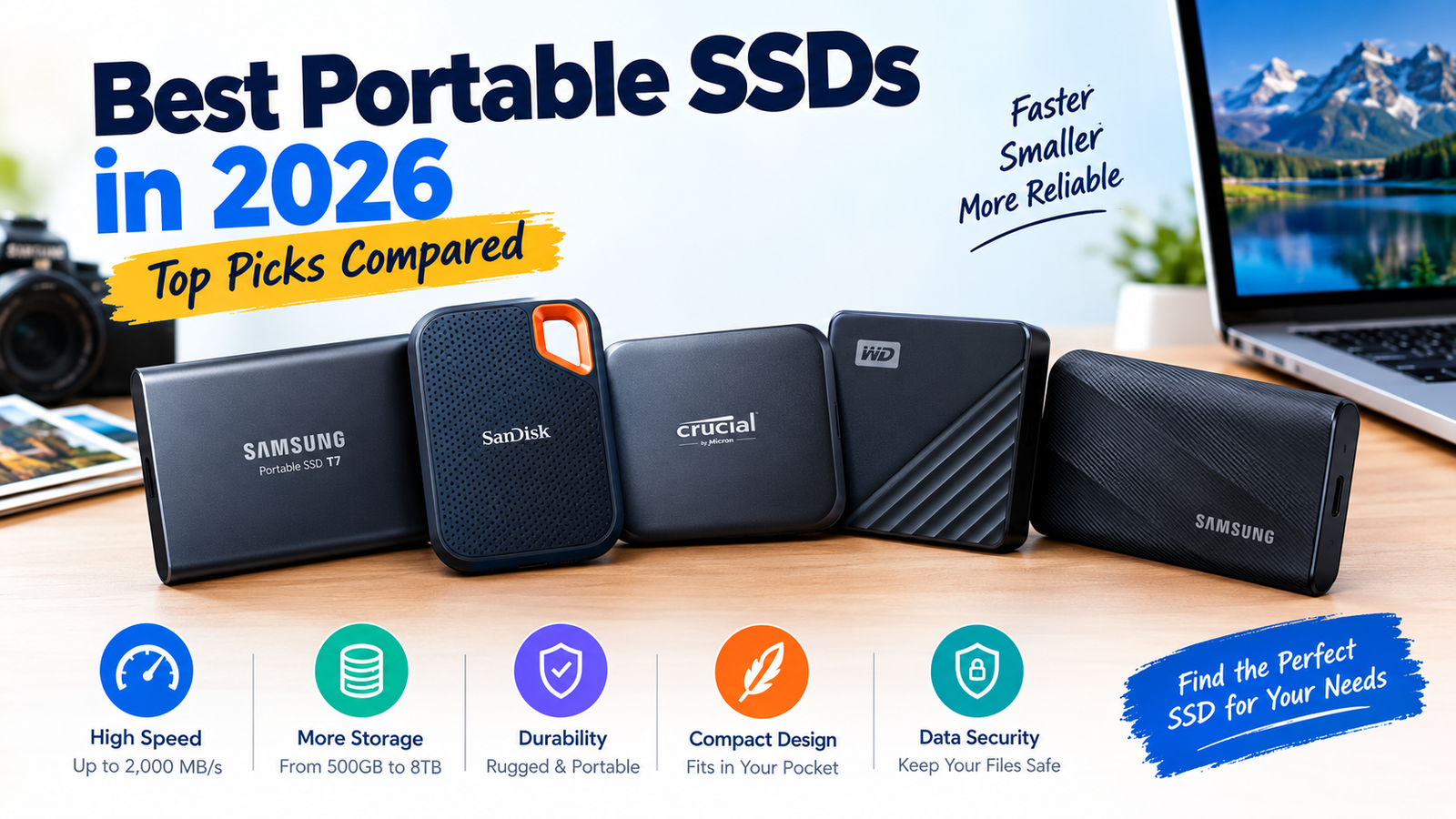
Buying a portable SSD sounds simple: enough space, fast transfers, a drive you trust. But the speed on the box rarely tells the whole story. Your USB port, the size of the files you copy, how hot the drive gets and even the cable can change what you actually get. This guide compares the portable SSDs most buyers shortlist for backups, photography, video editing, travel and student use.
Short answer: For most people, a 1 TB Samsung T7 is the dependable everyday pick and the T7 Shield is the one to buy if you want a rugged body. Crucial X9 Pro is worth a look for value and small size, SanDisk Extreme for travel (with a backup habit, see our note below) and WD My Passport SSD for simple, well-supported everyday storage. If your laptop has a 20 Gbps port and you move huge video files, step up to a faster drive such as the Samsung T9.
Quick Picks: Best Portable SSDs by Use Case
These are shortlist candidates, not final test winners. Each card names the buyer it suits best.
Samsung T7
The default recommendation for years: compact, quick enough for most workflows, and backed by Samsung’s security software.
Read reviewSamsung T7 Shield
Same 1,050 MB/s class speeds as the T7 with a protective rubberised shell for bags, trips and outdoor shoots.
Read reviewSanDisk Extreme
Rugged, popular and easy to carry. Pair it with a second backup copy of anything important.
Read reviewCrucial X9 Pro
A small, light drive that matches the headline speeds of pricier rivals, often at a competitive price per terabyte.
Read reviewWD My Passport SSD
A pocketable drive with straightforward software and a warranty that is generous for the price.
Read reviewSamsung T9 / Crucial X10 Pro
Faster 20 Gbps drives for editors and creators with matching ports. Worth it only if your computer can use the extra bandwidth.
See faster optionsPortable SSD Comparison Table
| SSD | Best for | Advertised speed* | Durability claim* | What we will test |
|---|---|---|---|---|
| Samsung T7 | Everyday backups | Up to 1,050 MB/s read | Metal body, shock resistant | File transfers, encryption, sustained speed |
| Samsung T7 Shield | Rugged everyday use | Up to 1,050 MB/s read | IP65, 3 m drop | Grip, heat, durability and sustained transfers |
| SanDisk Extreme | Travel and photography | Up to 1,050 MB/s read (current V2 listing) | IP65, 3 m drop | Portability, connector stability, large files |
| Crucial X9 Pro | Work files and creators | Up to 1,050 MB/s read/write | IP55 dust and water resistance | Mixed-file copies, compatibility, value |
| WD My Passport SSD | Portable everyday storage | Up to 1,050 MB/s read | Compact, shock resistant | Backup workflow, encryption, price |
*Manufacturer claims vary by exact model, capacity and revision. Always confirm the specific SKU on the retailer page. Advertised speeds are best-case sequential figures, not TechNewGadgets measurements.
Published Specs & Third-Party Test Data (1 TB models)
We have filled this table from manufacturer spec sheets, retailer listings and independent lab-style reviews. None of it is a TechNewGadgets measurement; the last row stays pending until we run our own copy tests.
| Measurement | T7 | T7 Shield | Extreme | X9 Pro | My Passport |
|---|---|---|---|---|---|
| Exact model (1 TB) | MU-PC1T0T | MU-PE1T0S | SDSSDE61-1T00-G25 | CT1000X9PROSSD9 | WDBAGF0010BGY |
| Rated sequential read / write | 1,050 / 1,000 MB/s | 1,050 / 1,000 MB/s | 1,050 / 1,000 MB/s | 1,050 / 1,050 MB/s (Crucial also cites 1,050 / 975 sustained) | 1,050 / 1,000 MB/s |
| Interface | USB 3.2 Gen 2 | USB 3.2 Gen 2 | USB 3.2 Gen 2 | USB 3.2 Gen 2 | USB 3.2 Gen 2 |
| Independent sustained-write result | No independent figure found | ~800 MB/s sustained in a ShutterMuse comparison | ~500 MB/s in the same comparison (V2 model) | 900+ MB/s across a 2 TB drive in AnandTech’s test | No independent figure found |
| Heat / temperature | “Thermal control” claimed by Samsung | Rubber shell with “Dynamic Thermal Guard” (Samsung claim) | Operating range 0–45 °C (spec sheet) | 62 °C at end of AnandTech’s stress test; iMore found it barely warm in use | No independent figure found |
| Protection rating | Shock resistant, 2 m drop | IP65, up to 3 m drop | IP65, 3 m drop (earlier V2 listings: IP55, 2 m) | IP55 (not for submersion) | Shock resistant, up to 1.98 m (6.5 ft) drop |
| Encryption | AES 256-bit (Samsung software) | AES 256-bit | AES 256-bit (SanDisk software) | AES 256-bit hardware | AES 256-bit, password protection |
| Warranty | 3 years | 3 years | Varies by region (check listing) | 5 years | 5 years |
| Listing price seen (Oct 2026) | $274.99 on Samsung US (other pages we checked showed lower sale prices) | $179.99 on Samsung US (was $189.99) | €164.99 Amazon DE deal (May 2026) | $109.99 at SAITECH | $129.99 deal listing (was $199.99) |
| Price per TB (from the price above) | $274.99 | $179.99 | €164.99 | $109.99 | $129.99 |
| Large-file transfer (third-party) | StorageReview: ~980 MB/s read, ~840–920 MB/s write in sequential tests | Digitec Galaxus lab: ~1,050 MB/s read and ~1,024 MB/s write on large files (2 TB unit) | Legit Reviews (V2, 2020): 30.5 GB folder at 807 MB/s read and 354 MB/s write | AnandTech: 900+ MB/s sustained writes (2 TB unit) | PC Pro: ~980 MB/s read and write on big files (2021 test) |
| Sustained write on a ~200 GB copy | No figure found | ~800 MB/s (ShutterMuse) | ~585 MB/s (Legit Reviews, V2) | ~900 MB/s (AnandTech) | ~581 MB/s (Legit Reviews, 2020 model) |
| Estimated time to write 100 GB (calculated from the sustained figure above) | n/a | ~2 min 5 s | ~2 min 50 s | ~1 min 50 s | ~2 min 50 s |
Sources: Samsung US, Crucial, SanDisk and WD product pages and retailer listings; ShutterMuse (T7 Shield); Digitec Galaxus lab text (T7 Shield); AnandTech and iMore (X9 Pro); Legit Reviews (SanDisk Extreme V2); StorageReview (T7); PC Pro (My Passport). Some reviews test older revisions of a drive (2020–2021), so treat them as indicative. The 100 GB times are our own arithmetic (100,000 MB divided by the sustained speed). Prices move quickly and vary by region and capacity, so confirm the live price before buying. Sustained-write results depend on the test machine and file size and will differ from ours.
How TechNewGadgets Tests Portable SSDs
Peak speed figures come from short sequential tests under ideal conditions. Real life looks different: thousands of small files, hours of video, a laptop that is also running other tasks. Our protocol is built to capture that gap.
1. Real-world transfers
The same large video folder and a mixed collection of small files copied to every drive. Benchmark results and actual copy times are recorded separately.
2. Sustained performance
Extended transfers to see whether speed holds or drops once the drive’s fast cache fills. We log test length and total data written.
3. Heat & stability
Surface temperature before and after a repeatable workload, plus any disconnects. A short test is never proof of long-term reliability.
4. Compatibility
File-system support, Windows and macOS behaviour, cable options, formatting needs and phone or tablet support where applicable.
5. Portability & value
Weight, cable and carrying setup, warranty terms and real price per terabyte.
Individual Reviews
1Samsung T7 & T7 Shield – Best Everyday and Rugged Choice
Best for: Backups, work files and photographers who want a well-supported drive. Choose the Shield if the drive travels in a bag or gets used outdoors.
| Interface | USB 3.2 Gen 2 (10 Gbps) |
|---|---|
| Rated speed | Up to 1,050 MB/s read |
| Protection | T7: metal body; T7 Shield: IP65, rubberised shell, 3 m drop rating |
| Security | Optional password protection with AES 256-bit encryption through Samsung software |
The T7 has been a go-to recommendation for years because it does the basics without fuss. Independent reviewers who compared the T7 Shield with rivals found its sustained write speeds stayed strong, with one comparison reporting around 800 MB/s sustained against roughly 500 MB/s for a SanDisk Extreme V2 in the same test. Note that those are third-party results on specific hardware, not ours.
The Shield’s trade-off: the rubber shell adds grip and protection, and a small price premium over the standard T7. If the drive lives on a desk, the plain T7 is the better value.
Pros
- Trusted brand and software
- Hardware encryption option
- Shield adds IP65 protection
Cons
- Capped by 10 Gbps interface
- Shield costs more than the T7
- Faster drives now exist for 20 Gbps ports
Who should skip it: buyers who do not need the extra protection, and creators who regularly move very large video files and own a 20 Gbps port.
Check latest Samsung T7 / T7 Shield price →2SanDisk Extreme Portable SSD – Best for Travel
Best for: Mobile creators and travellers who need a drive that handles knocks and weather.
| Interface | USB 3.2 Gen 2 (10 Gbps) |
|---|---|
| Rated speed | Up to 1,050 MB/s read on the current listing |
| Protection | IP65, 3 m drop rating, carabiner-style loop |
| Security | 256-bit AES via SanDisk software |
The SanDisk Extreme is one of the best-selling portable SSDs for a reason: it is rugged, easy to clip to a bag and widely supported. The line, however, has had a mixed reputation. Earlier Extreme models drew widespread owner complaints about data loss and disconnects, and SanDisk released firmware updates in response. Some photographers have since moved their recommendations elsewhere. We therefore treat it as a good-hardware drive that deserves a firm rule: never keep the only copy of important files on any single SSD.
When testing, we will pay particular attention to connector stability, sustained writes and behaviour during long transfers.
Pros
- Rugged, travel-friendly design
- Hardware encryption
- Widely available
Cons
- Past reliability complaints on earlier versions
- Often costs more than equal-speed rivals
- Confusing Extreme vs Extreme PRO naming
Who should skip it: buyers who mainly need stationary backup storage and can get equal performance for less.
Check latest SanDisk Extreme price →3Crucial X9 Pro – Best for Work Files and Value
Best for: Users who frequently move photos, documents and project files and want small size with strong price per terabyte.
| Interface | USB 3.2 Gen 2 (10 Gbps) |
|---|---|
| Rated speed | Up to 1,050 MB/s read and write |
| Protection | Dust and water resistance (IP55-class claim), drop-tested by the maker |
| Capacities | 1 TB, 2 TB, 4 TB |
The X9 Pro is tiny, light and priced close to the T7 Shield in many regions. Reviewers note that it feels less rugged in the hand than the Shield because it lacks the rubber shell, but it matches the headline speeds. One reviewer also noted that the X9 Pro and the newer X10 Pro share the same SSD with slightly different USB-C connections, so check which one you are buying.
Pros
- Very compact and light
- Strong price per TB
- 1 to 4 TB choices
Cons
- Less rugged feel than T7 Shield
- Capped by 10 Gbps interface
- Software is more basic
Who should skip it: buyers whose workflow needs an interface faster than 10 Gbps.
Check latest Crucial X9 Pro price →4WD My Passport SSD – Best for Simple Everyday Storage
Best for: Students, office users and anyone who wants a straightforward drive for backups and file transfers.
| Interface | USB 3.2 Gen 2 (10 Gbps) |
|---|---|
| Rated speed | Up to 1,050 MB/s read |
| Security | Password protection with 256-bit AES hardware encryption |
| Warranty | Typically 5 years (verify on the product page) |
The My Passport SSD is not the flashiest, but it combines compact size, usable security and a warranty that is long for the class. It is the sensible pick when you value simplicity and peace of mind over rugged extras.
Pros
- Long warranty
- Hardware encryption
- Good everyday value
Cons
- No rugged shell
- Not for high-bandwidth video work
- Software is functional, not fancy
Who should skip it: buyers who need a rugged drive or a 20 Gbps interface.
Check latest WD My Passport SSD price →Need More Speed? Faster 20 Gbps Options
The four drives above all top out at the 10 Gbps class (about 1,050 MB/s). If your laptop or desktop has a 20 Gbps USB port, a few drives are worth considering:
| Drive | Rated speed | Why consider it |
|---|---|---|
| Samsung T9 | Up to ~2,000 MB/s (USB 3.2 Gen 2×2) | Rubberised body, 5-year warranty, strong sustained speeds for creators |
| Crucial X10 Pro | Up to ~2,100 MB/s (20 Gbps) | Reported compatibility with recent Macs, iPad Pro and recent iPhone Pro models |
| SanDisk Extreme PRO | Up to ~2,000 MB/s | Faster sibling of the Extreme with the same rugged styling |
Portable SSD vs External Hard Drive
| Factor | Portable SSD | External hard drive |
|---|---|---|
| Speed | Typically several times faster | Slower, especially with many small files |
| Durability | No moving parts; better with knocks | Spinning platters are more fragile |
| Size & weight | Pocket sized | Larger and heavier |
| Cost per TB | Higher | Much lower |
| Best for | Active work, travel, editing | Large archives and cheap backups |
If you only archive files you rarely open, an external hard drive is the cheaper way to store a lot. For anything you work on or carry daily, an SSD is worth the premium. See our guide to the best external hard drives for the other side of the comparison.
What SSD Speed Do You Actually Need?
The slowest component wins. Your speed is limited by the drive, the cable and the computer port, whichever is slowest. A fast SSD on a basic port or a low-rated cable will not reach its headline number. Use the cable supplied with the drive when you can.
How Much Storage Should You Buy?
| Capacity | Good for | Notes |
|---|---|---|
| 500 GB | Documents, school work, light backups | Often poor price per TB |
| 1 TB | Most users, photos, everyday backups | The usual sweet spot |
| 2 TB | Photo libraries, mixed video, laptop backups | Often best value per TB |
| 4 TB | Large video projects, long-term working library | Check price carefully against a hard drive |
Price-per-terabyte formula: current price ÷ capacity in TB. Compare this number, not the headline price, and include warranty length and the included cable.
Best Portable SSD by Use Case
Video editing
Large files and sustained writes matter. A 20 Gbps drive (T9, X10 Pro) helps if your computer supports it. Check that your editing software works well from external storage.
Photographers
Think card offloading, catalog backups and ruggedness. T7 Shield or SanDisk Extreme are popular, but always keep a second copy.
Students & travel
Small, light and affordable: Crucial X9 Pro or WD My Passport SSD. Add the T7 Shield if your bag takes a beating.
Gaming & consoles
Useful for extra game storage on supported devices. Check each console’s official support list before you buy.
Compatibility: Windows, Mac, Phones and Consoles
- Windows and macOS: Many drives ship formatted as exFAT, which both systems can read and write. Check the box and reformat only after backing up anything on the drive.
- Phones and tablets: Many recent iPhones, iPads and Android phones support USB-C external storage, but speed and support vary. Confirm with the drive maker and your device manufacturer.
- Game consoles: Support depends on the console and the type of game. Verify against the console’s official guidance.
- Cables: USB-C to USB-C and USB-C to USB-A cables behave differently. Keep the supplied cable.
Security and Backup
Hardware encryption and password protection protect your files if you lose the drive. Enable them if you carry sensitive data, and store your password in a password manager, since forgetting it can mean losing access for good.
Portable SSD Buying Guide
| Factor | What to check |
|---|---|
| Capacity | 1 TB is a good start; go larger for big media libraries and video. |
| Interface | Match the SSD to your computer’s actual port speed. |
| Sustained speed | Look beyond peak numbers if you copy very large files. |
| Durability | Verify the exact model’s IP rating and drop rating. |
| Encryption | Confirm the model’s security features and software support. |
| Compatibility | Check device support and whether reformatting is needed. |
| Price | Compare price per TB, warranty and accessories. |
How We Score Portable SSDs
| Criterion | Weight |
|---|---|
| Real-world performance | 30% |
| Price and value | 25% |
| Sustained performance and heat | 15% |
| Build quality and protection | 10% |
| Compatibility and ease of use | 10% |
| Security, warranty and support | 10% |
| Total | 100% |
The same rubric is applied to every drive. The scores below are provisional research scores built from the published specs, third-party tests and listing prices in this guide. We will revise them after our own hands-on tests.
| Criterion (weight) | T7 | T7 Shield | Extreme | X9 Pro | My Passport |
|---|---|---|---|---|---|
| Real-world performance (30%) | 8.5 | 8.5 | 8.0 | 8.5 | 8.0 |
| Price and value (25%) | 7.0 | 7.5 | 6.5 | 9.0 | 8.0 |
| Sustained performance and heat (15%) | 8.0 | 9.0 | 6.5 | 9.0 | 7.0 |
| Build quality and protection (10%) | 7.5 | 9.0 | 9.0 | 7.5 | 7.0 |
| Compatibility and ease of use (10%) | 9.0 | 9.0 | 8.5 | 8.5 | 8.5 |
| Security, warranty and support (10%) | 7.0 | 7.5 | 6.5 | 9.0 | 9.0 |
| Weighted score | 7.9 / 10 | 8.3 / 10 | 7.4 / 10 | 8.7 / 10 | 7.9 / 10 |
Value scores lean on the listing prices we found, which vary widely by region and date. The SanDisk Extreme scores lower on sustained performance and support because independent tests show slower long writes and owners reported reliability problems on earlier versions. A different price or test result could change the ranking.
Frequently Asked Questions
What is the best portable SSD in 2026?
For most people, the Samsung T7 (or the rugged T7 Shield) is the safest all-round choice. If you have a 20 Gbps port and move big video files, a faster drive such as the Samsung T9 can be worth the extra money.
Is a portable SSD better than an external hard drive?
For speed, durability and portability, yes. For cheap bulk storage and archives, an external hard drive still costs much less per terabyte.
Is 1 TB enough for a portable SSD?
For many users, yes, especially for documents, photos and everyday backups. Choose 2 TB or more for large photo libraries, video projects or full laptop backups.
Are portable SSDs good for video editing?
Yes, particularly faster 20 Gbps models, as long as your computer port can match them. Look at sustained write speed, not just peak numbers, and keep a backup of project files.
Can I use a portable SSD with an iPhone or Android phone?
Many recent USB-C phones support external storage, but compatibility and speed vary. Check both the drive maker’s and the phone maker’s support information.
Does USB-C guarantee the fastest transfer speed?
No. USB-C is only the connector shape. Speed depends on the USB standard behind it (5, 10 or 20 Gbps), the cable and the drive.
How long does a portable SSD last?
There is no universal lifespan. Endurance depends on the exact drive, how much data you write and how it is used. Check the warranty and keep backups.
Can I use a portable SSD for gaming?
Often yes, on PC and on supported consoles, but support varies by device and by game. Verify with the console or platform maker first.
Should I encrypt my portable SSD?
If it holds personal, work or client data, yes. Just store the password safely, because recovering an encrypted drive without it is usually not possible.
Can I use one SSD with both Windows and Mac?
Yes, if it is formatted as exFAT. Back up the drive before reformatting, and check which features of the drive’s software work on each system.
Is a rugged portable SSD worth the extra cost?
If you carry it in a bag, travel or work outdoors, usually yes. If it stays on a desk, a standard drive is better value.
Should I buy a 1 TB or 2 TB portable SSD?
Compare price per TB. The 2 TB model is often better value and gives you room to grow, but 1 TB is plenty if you mostly move documents and a few photos.
Final Verdict
| Use case | Shortlist pick | Why |
|---|---|---|
| Everyday backups | Samsung T7 | Proven, compact, good software |
| Rugged / outdoor | Samsung T7 Shield | IP65 and a protective shell |
| Travel | SanDisk Extreme | Durable and portable; keep a backup |
| Value & work files | Crucial X9 Pro | Small, quick, strong price per TB |
| Simple storage | WD My Passport SSD | Warranty and encryption |
| Maximum speed | Samsung T9 / Crucial X10 Pro | 20 Gbps class for creators |
Our advice: buy for your port and your workflow, not the biggest number on the box. Start with a 1 TB or 2 TB Samsung T7 or Crucial X9 Pro for most uses, add a Shield-style drive if you travel, and spend more only if you have a port that can use the speed.
Check today’s portable SSD prices →Related Guides
TechNewGadgets may earn a commission when you buy through links on this page, at no extra cost to you. Specifications, prices and availability change; confirm the exact model and capacity on the retailer page. Third-party test results are attributed in context and are not TechNewGadgets measurements.