


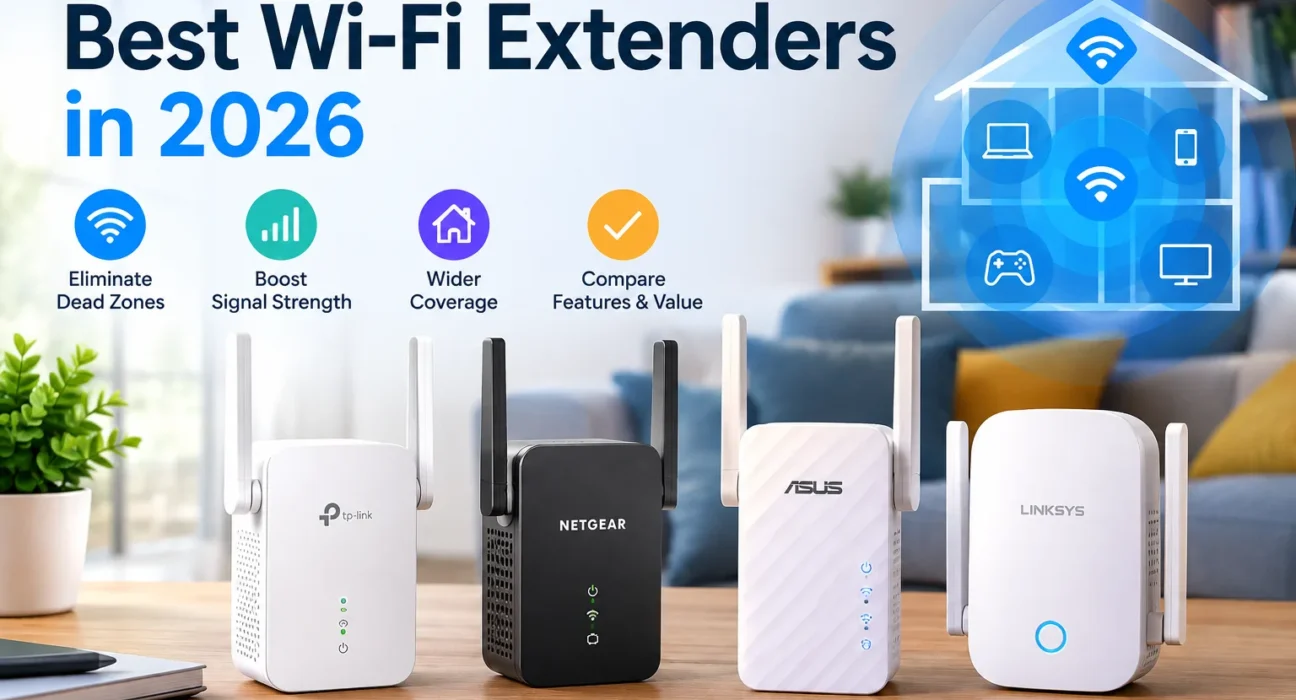
One weak room should not mean a new router. We evaluated leading Wi-Fi 6 and Wi-Fi 7 extenders using published independent speed tests, manufacturer specifications, Ethernet capabilities, backhaul design, compatibility and pricing. We did not conduct our own laboratory tests. Each recommendation identifies the evidence behind it, so you can distinguish independently measured performance from specification-based assessments.
Why Your Wi-Fi Fades in Some Rooms
Wi-Fi is radio, and radio loses strength with distance and with every wall, floor, mirror and appliance in the way. The 5 GHz band is fast but short-ranged, while 2.4 GHz reaches farther but is slower and more crowded. That is why an upstairs bedroom, a garage or a room behind the kitchen can be a dead zone even when the router sits in the middle of the house.
A Wi-Fi extender is one fix. It receives the router’s signal and rebroadcasts it, which works well for one problem area. It is the wrong tool for several dead zones, a multi-story home or a poor broadband line. In those cases a mesh system or a new router is the better route.
Best Wi-Fi Extenders at a Glance
| Category | Model | Standard and Bands | Ethernet | Price (USD), Source and Date | Main Limitation | Evidence |
|---|---|---|---|---|---|---|
| Best Overall | ASUS RP-AX58 | Wi-Fi 6, dual-band | 1 Gigabit | $79.99, ASUS US store, per iTechGuides, Aug 10, 2026 | No 6 GHz or Wi-Fi 7 | Independently tested |
| Best Budget | TP-Link RE315 | Wi-Fi 5, dual-band | 1 port (listed as Fast Ethernet) | $22.97, Amazon, per iTechGuides, Aug 10, 2026 | Wi-Fi 5 speeds; no comparable independent tests | Spec-led |
| Best Wi-Fi 6 for Low Power Use | NETGEAR EAX17 | Wi-Fi 6, dual-band | 1 Gigabit | $129.99, NETGEAR.com, seen Oct 28, 2026 | Weaker value than the RP-AX58; three-prong plug | Independently tested |
| Best Wi-Fi 7 | TP-Link RE655BE | Wi-Fi 7, tri-band (2.4/5/6 GHz) | 1 x 2.5GbE | $199.99, Best Buy, per iTechGuides, Aug 10, 2026 | Large, costly, wasted on older routers | Independently tested |
| Best Feature-Rich Wi-Fi 7 Option for Wired Gaming | TP-Link RE405BE | Wi-Fi 7, dual-band | 1 x 2.5GbE | $203.99, Staples, listing date not shown | No independent latency or speed evidence | Spec-led |
| Best for Large Homes (Wired Backhaul) | TP-Link RE653BE | Wi-Fi 7, tri-band | 1 x 2.5GbE | $149.99 during a 2026 Prime Day promotion vs $199.99 list; not confirmed as current | Best results need an Ethernet run | Spec-led |
| Best for Streaming | TP-Link RE235BE | Wi-Fi 7, dual-band (2.4/5 GHz) | 1 x 2.5GbE | $148.99, Staples, listing date not shown | Dual-band only; price is high next to Wi-Fi 6 options | Hands-on reviewed |
| Best with Ethernet | ASUS RP-BE58 | Wi-Fi 7, dual-band | 1 Gigabit | $99.99, CDW, listing date not shown | Gigabit port, two internal antennas | Spec-led |
| Best Outdoor Option | TP-Link Deco X50-Outdoor | Wi-Fi 6, dual-band, IP65 | 2 Gigabit PoE | $149.99 list; $89.97 Amazon promo seen Jul 13, 2026 | A Deco mesh node, not a universal extender | Spec-led |
Prices reflect the latest source checks recorded for each product and may change. The source and date appear beside each price where available. We did not re-check every price on the update date, so confirm current pricing, stock, warranty and hardware revision before purchasing.
ASUS RP-AX58
Strong tested Wi-Fi 6 speed at a sensible price. The pick for most homes.
TP-Link RE655BE
Tri-band Wi-Fi 7 with 6 GHz and 2.5GbE, backed by independent test numbers.
TP-Link RE315
The cheapest sensible fix for one weak room and a few everyday devices.
Best Wi-Fi Extenders in 2026: Detailed Reviews
Every review uses the same layout: specifications, evidence, pros and cons, who should buy it, who should skip it, and its main limitation.
ASUS RP-AX58: Tested Wi-Fi 6 Value
Why It Stands Out: It gives most homes everything they need and nothing they will not use: 160 MHz channels, a gigabit port, access-point mode and AiMesh support for compatible ASUS routers.
Evidence (Independently Tested): In Tom’s Guide testing, it averaged 490.2 Mbps at 10 feet and 201.1 Mbps at 40 feet from the extender. A maximum range of 115 feet was reported by iTechGuides. ASUS rates coverage at up to 2,200 sq ft, a manufacturer estimate, not a promise for your walls. ASUS specifications.
Setup and Compatibility: It works as a conventional extender with standard Wi-Fi routers through the ASUS Extender app or WPS, where your router supports those methods. AiMesh features need an AiMesh-compatible ASUS router.
- Strong tested speed for the price
- Gigabit port and AP mode
- Good fit for AiMesh owners
- No 6 GHz band
- No Wi-Fi 7
- Mesh features need ASUS gear
Who Should Buy It: Households with a Wi-Fi 6 or older router and one area to fix. Who Should Skip It: Anyone with a multi-gig plan and Wi-Fi 7 devices. Main Limitation: Tested at one home and one router, so your results will differ.
Price source: ASUS US store, via iTechGuides, Aug 10, 2026.
View at ASUS Check on AmazonTP-Link RE315: The Cheap Fix for One Room
Why It Stands Out: For about the price of a pizza, it adds a second signal source to a bedroom or office. It has two adjustable antennas, one Ethernet port and EasyMesh support with compatible TP-Link routers.
Evidence (Spec-Led): The specifications come from the Amazon product listing, which shows the Ethernet port as Fast Ethernet (about 100 Mbps for wired devices). We found no independent speed tests of the RE315 that use a method comparable to Tom’s Guide’s, so the 1.2 Gbps figure is TP-Link’s advertised link rate only. TP-Link’s own listing notes that actual speeds can be half or less of your current speed.
- Very low price
- Compact, with adjustable antennas
- EasyMesh compatible
- Wi-Fi 5 is slower
- Wired port limited to Fast Ethernet
- Not for gigabit plans
Who Should Buy It: Anyone fixing one room for email, calls and HD video. Who Should Skip It: Owners of fast plans or many streaming devices. Main Limitation: Verify the exact hardware revision at checkout. The NETGEAR EX5000 is a similar Wi-Fi 5 alternative at about $29.99 (iTechGuides, Aug 10, 2026).
Price source: Amazon, via iTechGuides, Aug 10, 2026.
Check on AmazonNETGEAR EAX17: Frugal and Steady, but Pricey
Why It Stands Out: Tom’s Guide called it a reliable but underwhelming extender and found it the most economical to run: about 3.6 watts, or roughly $5 a year. It can run as an extender or access point and supports NETGEAR mesh features.
Evidence (Independently Tested): In Tom’s Guide’s review (published May 20, 2025) it averaged 383.1 Mbps at 10 feet and 197.9 Mbps at 40 feet, with a 105-foot range and support for about 20 devices. That is slower than the RP-AX58 at close range and level with it at 40 feet.
- Very low power draw
- Dual-band Wi-Fi 6 with gigabit port
- NETGEAR app and mesh features
- $129.99 is poor value against the $79.99 RP-AX58
- Three-prong plug
- Only 90 days of complimentary support
Who Should Buy It: NETGEAR households that value low power use and the Nighthawk app. Who Should Skip It: Value shoppers and anyone in an older home without grounded outlets. Main Limitation: Compare it against newer models first. At this price, the RP-AX58 is cheaper and faster, and some Wi-Fi 7 units cost only a little more.
Price source: NETGEAR.com, seen Oct 28, 2026. Tom’s Guide’s price widget showed lower offers at some retailers that we could not confirm.
Check on AmazonTP-Link RE655BE: The Premium Pick
Why It Stands Out: Four external antennas, a 6 GHz radio, EasyMesh support and a 2.5GbE port make it the most capable extender here. TP-Link’s US specifications list a combined theoretical rate of 10.8 Gbps (5,760 Mbps on 6 GHz, 4,320 on 5 GHz, 688 on 2.4 GHz). That number is the sum of radio rates, not a measured internet speed.
Evidence (Independently Tested): Tom’s Guide measured 719.5 Mbps at 10 feet and 376.7 Mbps at 40 feet from the extender, and reported 663.5 Mbps with the extender 40 feet from the router. A maximum range near 90 feet was reported by iTechGuides. It measures about 6.3 x 4.2 x 1.5 inches and can cover a second outlet.
- Best independently measured speed here
- 6 GHz and 2.5GbE
- EasyMesh compatible
- Expensive and bulky
- Little benefit with older routers
- 6 GHz has short wall reach
Who Should Buy It: Owners of a Wi-Fi 7 or 6E router with several modern devices and a fast plan. Who Should Skip It: Anyone with older gear or a plan under about 500 Mbps. Main Limitation: Its advantage depends on a strong router link.
Price source: Best Buy, via iTechGuides, Aug 10, 2026 ($199.99 against a displayed comparison value of $299.99).
View at TP-Link Check on AmazonTP-Link RE405BE: Ethernet and Access-Point Features
Why It Is Listed: It has the features that suit a wired console or PC: a 2.5GbE port, Multi-Link Operation, 160 MHz channels, four external antennas and an access-point mode. In AP mode you run a cable from the router and the unit provides Wi-Fi in the gaming room without a wireless hop between it and the router.
Evidence (Spec-Led): This is a feature-based pick, not a proven low-latency winner. We found no independent latency or throughput tests, and we make no latency claims. Specifications come from the retailer listing and retail spec sheets; TP-Link’s product page is the authority for the final spec.
What an Extender Cannot Do: It cannot lower your ISP’s latency or fix congestion on your connection. If a console sits near the extender, a cable from the extender’s Ethernet port is almost always steadier than the console’s own Wi-Fi.
- 2.5GbE port
- AP mode for a wired backhaul
- Wi-Fi 7 features with four antennas
- No independent performance data
- Dual-band, no 6 GHz
- Pricey for a dual-band unit
Who Should Buy It: People who can run Ethernet to the router and want a 2.5GbE wired port. Who Should Skip It: Anyone relying on wireless backhaul alone. Main Limitation: The gaming value is unverified.
Price source: Staples listing, date not shown on the page. Verify before buying.
Check on AmazonTP-Link RE653BE: Best When You Can Run a Cable
Why It Stands Out: Large homes stress wireless repeaters because every hop uses airtime and distance weakens the link to the router. In access-point mode the RE653BE takes Ethernet from the router and provides Wi-Fi itself, so there is no wireless backhaul. In wireless extender mode it relies on a wireless link to your router, which behaves like any other repeater. It can also act as an EasyMesh node with compatible TP-Link equipment.
Evidence (Spec-Led): TP-Link’s US specifications list a combined theoretical rate of 10.2 Gbps (5,188 Mbps on 6 GHz, 4,320 on 5 GHz, 688 on 2.4 GHz). That is separate from the RE655BE’s 10.8 Gbps, and both are theoretical rates. iTechGuides notes it has less independent testing than the RE655BE.
- Wired AP mode avoids repeater loss
- Tri-band with 2.5GbE
- EasyMesh option
- Needs an Ethernet run for best results
- Limited independent testing
- Promo price may not be current
Who Should Buy It: Owners who can cable to a far room and want Wi-Fi 7 there. Who Should Skip It: Anyone with no cable path, or with several dead zones. Main Limitation: In wireless mode it is subject to the same limits as other repeaters.
Price source: a 2026 Prime Day promotion ($149.99 vs $199.99 list), reported by iTechGuides. Not confirmed as a current price.
View at TP-LinkTP-Link RE235BE: Compact Wi-Fi 7 for Everyday Streaming
The TP-Link RE235BE is a dual-band Wi-Fi 7 extender with 2.4 GHz and 5 GHz radios, a 2.5GbE Ethernet port, Multi-Link Operation support and access point mode. It does not offer a 6 GHz radio, so buyers specifically seeking that additional band should consider a tri-band alternative. For everyday streaming, prioritize a strong router connection and stable throughput rather than choosing solely by the number of frequency bands.
Evidence (Hands-On Reviewed): Expert Reviews (December 23, 2025) named it its favorite Wi-Fi 7 extender, praising strong coverage at a reasonable price while noting that it does not reach the heights of Wi-Fi 7 performance. Specifications are on the TP-Link US page. A 4K stream needs tens of megabits, not gigabits, so streaming rewards a steady link over headline speed.
- Compact with a 2.5GbE port
- MLO, Smart Roaming, AP mode, EasyMesh
- Praised in a hands-on review
- No 6 GHz radio
- Price is high against Wi-Fi 6 models
- Not a speed champion
Who Should Buy It: People who want Wi-Fi 7 and 2.5GbE in a small unit for a TV or streaming room. Who Should Skip It: Value shoppers, who get better price-to-speed from the $79.99 RP-AX58. Main Limitation: At $148.99 the value case depends on you wanting Wi-Fi 7 features.
Price source: Staples listing, date not shown on the page. Verify before buying. Tip: plug a TV into the extender’s Ethernet port instead of using the TV’s Wi-Fi.
Check on AmazonASUS RP-BE58: Wi-Fi 7 With AP Mode
Why It Stands Out: It is a low-cost way to get Wi-Fi 7 with a wired option. In extender mode the Ethernet port shares the wireless link with a wired TV, console or desktop. In access-point or AiMesh-node mode you connect an Ethernet cable from the router and the unit broadcasts Wi-Fi, which is the steadier setup. The 1GbE port suits many wired clients but not multi-gigabit throughput.
Evidence (Spec-Led): ASUS lists 2,882 Mbps on 5 GHz and 688 Mbps on 2.4 GHz, 2×2 radios and a 2,200 sq ft coverage estimate in its technical specifications (ASUS Canada page; the US shop listing is here). We found no comparable independent speed tests. ASUS says it works with many routers, which we read as standard Wi-Fi routers in supported configurations; AiMesh features need an AiMesh-compatible ASUS router.
- Wi-Fi 7 at about $100
- AP and AiMesh node modes
- Works with the ASUS Extender app
- Gigabit port only
- Two internal antennas
- No 6 GHz
Who Should Buy It: ASUS owners and anyone cabling to the router. Who Should Skip It: Owners of multi-gig wired devices. Main Limitation: It is less proven than the tested RP-AX58.
Price source: CDW listing, date not shown. Other US retailers listed it nearer $105 to $116.
Check on AmazonTP-Link Deco X50-Outdoor: Weatherproof Mesh Node for Patios and Garages
Why It Stands Out: Do not use an indoor plug-in extender outdoors. This unit carries an IP65 rating (dust-tight and protected against water jets), runs on one PoE+ cable or AC power, and mounts on a wall, pole or table. TP-Link’s datasheet lists an operating range of -22°F to 140°F.
Important Limit: It is a Deco mesh node, not a universal standalone repeater. It is built to join a TP-Link Deco network. If you do not own Deco gear, a standalone outdoor access point, such as TP-Link’s Omada EAP series, fed by Ethernet is a better fit. For a detached garage, a wired link is almost always better than any wireless hop.
Evidence (Spec-Led): Specifications and the 2,500 sq ft coverage claim are TP-Link’s. We did not find independent speed tests.
- IP65 weatherproofing and wide temperature range
- PoE or AC power
- Joins any Deco system
- Needs a Deco network to shine
- Needs a cable or outdoor outlet
- No independent speed data
Who Should Buy It: Deco owners covering a patio, yard or garage. Who Should Skip It: Anyone with non-Deco gear. Main Limitation: Not a universal extender.
Price source: $149.99 TP-Link list price; an Amazon promotion at $89.97 was reported on Slickdeals on Jul 13, 2026 and may have ended.
Check on AmazonOther Models Worth Knowing
NETGEAR Nighthawk EXS27
Wi-Fi 7 (BE5000), Smart Roaming, WPA2/WPA3, rated up to 1,500 sq ft. The app needs a NETGEAR account, and the warranty is one year. Official pricing was not clearly shown (iTechGuides).
TP-Link RE550
Wi-Fi 5 (AC1900) with a gigabit port and EasyMesh, about $39.99 (iTechGuides, Aug 10, 2026).
NETGEAR EX5000
Wi-Fi 5 (AC1200), up to 1,500 sq ft and 25 devices, about $29.99 (iTechGuides, Aug 10, 2026).
How We Selected the Best Wi-Fi Extenders
Performance and Coverage (30%)
Independent throughput at set distances, maximum range and signal retention, where published.
Backhaul and Ethernet (20%)
Tri-band design, 6 GHz, MLO, AP mode and Ethernet speed.
Compatibility and Roaming (15%)
Router compatibility, EasyMesh, AiMesh and Smart Roaming.
Setup and Firmware (15%)
Apps, browser setup, WPS fallback and documentation.
Value and Support (10%)
Price, warranty and US availability.
Design and Power (10%)
Outlet blocking, ventilation, antennas and power draw.
Testing Limitations and Research Sources
How the Independent Tests Differ: The Tom’s Guide numbers come from one 3,500 sq ft home. The reviewer used the Keysight IxChariot benchmark with 10 simulated heavy-use clients, placed the extender 40 feet from a NETGEAR Nighthawk RS600 router, and measured at 10 and 40 feet from the extender. The RP-AX58 and RE655BE figures are taken from the comparison table in that review. Your router, walls and devices will change the results.
| Product | Evidence and Source | Source Date |
|---|---|---|
| ASUS RP-AX58 | Tom’s Guide measured throughput; ASUS specifications | May 20, 2025 |
| NETGEAR EAX17 | Tom’s Guide review and test results; NETGEAR product page | May 20, 2025 |
| TP-Link RE655BE | TP-Link specifications; Tom’s Guide test data; Tom’s Guide buying guide | May 20, 2025 |
| TP-Link RE653BE | TP-Link specifications | Manufacturer page |
| TP-Link RE405BE | Retail specification listing (specs match TP-Link’s published figures) | Date not shown |
| TP-Link RE235BE | TP-Link specifications; Expert Reviews hands-on review | Dec 23, 2025 |
| ASUS RP-BE58 | ASUS technical specifications | Manufacturer page |
| TP-Link Deco X50-Outdoor | TP-Link datasheet | Nov 2022 datasheet |
| Roundup cross-check | iTechGuides roundup | Aug 10, 2026 |
These links show what manufacturers claim and what reviewers measured. They do not independently validate every current price or every claim in this article.
Wi-Fi Extender Buying Guide
Wi-Fi 5 vs. Wi-Fi 6 vs. Wi-Fi 7
| Standard | Typical Bands | Strength | Choose It When |
|---|---|---|---|
| Wi-Fi 5 (AC) | 2.4 / 5 GHz | Cheap and simple | One small area, basic use |
| Wi-Fi 6 (AX) | 2.4 / 5 GHz | Better with many devices | Most homes today |
| Wi-Fi 7 (BE) | 2.4 / 5 / 6 GHz | MLO, 320 MHz, 4K-QAM (model dependent) | Wi-Fi 7 router, fast plan, modern clients |
Basic Wi-Fi connections generally work across generations, so an older phone can join a newer extender. Newer features do not carry over automatically: MLO, 320 MHz channels, 4K-QAM, newer security modes (such as WPA3) and mesh functions need support in the router, extender and device. If the router is Wi-Fi 6, the backhaul is limited by that link no matter how new the extender is.
Dual-Band vs. Tri-Band Wi-Fi Extenders
Dual-band units use 2.4 and 5 GHz and cost less. Tri-band units add a 6 GHz radio or another radio, which can improve capacity and separate backhaul from device traffic, depending on the design. In the US, 6 GHz operates under FCC rules for Wi-Fi 6E and Wi-Fi 7, and only compatible devices can use it. Its reach through walls is shorter, so a well-placed dual-band unit can beat a badly placed tri-band one. A missing 6 GHz band is a feature difference, not proof of poor capacity.
Advertised Speed vs. Real-World Performance
Keep four things separate: the advertised link rate, local throughput, internet speed (capped by your plan) and coverage. A wireless repeater also spends airtime receiving and re-sending data, so no wireless extender is free of speed loss.
Ethernet Ports, Access Point Mode and Backhaul
Wired client: plug a TV or console into the extender. In wireless extender mode that device still depends on the extender’s wireless link to your router. Access-point mode: run Ethernet from the router and the extender broadcasts Wi-Fi, usually the best-performing setup. A gigabit port suits plans under 1 Gbps. A 2.5GbE port only helps if your wired link, device or switch can use it.
Router Compatibility and Roaming
Basic extension works with most standard Wi-Fi routers and ISP gateways in supported configurations. Advanced features such as EasyMesh, AiMesh or Smart Roaming need compatible products and firmware. The same network name and password is convenient, but it does not guarantee seamless handoff.
Coverage, Walls and Connected Devices
Square-foot ratings assume open space. Concrete, brick, metal, mirrors and floors cut range sharply, and device count adds load. Treat claims of 1,500 to 2,500 sq ft as best-case marketing.
How Much Should You Spend on a Wi-Fi Extender?
| Tier | US Price Range | What You Get |
|---|---|---|
| Budget | About $20 to $45 | Wi-Fi 5, one room, light use |
| Mid-Range | About $80 to $150 | Wi-Fi 6 or Wi-Fi 7 dual-band, AP mode |
| Premium | About $150 to $200+ | Tri-band Wi-Fi 7, 2.5GbE, strongest tested range |
Ranges come from the US prices quoted in this guide and move with sales.
Wi-Fi Extender vs. Mesh Wi-Fi vs. a New Router
| Factor | Wi-Fi Extender | Mesh Wi-Fi | New Router |
|---|---|---|---|
| Main purpose | Extend an existing network | Coordinated whole-home coverage | Replace or upgrade the main network |
| Typical setup | Single add-on device | Several coordinated nodes | Swap the existing router |
| Best suited for | One or a few weak areas | Several dead zones or floors | Old or underpowered router |
| Roaming | Varies by device and setup | Usually coordinated | Depends on design |
| Wired backhaul | On supported models | On supported systems | Depends on ports and layout |
| Main limitation | Placement and shared wireless capacity | Higher cost | May not fix distant rooms alone |
Buy an Extender When
One room, a stationary TV or console, or a rental where you cannot change the ISP gateway needs a low-cost fix.
Choose Mesh When
Several rooms or floors are weak, or you want managed roaming. See our guide to Wi-Fi routers for large homes.
Replace the Router When
Signal is poor even beside the router, or it lacks modern standards. Compare options in our TP-Link modem-router combos guide.
Use a Wired AP When
You can run Ethernet. It removes the wireless-repeater bottleneck and is the most reliable fix for garages and outbuildings.
How to Position a Wi-Fi Extender for Better Coverage
1. Find the Dead Zone
Run a speed test in the weak room and next to the router. Confirm the internet line itself is fine first.
2. Place It Midway
Put it roughly halfway, where the router signal is still good. An extender in a dead zone has nothing to rebroadcast.
3. Avoid Common Mistakes
Keep it out of cabinets and away from large appliances, microwaves and metal. Elevated, open spots work best.
4. Test with Your Device
A green LED does not prove good speed. Test in the target room with the device you care about and repeat the test.
How to Set Up a Wi-Fi Extender
Setup Using WPS
- Plug the extender in near the router.
- Press the router’s WPS button.
- Within about two minutes press the extender’s WPS button.
- Wait for the connection LED, then move the extender to its final spot.
Some ISP gateways disable WPS. If it fails, use the app or browser method.
Setup Using an App or Web Browser
- Connect your phone to the extender’s temporary setup network.
- Open the TP-Link Tether app, the NETGEAR Nighthawk app or the ASUS Extender app, or use the manufacturer’s setup web address.
- Select your router’s network and enter the password.
- Save, apply any firmware update, then relocate the unit.
Configure the Network Name and Security
The same name as your router is convenient. A separate name lets you choose manually. Use WPA2 or WPA3 and set a unique admin password.
Connect Devices and Verify Performance
Check that devices join, run a speed test in the target room, and restart the extender once to confirm it reconnects.
Common Wi-Fi Extender Problems and How to Fix Them
| Problem | Possible Cause | What to Try |
|---|---|---|
| Extender is slow | Weak link to the router | Move it closer to the router |
| Frequent disconnections | Interference or unstable backhaul | Try another spot and update firmware |
| Setup fails | Wrong password or WPS disabled | Reset and use app or browser setup |
| Devices cannot connect | Security or compatibility mismatch | Check WPA2/WPA3 and band settings |
| Connected but no internet | DHCP or IP conflict | Reboot both and make sure only the router hands out addresses |
| Works near router, not in room | Poor backhaul or wrong mode | Verify the uplink and operating mode |
| Coverage remains weak | Placement or thick walls | Reposition and retest, or go wired |
| Gaming lag persists | Congestion, latency or ISP | Compare wired and wireless results |
| MAC filter blocks devices | Extenders can alter client addresses | Disable filtering during setup |
| Outdoor area not reached | Distance or obstacles | Use outdoor-rated gear or a wired access point |
Wi-Fi Extender Security and Firmware Updates
Use Supported Security
Choose WPA2 or WPA3 and a strong passphrase. Avoid obsolete modes where you can.
Keep Firmware Updated
Update during setup and check every few months on the vendor’s support page.
Review Defaults
Change default admin credentials and turn off remote management you do not use.
Check Support Before Buying
Prefer models with clear documentation and recent updates, and check end-of-life lists, as with the RE715X.
Frequently Asked Questions About Wi-Fi Extenders
Do Wi-Fi extenders actually work?
Yes. A Wi-Fi extender can improve coverage in a room where your router’s signal is weak, provided the extender itself receives a usable signal. Performance depends on placement, interference, walls and the wireless connection between the extender and router. If several rooms or floors have poor coverage, a mesh system or wired access point may be a better solution.
Does a Wi-Fi extender reduce internet speed?
A wireless extender can reduce throughput because it receives data from the router and re-sends it to your device. The size of the loss depends on signal quality, the band used and how busy the network is, so not every model behaves the same. Using Ethernet in access-point mode largely avoids this wireless hop.
Can a Wi-Fi extender work with any router?
Most extenders work with standard Wi-Fi routers and ISP gateways in supported configurations, using WPS or the vendor’s app. Features such as EasyMesh, AiMesh and Smart Roaming need compatible equipment, and some setups depend on your router’s security settings. Check the supported standards and encryption before you buy.
Where should you place a Wi-Fi extender?
Put it roughly halfway between the router and the weak area, in a spot that still receives a good router signal. Placing it inside the dead zone gives it nothing to rebroadcast. Keep it in the open and away from metal and large appliances.
Is a Wi-Fi extender better than mesh Wi-Fi?
Not in general. An extender costs less and fixes one area well. Mesh systems are designed for several rooms or floors and for coordinated roaming, but they cost more and need careful node placement.
How many Wi-Fi extenders can you use?
The practical number depends on your equipment and layout. Chaining one extender through another adds delay and cuts speed, so each extender should have a single wireless hop back to the router, as NETGEAR advises. If you need several, a mesh system or wired access points are usually better.
Do Wi-Fi extenders work through thick walls?
They struggle. Concrete, brick and metal absorb signal, and the 6 GHz band has the shortest reach. For thick walls, a wired access point or a mesh node with Ethernet backhaul is the dependable answer.
Can a Wi-Fi extender improve gaming?
It can help when a weak signal is the problem, and an extender’s Ethernet port can give a console a wired link. It cannot fix ISP latency or congestion on your connection. Test wired and wireless connections under load before deciding.
Is Wi-Fi 7 worth it for a Wi-Fi extender?
Only if your router and devices support Wi-Fi 7 and you have a fast plan. Otherwise a Wi-Fi 6 model such as the RP-AX58 gives better value, because the extender’s newer features go unused. Check what your actual devices can do before paying more.
What is the difference between a Wi-Fi booster, repeater and extender?
Retail listings often use the three terms interchangeably. What matters is the operating mode: wireless repeater, wired access point, or mesh node. Check the product’s supported modes rather than its label.
Related Guides
Best Wi-Fi Routers for Large Homes
When an extender is not enough.
Best TP-Link Modem-Router Combos
Replace your gateway and router together.
Best Cable Modems
Check the modem before blaming Wi-Fi.
Final Verdict: Which Wi-Fi Extender Should You Buy?
- Most people: the ASUS RP-AX58 ($79.99, ASUS, Aug 10, 2026).
- Budget buyers: the TP-Link RE315 ($22.97, Amazon, Aug 10, 2026) for one room.
- Wired gaming and home offices: the TP-Link RE405BE as a feature-based option, with Ethernet or AP mode.
- Wi-Fi 7 households: the TP-Link RE655BE ($199.99, Best Buy, Aug 10, 2026).
- Large homes: mesh Wi-Fi, or the RE653BE in wired access-point mode.
- Outdoor coverage: an IP-rated unit such as the Deco X50-Outdoor if you use Deco, ideally on a PoE cable.
Confirm current prices and hardware revisions at the retailer before you buy, and read our guide to Wi-Fi routers for large homes if an extender is not enough.