
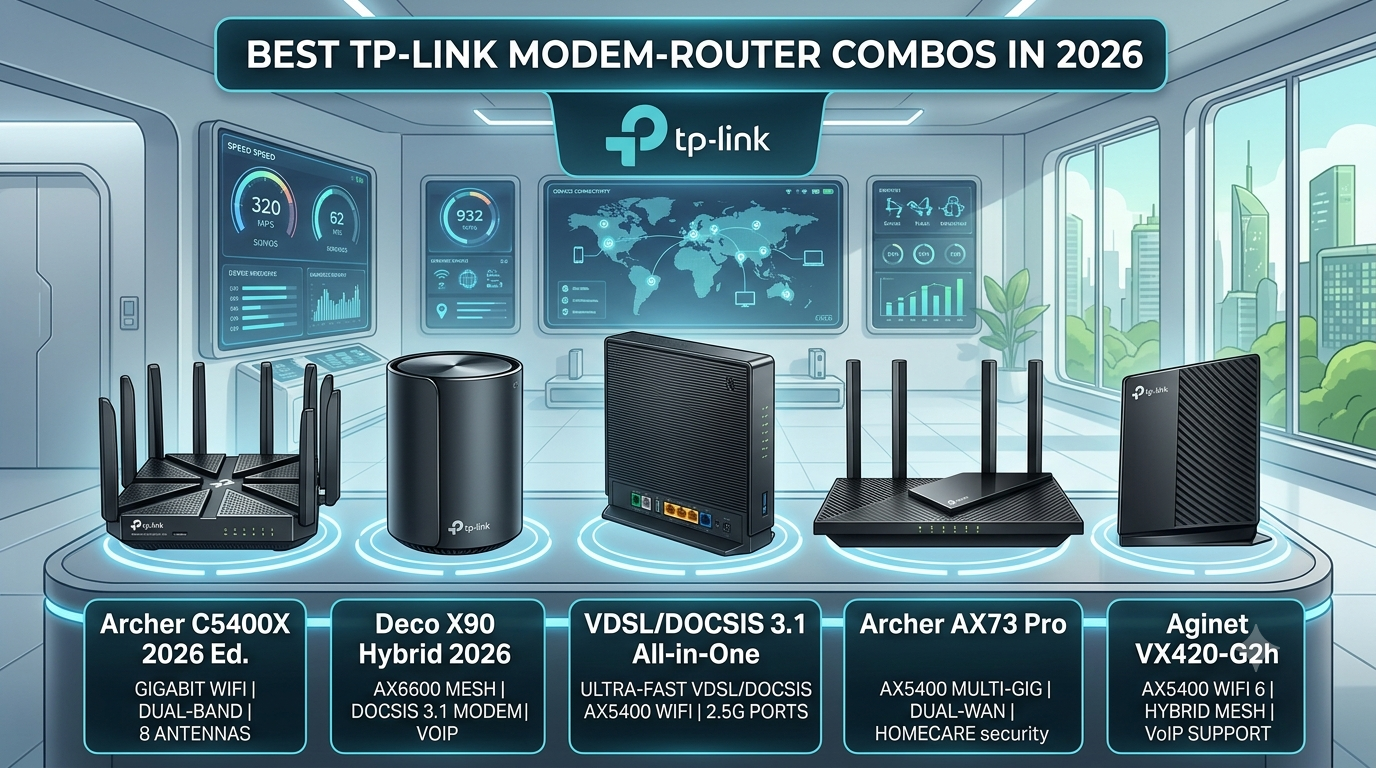
Best TP-Link Router & Modem Combos in 2026: Which One Is Worth Buying?
A modem-router combo, also called a gateway, combines a modem and router in one device. The modem connects your home to your Internet Service Provider (ISP), while the built-in router creates your Wi-Fi network and connects your devices. For U.S. households, these 2-in-1 devices have traditionally offered a convenient way to save space, simplify setup, reduce cable clutter, and avoid monthly equipment rental fees. TP-Link was once a popular choice, with cable gateways such as the Archer CR700, CR1900, and TC-W7960 serving cable internet users across the country.
But networking technology has moved forward. With TP-Link’s older cable gateway models now reaching the end of their lifecycle, are TP-Link modem-router combos still worth buying in 2026? In most cases, no. For a new setup, modern standalone modems and routers or newer alternatives offer better performance, support, and future-proofing.
What is a Modem-Router Combo?
| Modem | Router |
|---|---|
| Connects your home to your internet service provider (ISP). | Connects your devices to the internet through the modem. |
| Receives and translates the signal from your ISP into usable data. | Creates your local network and Wi-Fi. |
| Usually connects directly to the ISP line through cable, fiber, or phone line. | Connects phones, laptops, TVs, and other devices wirelessly or through Ethernet cables. |
| Acts as the gateway to the internet. | Manages and directs data traffic between your devices and the internet. |
A modem-router combo is an all-in-one networking device that combines the functions of a modem and a router in a single unit. The modem connects your home to your Internet Service Provider (ISP), while the built-in router distributes that internet connection to your devices through Wi-Fi or Ethernet. Also known as a gateway or cable gateway, it offers a simpler setup with fewer cables and less hardware to manage.
Best TP-Link Modem Router Combos to Consider in 2026
If you are looking for a modem router combo from TP-Link, the Archer CR700, CR1900, and Archer CR500 are the key legacy models worth knowing. These devices combine a cable modem and router into one unit, making them a convenient alternative to using separate modem and router hardware. However, their DOCSIS 3.0 technology and older Wi-Fi standards mean they are better suited to existing or lower-speed cable plans than a modern WiFi 7 router setup.
TP-Link Archer CR1900
The TP-Link Archer CR1900 is the most capable option among these three TP-Link routers, combining a DOCSIS 3.0 cable modem with an AC1900 dual-band Wi-Fi router. Its 24×8 channel bonding and combined wireless speeds of up to 1900 Mbps make it the strongest choice for households using compatible legacy cable plans. It also includes four Gigabit Ethernet ports and two USB ports for additional connectivity and file sharing.
- Modem Technology: DOCSIS 3.0 with 24×8 channel bonding
- Wi-Fi Standard: Wi-Fi 5 (802.11ac)
- Wi-Fi Speed: Up to 1900 Mbps combined—600 Mbps on 2.4 GHz and 1300 Mbps on 5 GHz
- Wired Connectivity: 4 Gigabit Ethernet ports
- USB: 2 USB ports
- Processor: 1 GHz CPU
- Features: Beamforming, parental controls, guest networking, and TP-Link management features
- ISP Compatibility: Supports compatible cable providers including Xfinity and Spectrum
- Faster than the CR500 and CR700
- 24×8 DOCSIS 3.0 channel bonding
- AC1900 dual-band Wi-Fi
- Four Gigabit Ethernet ports
- Two USB ports
- Useful networking and management features
- Convenient all-in-one modem router design
- Uses older DOCSIS 3.0 technology
- Wi-Fi 5 is outdated compared with Wi-Fi 6, Wi-Fi 6E, and WiFi 7
- Not ideal for new high-speed or multi-gig internet plans
- Product lifecycle and support should be checked before purchase
Who Should Consider It?
The CR1900 makes the most sense for existing users with compatible cable service, households on legacy internet plans, or buyers who find a properly tested and compatible unit at a low price. If you’re building a new network in 2026, however, a current TP-Link WiFi router paired with a compatible modem may be a better long-term investment.
TP-Link Archer CR700
The TP-Link Archer CR700 AC1750 is a 2-in-1 DOCSIS 3.0 cable modem and dual-band wireless router designed for cable internet plans. With AC1750 Wi-Fi, 16×4 channel bonding, and four Gigabit Ethernet ports, it offers enough performance for basic browsing, streaming, and everyday home networking.
- Modem Technology: DOCSIS 3.0 with 16×4 channel bonding
- Wi-Fi Standard: Wi-Fi 5 (802.11ac)
- Wi-Fi Speed: Up to 1750 Mbps combined
- 2.4 GHz Speed: Up to 450 Mbps
- 5 GHz Speed: Up to 1300 Mbps
- Modem Download Capability: Up to 680 Mbps
- Recommended Plan: Cable plans up to 300 Mbps
- Wired Connectivity: 4 Gigabit Ethernet ports
- USB: 2 USB 2.0 ports
- ISP Compatibility: Compatible with supported plans from providers such as Xfinity, Spectrum, and Cox
- Voice Support: Does not support landline phone service
- AC1750 dual-band Wi-Fi
- 16×4 channel bonding
- Four Gigabit Ethernet ports
- Two USB ports
- Combines modem and router in one device
- Suitable for compatible lower-speed cable plans
- Older DOCSIS 3.0 technology
- Wi-Fi 5 instead of newer Wi-Fi standards
- Limited suitability for high-speed internet plans
- Not a future-proof choice compared with modern TP-Link routers
Who Should Consider It?
The CR700 can still be considered by users with compatible legacy cable plans who want a simple modem router rather than managing separate devices. However, anyone upgrading their home network in 2026 should compare its capabilities against a newer TP-Link WiFi router, particularly if they are considering WiFi 6 or WiFi 7.
TP-Link Archer CR500
The TP-Link Archer CR500 is an entry-level modem router combo that combines an AC1200 wireless router with a DOCSIS 3.0 cable modem. It supports 16×4 channel bonding and is designed primarily for cable internet plans up to 300 Mbps, making it better suited to basic home networking than demanding modern setups.
- Modem Technology: DOCSIS 3.0 with 16×4 channel bonding
- Wi-Fi Standard: Wi-Fi 5 (802.11ac)
- Wi-Fi Speed: Up to 1200 Mbps combined
- 2.4 GHz Speed: Up to 300 Mbps
- 5 GHz Speed: Up to 867 Mbps
- Modem Download Capability: Up to 680 Mbps
- Recommended Plan: Cable plans up to 300 Mbps
- Wired Connectivity: 4 Gigabit Ethernet ports
- USB: 2 USB 2.0 ports
- ISP Compatibility: Compatible with supported services from providers including Xfinity, Spectrum, and Mediacom
- Simple 2-in-1 design
- AC1200 dual-band Wi-Fi
- 16×4 channel bonding
- Four Gigabit Ethernet ports
- Two USB 2.0 ports
- Suitable for basic cable internet
- Older DOCSIS 3.0 technology
- Lower Wi-Fi performance than the CR700 and CR1900
- Not designed for today’s fastest internet plans
- Wi-Fi 5 is significantly older than newer Wi-Fi 6 and WiFi 7 options
- Limited future-proofing
Who Should Consider It?
The CR500 is primarily worth considering for users who already have a compatible setup or need an inexpensive TP-Link router modem solution for a basic cable plan. For a new purchase in 2026, however, shoppers should look at newer TP-Link routers or a separate modem and WiFi router for better longevity and performance.
Are TP-Link Modem Router Combos Worth Buying in 2026?
For most users, a TP-Link modem router combo is not the best choice in 2026. While these all-in-one devices can still work well for basic cable internet, older models may lack the latest networking standards, speeds, and long-term support. That said, a TP-Link router modem combo can still make sense in a few specific situations.
When a TP-Link Combo Can Still Make Sense
You already own one: If your existing TP-Link modem router is working properly, continuing to use it can save you the cost of new equipment.
Your ISP supports the model: Always confirm that your Internet Service Provider supports the exact TP-Link cable modem and hardware version before using or purchasing it.
Your internet plan matches its capabilities: Older combos are better suited to basic or mid-range cable plans rather than high-speed or multi-gig connections.
You find a cheap used or refurbished unit: A low-cost, properly tested TP-Link modem router combo can be reasonable for a budget setup.
You want a simple network: If you have a small home and basic browsing or streaming needs, an all-in-one TP-Link modem router can keep your setup simple with fewer cables and devices.
When You Should Skip a TP-Link Combo
You have a high-speed internet plan: Older TP-Link router modem combo models may become a bottleneck on faster cable connections.
Your ISP requires newer technology: Check whether your provider requires a newer DOCSIS standard before buying an older TP-Link cable modem.
You want modern Wi-Fi: If you’re upgrading to Wi-Fi 6, Wi-Fi 6E, or WiFi 7, a newer standalone router generally gives you more options and better performance.
You need extensive Wi-Fi coverage: Large homes may benefit more from a dedicated router or mesh Wi-Fi system than a single modem-router unit.
You want long-term support: Older combo models may have limited firmware and security support, making newer networking hardware a better investment.
You’re upgrading to multi-gig internet: Multi-gig plans are better paired with a compatible standalone modem and high-performance router featuring multi-gig Ethernet ports.
How to Choose the Right TP-Link Modem- Router Combo
Choosing the right modem-router combo isn’t just about picking the fastest-looking TP-Link router. Before buying, check your internet plan, ISP compatibility, modem technology, and product support.
| Steps | What to Check | Why It Matters |
|---|---|---|
| Check Your Internet Plan | Match the modem router combo to your current Mbps or Gbps plan. | Prevents your hardware from becoming a speed bottleneck. |
| Identify Your ISP | Confirm your TP-Link modem or Combo TP-Link is approved by your ISP. | Unsupported equipment may not be activated on your network. |
| Check DOCSIS Compatibility | Look for DOCSIS 3.1 for newer cable internet plans. | Ensures better performance and future-readiness. |
| Check Maximum Speed | Compare the modem’s supported speed with your internet plan. | Ensures your TP-Link router and modem can handle your connection. |
| Check Product Support | Verify that the TP-Link Wi-Fi router or combo is still supported. | Helps ensure continued firmware and security updates. |
| Consider a Separate Router | Pair a compatible modem with a modern WiFi 7 router or mesh system. | Provides better performance, flexibility, and easier future upgrades. |
Common Problems With Modem-Router Combos
A reliable modem-router combo can experience problems like frequent internet drops, slow Wi-Fi, activation failures, and limited coverage. Understanding the cause can help you decide whether to troubleshoot your existing TP-Link router or upgrade to newer TP-Link routers.
Internet Drops Frequently
Frequent disconnections can be caused by your ISP, poor signal quality, outdated firmware, or overloaded hardware. Check for local outages first, then inspect the coaxial connection and restart your modem and router. If the problem continues, updating the firmware or contacting your ISP may help.
Wi-Fi is Slow but Wired Internet is Fast
If Ethernet delivers good speeds but your Wi-Fi router feels slow, the issue may be wireless rather than your internet connection. Distance, walls, interference, device limitations, or an older Wi-Fi standard can reduce wireless performance. If your Combo TP-Link uses an older Wi-Fi generation, upgrading to a newer TP-Link Wi-Fi router or a Wi-Fi 7 router can provide better wireless performance.
Modem is not Active
An activation failure usually points to ISP compatibility or provisioning issues. First, confirm that your modem router combo is approved by your provider and that the coaxial connection is secure. If it still won’t connect, contact your ISP and provide the device’s MAC address so they can complete the activation.
Poor Wi-Fi Coverage
A single modem router may struggle to provide consistent coverage throughout a large home. For larger spaces, consider adding a mesh system or connecting a dedicated WiFi router. A modern WiFi 7 router can also provide a stronger, more capable wireless network when paired with compatible devices.
Frequently Asked Questions
1. Does TP-Link make modem router combos?
Yes. TP-Link does make modem-router combination devices.
2. What is the best TP-Link modem router combo?
The TP-Link CR1900 is considered the best choice for a modem router combo.
3. Is a modem router better than a separate modem and router?
A modem and router are generally better in performance than a modem router
4. Do modem router combos improve internet speed?
Modem router combos do improve internet speed when it is dedicated to an external router.