

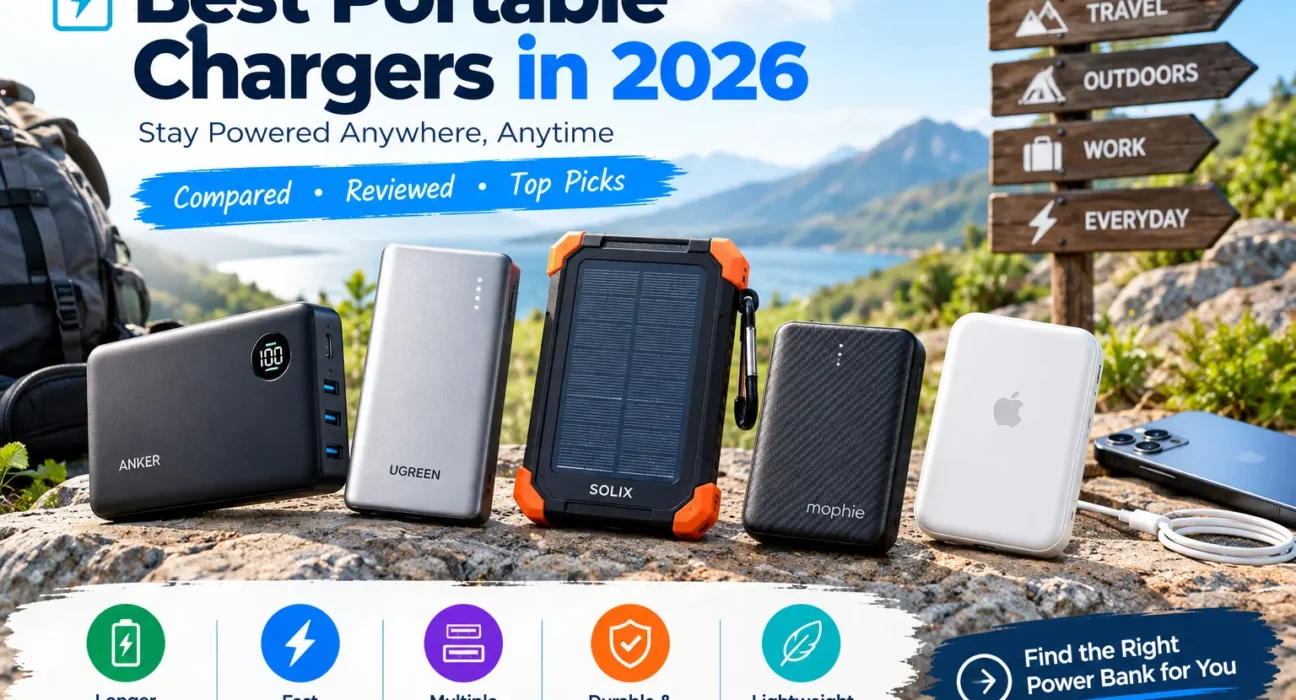
Your phone battery always seems to run low at the worst possible time: halfway through a journey, while you navigate a new city, or just before an important call. A portable charger solves that problem, but the biggest battery isn’t always the best one to carry.
Some power banks are small enough for a pocket but offer limited backup. Others can charge a laptop but weigh more than most people want to carry every day. And a charger that works brilliantly with one phone may not deliver the same speed with another.
This guide compares portable chargers by what matters in daily use: charging performance, capacity, portability, compatibility and value.
Which Portable Charger Should You Buy?
Start with the type of charging you need. These are our research-based category picks. The criteria behind each one are listed in the methodology section further down.
Anker Nano Power Bank (10K, 30W)
Balanced capacity, 30W two-way USB-C and a built-in cable in a pocketable body.
$43.49 at Anker’s store at time of research ($49.99 list)
Check Price on AmazonINIU 45W Portable Charger (20K)
Twice the capacity of a 10K bank with 45W single-port output and a built-in cable.
From about $37 (varies by store)
Check Price on AmazonZendure SuperMini X3 (10K, 45W)
About 200g with 45W in and out, so Zendure says it refills in roughly an hour.
$39.99 sale, $69.99 regular on Zendure’s store
Check Price on AmazonAnker MagGo Power Bank (10K, Slim)
Qi2-certified 15W snap-on charging plus 30W wired USB-C, 0.58 in thick.
Retailer listings around $80; verify
Check Price on AmazonAnker Laptop Power Bank (25K, 165W)
Three USB-C ports at up to 100W each, two built-in cables and a 90Wh cell.
$134.99 list, often discounted
Check Price on AmazonAnker Prime Power Bank (26K, 300W)
300W total output for laptops and phones together, at a premium price.
Reported list price about $229.99
Check Price on AmazonPortable Charger Comparison Table
Compare the shortlist here before reading the individual reviews. Specifications come from manufacturer pages and are listed as the makers publish them.
| Portable Charger | Best For | Capacity | Key Specification | Price (USD) | Main Trade-Off |
|---|---|---|---|---|---|
| Anker Nano 10K | Everyday use | 10,000mAh (~37Wh) | 30W USB-C, built-in cable, 215g | $43.49 store, $49.99 list | Combined output is lower when both ports are used |
| INIU 45W 20K | Value | 20,000mAh (~74Wh) | 45W on one port, built-in cable, 326g | From ~$37 | Output drops to 15W total with several ports in use |
| Zendure SuperMini X3 | Compact travel | 10,000mAh (~37Wh) | 45W in and out, 200g | $39.99 sale | Only 10,000mAh, no built-in cable |
| Anker MagGo 10K Slim | iPhone, magnetic | 10,000mAh | 15W Qi2, 30W wired, 7 oz | ~$80 (verify) | Wireless is slower and less efficient than wired |
| Belkin BoostCharge Pro 10K | Magnetic with kickstand | 10,000mAh | 15W Qi2, 2 ports, 222g (as tested by TechRadar) | $99.99 | Premium price, under three full charges |
| Mophie Powerstation Wireless Slim 10K | Qi2 with stand | 10,000mAh | 15W Qi2, 20W USB-C PD | $89.95 (retailer listing) | Little independent testing found |
| Anker Laptop Power Bank 25K | Laptops and tablets | 25,000mAh (90Wh) | 165W with two devices, 100W per USB-C port | $134.99 list | About 595g, and 130W max with three or more devices |
| Anker Prime 26K 300W | Several devices at once | 26,250mAh (99.75Wh) | 300W total, 140W single port | ~$229.99 | Heavy and expensive for phone-only use |
Individual Portable Charger Reviews
Every review follows the same format: what the specs mean in daily use, who it suits and who should skip it. Performance figures such as charge times are the manufacturer’s claims unless we say otherwise.
Anker Nano Power Bank (10K, 30W)
Source: Anker’s product page; weight and port details from retailer spec sheets.
The Verdict
Based on published specifications, this is our top research-based pick for most people. The built-in USB-C cable removes the most common failure of all: leaving the cable at home. At 30W it matches what most modern phones can accept, yet it stays small enough for a jacket pocket.
What Matters in Everyday Use
Anker’s own estimate for a 10,000mAh bank like this is roughly two phone charges, enough for a heavy day away from a socket. Anker says the 30W cable charges an iPhone 14 to 50% in 30 minutes and refills the bank itself to 50% in about 45 minutes. One caveat from retailer spec sheets: the combined output is lower (24W) when you use more than one port at once.
What We Like
- 30W two-way USB-C suits phones and small tablets
- Built-in USB-C cable
- Compact, with a shell made largely from recycled plastic
What to Consider
- Costs more than basic 10K banks, though often discounted
- If the built-in cable fails, that feature is gone
- Not meant for laptops
A strong option for: anyone who wants one dependable everyday charger.
Skip it if: you need 20,000mAh or laptop-level output.
INIU 45W Portable Charger (20K)
Source: INIU’s product page (model P51L-E2). Prices vary by INIU storefront and retailer.
The Verdict
Judged on published specifications, this offers the most capacity per dollar of the chargers we reviewed: 20,000mAh, 45W on a single port and a built-in USB-C cable. INIU says it supports PD, QC and PPS fast-charging protocols.
What Matters in Everyday Use
INIU claims about 3 to 4 phone charges and says an iPhone 16 reaches 63% in 25 minutes. Its own spec sheet also shows an important limit: with more than one output in use, total power drops to 15W, so the 45W figure applies when charging a single device. At about 74Wh it fits under the standard 100Wh airline limit, but it is bulkier than a 10K bank.
What We Like
- Large capacity for the price
- 45W single-port output
- Built-in cable plus two extra ports
What to Consider
- INIU is a newer brand, so long-term reliability is less established than Anker’s
- Total output falls to 15W with several ports in use
- Heavier than 10K banks; check warranty terms where you buy
A strong option for: shoppers who prioritize capacity per dollar.
Skip it if: you want the smallest charger or charge several devices at full speed.
Zendure SuperMini X3 (10K, 45W)
Source: Zendure’s product page. Sale pricing may change.
The Verdict
Few 10,000mAh banks both accept and deliver 45W, which makes the SuperMini X3 a smart research-based pick for travelers. Zendure says it fully recharges in about an hour, so an hour at a hotel outlet gets it ready for the next day.
What Matters in Everyday Use
It has one bidirectional 45W USB-C port and two USB-A ports. Zendure says 45W is enough to charge tablets and Samsung phones at full speed and to charge a MacBook Air to 40% in 30 minutes. Those are manufacturer claims, so check that your own device supports 45W charging.
What We Like
- 45W in and out
- Light for its class at 200g
- PPS support, which some phones use for fast charging
What to Consider
- 10,000mAh limits multi-day use
- No built-in cable or wireless charging
- The $69.99 regular price is much higher than the sale price
A strong option for: frequent travelers and fast-charging Android users.
Skip it if: you want a built-in cable or wireless charging.
Anker MagGo Power Bank (10K, Slim)
Source: Anker’s published guide; price from a retailer listing, so verify before buying.
The Verdict
For iPhone owners who prefer cables out of the picture, this is our research-based magnetic pick. Anker says it snaps onto the back of the phone, delivers the full 15W of Qi2 wireless charging, and still offers 30W wired USB-C input and output.
What Matters in Everyday Use
Anker says it gives roughly two phone charges and brings an iPhone 16 Pro to 50% in half an hour over a wired connection. Magnetic charging is convenient but less efficient than a cable, so plan on a little less usable energy when you charge wirelessly.
What We Like
- Qi2-certified 15W charging
- Slim enough for a back pocket
- Temperature monitoring built in
What to Consider
- Wireless charging loses some energy as heat
- Costs more than a basic 10K bank
- Check that your phone and case support Qi2 magnets
A strong option for: iPhone and Qi2 Android users who value convenience.
Skip it if: your phone has no magnetic or Qi2 support.
Belkin BoostCharge Pro Magnetic Power Bank With Qi2 (10K)
Source: Belkin’s US product page and TechRadar’s review.
The Verdict
Belkin’s magnetic bank adds a built-in kickstand, so you can prop the phone up for video calls or streaming while it charges. TechRadar’s reviewer said its versatility won them over despite the price.
What Matters in Everyday Use
It supports pass-through wireless charging and has two ports for a second device. The same review listed a premium price, less than three full phone charges and 7.5W power bank charging among its cons, so it earns its place mainly if the kickstand matters to you.
What We Like
- Strong magnetic hold, even through a Qi2 case
- Integrated kickstand
- Two USB-C ports
What to Consider
- Costs about twice as much as the Anker Nano
- Slower self-recharge than 30W+ rivals
- Heavier than the slimmest magnetic banks
A strong option for: people who watch video or take calls while charging.
Skip it if: you want the lowest price or the thinnest body.
Mophie Powerstation Wireless Slim 10K With Stand (Qi2)
Source: retailer and distributor listings. Confirm exact model and price on mophie.com.
The Verdict
Mophie’s current Qi2 bank pairs a magnetic surface with a fold-out stand and a USB-C port for wired charging. Retailers describe it as good for up to two full phone charges.
What Matters in Everyday Use
The silicone grip surface is designed to hold the phone securely, and charging begins on contact. We could not find enough independent testing to rank it above Anker or Belkin, so treat it as an alternative if you prefer the Mophie design.
What We Like
- Qi2-certified wireless power
- Stand included
- 20W wired output
What to Consider
- Limited independent review data
- Higher list price than Anker’s wired-and-wireless models
- Mophie sells several 10K versions, so confirm the exact model
A reasonable option for: Mophie fans who want a stand and Qi2.
Skip it if: you want proven review scores.
Anker Laptop Power Bank (25K, 165W)
Source: Anker’s product page and published guide. List price from Amazon price history; frequently discounted.
The Verdict
This is our research-based pick for laptop users. Each of its three USB-C ports can deliver up to 100W, and two built-in cables (one fixed, one retractable) double as input and output, so there is less to pack.
What Matters in Everyday Use
Anker says the bank delivers up to 165W when charging two devices and up to 130W when charging three or four at once, so the headline number is not available to every combination. Anker also says it recharges at 100W in under two hours and describes the capacity as roughly 1.3 MacBook Air charges or four to five phone charges. At 90Wh it stays under the 100Wh airline limit.
What We Like
- 100W on any USB-C port
- Built-in cables
- Flight-friendly 90Wh battery
What to Consider
- About 595g, so it belongs in a bag, not a pocket
- 130W total with three or more devices
- Overkill for phone-only use
A strong option for: students and commuters with a USB-C laptop.
Skip it if: you only charge a phone and earbuds.
Anker Prime Power Bank (26K, 300W)
Source: Anker’s published guide. Confirm the current price on Anker’s store.
The Verdict
The Prime is a different category from a phone charger. Anker says it can power a laptop, tablet and phone together, recharges itself at up to 250W with a compatible charger, and shows per-port power on its display.
What Matters in Everyday Use
If you carry a MacBook Pro, a camera or a drone alongside your phone, the output makes sense. If you only charge a phone, a 20K bank costs far less and gives you comparable capacity. At 99.75Wh it sits just under the 100Wh limit, so check your airline’s rules on how many power banks you may bring.
What We Like
- 300W total output
- Very fast self-recharge with the right charger
- Detailed smart display and app
What to Consider
- Expensive compared with equal-capacity 20K banks
- Heavy for daily carry
- Right at the 100Wh limit
A strong option for: creative professionals and digital nomads.
Skip it if: your devices top out at 30W.
Anker vs. Mophie vs. Belkin: Which Brand Is Right?
Brand reputation is a useful starting point, but the exact model matters more than the logo. Here is what the three most searched names offer in the models we reviewed.
| Factor | Anker | Mophie | Belkin |
|---|---|---|---|
| Range in This Guide | Slim, built-in cable, magnetic, laptop and 300W models | Qi2 magnetic bank with stand | Qi2 magnetic bank with kickstand |
| Example Model | Nano 10K, $49.99 list | Wireless Slim 10K with stand, $89.95 | BoostCharge Pro 10K Qi2, $99.99 |
| Standout Feature | 30W+ wired speed and the widest range | Stand and magnetic convenience | Kickstand and strong magnetic hold |
| Main Question | Which wattage tier do you need? | Is the stand worth the premium? | Is the kickstand worth the higher price? |
| Best Buying Strategy | Match output to your device | Check reviews for the exact model | Confirm phone compatibility |
Best Fit for Wired Everyday Use
Anker. In the models we reviewed, it offers the best price-to-speed ratio.
Best Fit for Magnetic Value
Anker MagGo. Same 15W Qi2 class as the rivals, with a lower reported price.
Best Fit for Desk and Video Use
Belkin. Its kickstand is the clearest reason to pay more.
How Much Capacity Do You Really Need?
Battery capacity figures can be misleading without context. The mAh printed on the box is measured at the cell’s voltage, not the 5V your phone sees, and some energy is lost in conversion. That is why real-world charge counts are always lower than a simple division.
5,000mAh: Emergency Backup
A compact top-up rather than a full reserve. Best for small bags and short days.
10,000mAh: Everyday Balance
A sweet spot for commuting, errands and weekend trips. Anker estimates roughly two phone charges for its 10K models.
20,000mAh and Up: Longer Days
Better for heavy use, tablets or two people. INIU estimates three to four phone charges for its 20K bank. Expect more weight and longer recharge times.
Quick Capacity Calculator (Illustrative Estimate)
Enter your numbers for a rough estimate. This is an illustration, not a measurement.
Actual results vary. This simple formula ignores differences in battery voltage, charging protocols, cable quality, temperature, and whether the phone is in use. Manufacturers such as INIU say users typically receive about 60 to 70% of rated capacity. For flights, always use the watt-hour (Wh) rating printed on the power bank itself, not this estimate.
As a rough guide, capacity in watt-hours is mAh x 3.7 / 1,000, but makers may rate at a slightly different voltage. For example, Anker lists its 26,250mAh Prime at 99.75Wh. The printed Wh figure is the one that counts at the airport.
Charging Speed: What the Wattage Tells You
| Term | What It Means | Why It Matters |
|---|---|---|
| Wattage | The maximum power the port can deliver | Your phone only takes what it supports, so a bigger number doesn’t always mean faster charging |
| USB-C Power Delivery | A common fast-charging standard | The charger, cable and device must all support a compatible setup |
| PPS | A programmable power option some phones use for fast charging | Check that both your phone and the power bank list it |
| Qi2 Wireless | Magnetic wireless charging, up to 15W on most certified chargers | Older magnetic Qi chargers typically top out at 7.5W |
| Multiple Ports | Several devices can charge at once | Total output is often shared, and can be much lower than the single-port figure |
| Input Speed | How fast the bank refills itself | A 20K bank with slow input can take many hours to fill |
As a rule of thumb, most phones are happy with 20 to 30W, 45W suits fast-charging Android phones and small laptops, and 65 to 100W or more is for full-size laptops.
Common Mistakes to Avoid
| Common Mistake | What Goes Wrong | Better Approach |
|---|---|---|
| Buying only by mAh | You carry weight you don’t need and still get slow charging | Compare weight, usable capacity and output together |
| Assuming every USB-C port is fast | The phone trickle-charges at a low speed | Check protocols and device limits |
| Trusting the single-port wattage | Output falls when several ports are in use | Read the multi-port output on the spec sheet |
| Choosing the biggest battery | It stays in a drawer because it is too heavy | Consider how often you will actually carry it |
| Assuming wireless is as fast as wired | Charging takes longer and wastes energy as heat | Check the Qi2 rating and your phone |
| Ignoring laptop requirements | The laptop charges slowly or not at all | Match USB-C PD output to the laptop’s needs |
| Buying the cheapest unverified model | Safety and warranty are uncertain | Research certifications, warranty and reviews |
| Assuming every power bank can fly | You may be stopped at security or the gate | Check the Wh label and your airline’s rules |
Can You Fly With a Power Bank in 2026?
Yes, but three different layers of rules apply, and they are easy to confuse. The watt-hour limits come from the FAA. The two-power-bank limit comes from a newer international standard. And each airline can add its own, stricter rules on top.
| Rule Layer | What It Says | What to Know |
|---|---|---|
| FAA Baseline (United States) | Power banks go in carry-on bags, never checked bags. Up to 100Wh is generally allowed without approval, 101 to 160Wh needs airline approval, and over 160Wh is not allowed on passenger aircraft. | This sets the size limits. It is not itself the two-bank limit; during our research we found no FAA or TSA rule capping the number of sub-100Wh power banks. |
| ICAO Global Standard (March 27, 2026) | No more than two power banks per passenger, and no recharging power banks in flight. | Introduced in an addendum to ICAO’s technical instructions. Airlines and national regulators implement it, and airlines may be stricter. |
| American Airlines | Per its restricted items page: a limit of two portable chargers, each 100Wh or less. You may not recharge them from in-seat power or store them in overhead bins or other enclosed spaces. | Confirmed on American’s own page. |
| Southwest Airlines | Reported limit of one portable charger per passenger (100Wh or less) since April 20, 2026, kept on you or under the seat rather than in overhead bins. | Reported by Reuters and other outlets from an internal memo. Confirm on Southwest’s website before you fly. |
| Delta Air Lines | Reported limit of two power banks of 100Wh or less from May 1, 2026. | Based on news reports. We could not confirm it on Delta’s own page, so check delta.com. |
Airline policies change often, and international carriers can be stricter still. Check your carrier’s current rules and look at the “operated by” airline on your ticket before you travel.
How We Selected These Portable Chargers
We evaluated portable chargers against a consistent set of buying criteria: charging performance, battery capacity, portability, device compatibility, useful features, price and overall value.
Our research drew on manufacturer product pages and published guides (Anker, INIU, Zendure, Belkin), US retailer and distributor listings, TechRadar’s review of the Belkin BoostCharge Pro, and airline and regulator guidance for the travel section. We distinguish published specifications from independently measured results. Our team has not physically tested these products, and performance claims such as charge times are attributed to the manufacturer or reviewer who made them. Where a spec came from a retailer listing rather than the manufacturer, the review says so.
How Each Award Was Decided
| Award | Criteria We Used |
|---|---|
| Top Pick: Everyday Use | About 10,000mAh, 30W or higher USB-C, built-in cable, under about 250g, established brand |
| Best Value on Paper | Most capacity per dollar with 45W single-port output among the models reviewed |
| Compact Pick | 45W input and output at about 200g, with a short published recharge time |
| Magnetic Pick | Qi2 15W certification, thin body, plus a fast wired fallback |
| Laptop Pick | 100W per USB-C port, built-in cables and a battery under 100Wh |
| Premium Power Pick | Highest total output among the models reviewed |
Our goal is to help you choose a charger that suits your devices and routine, rather than simply recommending the most expensive or highest-capacity model.
Portable Charger FAQs
What Is the Best Portable Charger in 2026?
For most people, our research points to a 10,000mAh bank with 30W USB-C and a built-in cable, such as the Anker Nano. Choose differently if you need laptop power, wireless charging or the lowest price.
Is a 10,000mAh or 20,000mAh Power Bank Better?
A 10,000mAh bank is lighter and easier to carry daily. A 20,000mAh bank gives a longer reserve for travel or two people but weighs noticeably more.
How Many Times Can a 10,000mAh Power Bank Charge a Phone?
Manufacturers’ own estimates are in the region of two charges for a 10K bank. The exact number depends on your phone’s battery, the cable and conversion losses.
What Portable Charger Works Best With an iPhone?
A Qi2 magnetic bank such as the Anker MagGo is convenient for cable-free charging, and any bank with USB-C Power Delivery will charge an iPhone quickly over a cable.
Are Magnetic Wireless Power Banks Worth Buying?
They are worth it if you value convenience. Wireless charging is less efficient than wired, and Qi2 supports up to 15W on most certified chargers.
How Many Watts Should a Fast-Charging Power Bank Have?
Look for 20 to 30W for most phones, 45W for fast-charging Android phones and small laptops, and 65 to 100W or more for laptops. Check the multi-port output too.
Can a Portable Charger Charge a Laptop?
Yes, if it has enough USB-C Power Delivery output for your laptop. Anker suggests at least 45 to 65W for USB-C laptops, and more for larger models.
Are Power Banks Allowed on Airplanes?
Yes, in carry-on bags only. The FAA allows up to 100Wh without approval, and a new international baseline limits passengers to two power banks with no in-flight recharging. Individual airlines can be stricter, so check your carrier’s current policy.
How Long Does a Portable Charger Last?
Lithium-ion cells lose capacity gradually with use. Check the manufacturer’s cycle rating and warranty rather than relying on a general figure.
Is It Safe to Leave a Phone Connected to a Power Bank Overnight?
Reputable banks include overcharge and temperature protection, but it is safest to avoid heat, use certified products and keep the device somewhere you can see it.
Final Buying Recommendation
Match the recommendation to your primary need.
For Most Everyday Users
Start with a well-reviewed 10,000mAh model with USB-C fast charging, such as the Anker Nano.
For Frequent Travelers
Compare 20,000mAh-class models, weight, recharge speed and your airline’s current limits.
For Wireless Convenience
Choose a Qi2 model that matches your phone and case, such as the Anker MagGo.
For Laptop Users
Put USB-C PD output and capacity ahead of pocket size, as with the Anker 25K 165W.
Sources
- Anker US: Best Portable Charger 2026 (MagGo, Laptop 25K, Prime 26K)
- Anker: Nano Power Bank (30W, Built-In USB-C Cable)
- Anker: Laptop Power Bank (25K, 165W) product page
- INIU: 45W 20000mAh Power Bank (P51L-E2)
- Zendure: SuperMini X3 10000mAh Power Bank
- Belkin: BoostCharge Pro Magnetic Power Bank
- TechRadar: Belkin BoostCharge Pro Review
- FAA: PackSafe Resources for Passengers
- American Airlines: Restricted Items
- Fox Business: Southwest Limits Passengers to One Portable Charger
- KCTV5: Additional Airlines Limit Power Banks
- Summary of the ICAO March 2026 power bank addendum