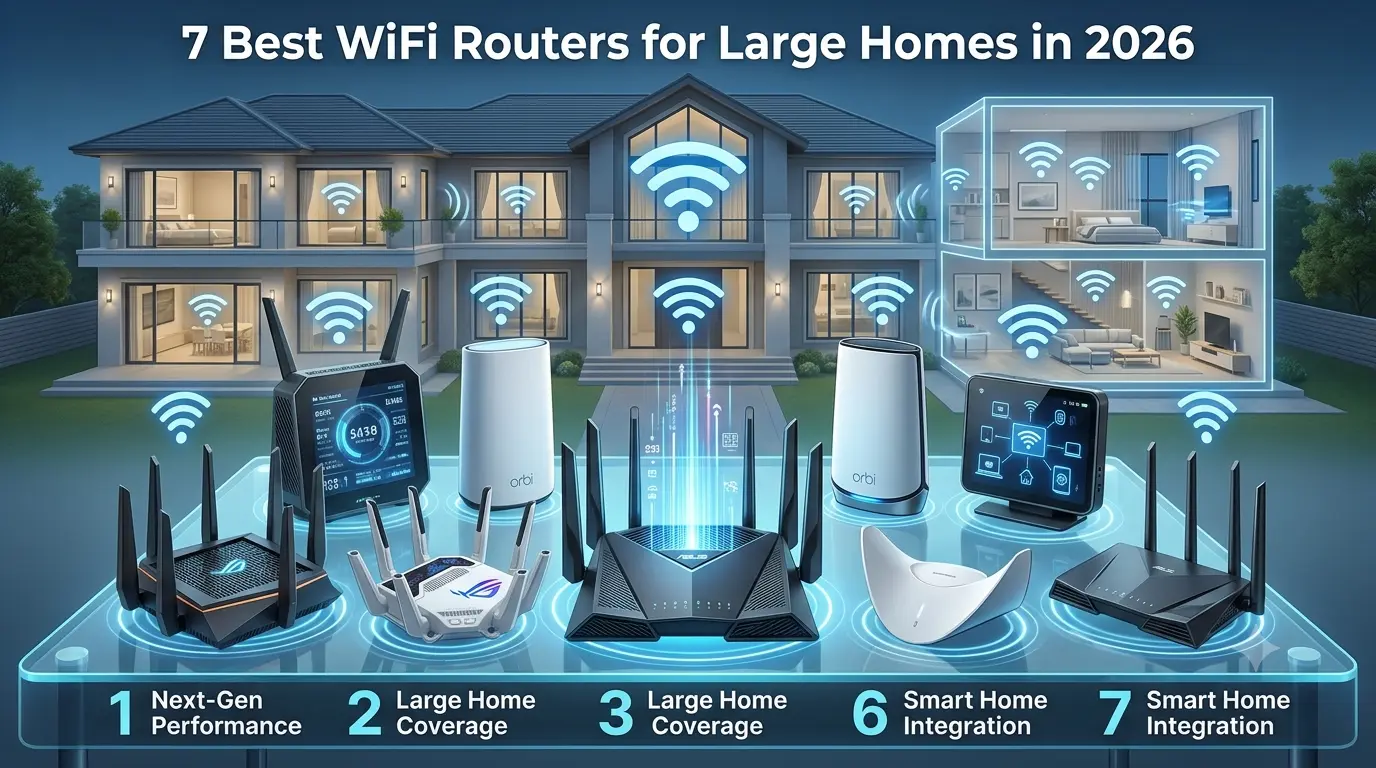
7 Best WiFi Routers for Large Homes in 2026: Top Picks Compared
Getting reliable Wi-Fi across a large or multi-story home can be challenging. Thick walls, multiple floors, long distances, and too many connected devices can create weak signals and frustrating dead zones. A standard single router may work well in a smaller space but often struggles to provide consistent coverage throughout a larger home.
That’s where mesh Wi-Fi systems can make a difference. Unlike traditional routers, mesh systems use multiple nodes to create one seamless network across your home. In this guide, we compare the best WiFi routers and mesh systems for large homes based on coverage, Wi-Fi standard, speed, bands, Ethernet ports, device capacity, setup, and price. With Wi-Fi 7 becoming more widely available in 2026, we also highlight options that offer faster speeds, better efficiency, and improved connectivity for modern connected homes.
Best Wi-Fi Routers for Large Homes
| Router/Mesh System | Best For | Wi-Fi Standard | Type | Coverage | Ethernet |
|---|---|---|---|---|---|
| NETGEAR Orbi 770 Series | Best Overall | Wi-Fi 7 | Mesh | Upto 5,500 sq. ft. – 8,000 sq.ft | 2.5Gbps WAN + 2.5Gbps LAN |
| TP-Link Deco BE63 | Best Value | Wi-Fi 7 | Mesh | Up to 7,600 sq. ft. | 4 × 2.5Gbps ports per unit |
| ASUS ZenWiFi BQ16 Pro | Best Performance | Wi-Fi 7 | Mesh | Up to 8,000 sq. ft. | 2 x 10 Gbps ports |
| Amazon eero Pro 7 | Best for Simplicity | Wi-Fi 7 | Mesh | Up to 2,500 sq. ft. | 2 × 5GbE ports |
| TP-Link Archer BE230 | Best Budget | Wi-Fi 7 | Standalone | 3- bedroom house | 1 × 2.5Gbps WAN + 1 × 2.5Gbps LAN + 3 × 1Gbps LAN |
| NETGEAR Orbi 770 3-Pack | Best 3-Pack | Wi-Fi 7 | Mesh | Up to 8,000 sq. ft. | 2.5Gbps WAN + 3 × 2.5Gbps LAN on router |
| AVM FRITZ! Box 5690 Pro | Best Feature-Rich Option | Wi-Fi 7 | Router/Mesh | Not officially specified in sq. ft. | 1 × 2.5Gbps WAN/LAN + 4 × 1Gbps LAN |
Top & Wifi Routers and Mesh Systems for Large Homes
NETGEAR Orbi 770 Series
Best For: A strong best WiFi router for large homes pick for multi-story houses, streaming, gaming, and smart-home devices.
Wi-Fi 7
Delivers faster speeds, lower latency, and better performance for modern connected homes.
Tri-Band
Uses 2.4GHz, 5GHz, and 6GHz bands to manage multiple devices efficiently.
Coverage
Covers up to 5,500 sq. ft. with a 2-pack and up to 8,000 sq. ft. with a 3-pack.
Connectivity
Includes 2.5Gbps Ethernet for multi-gig wired connections.
Device Capacity
Supports up to 100+ devices, making it suitable for busy households.
Setup
The NETGEAR app makes installation, monitoring, and network management straightforward.
Scalability
Add compatible Orbi satellites to extend coverage across additional rooms or floors.
TP-Link Deco BE63
Best For: One of the best WiFi router recommendations for homeowners seeking strong performance at a reasonable price.
Wi-Fi 7
Brings next-generation speed and efficiency to your home network.
Tri-Band
Uses 2.4GHz, 5GHz, and 6GHz bands for reliable whole-home connectivity.
Coverage
Provides up to 7,600 sq. ft. with a 3-pack, making it ideal for larger homes.
10Gbps Connectivity
Features four 2.5Gbps Ethernet ports per unit for fast wired connections.
Device Capacity
Supports 200+ devices, making it a practical WiFi router for home use.
Setup
The Deco app offers simple installation, network monitoring, and parental controls.
Scalability
Compatible Deco units can be added to expand coverage as your needs grow.
ASUS ZenWiFi BQ16 Pro
Best For: A top-rated WiFi router choice for gamers, creators, and homes with multi-gig internet.
Wi-Fi 7
Offers advanced features including Multi-Link Operation (MLO) for compatible devices.
Quad-Band
Uses multiple bands, including dual 6GHz connectivity, for demanding home networks.
Coverage
Covers up to 8,000 sq. ft. with a 2-pack.
10Gbps Connectivity
Includes dual 10Gbps ports for high-speed wired networking.
Device Capacity
Built for households with numerous connected and bandwidth-heavy devices.
Setup
ASUS provides app-based management alongside advanced web-based network controls.
Scalability
Supports ASUS AiMesh for expanding coverage with compatible ASUS routers.
Amazon eero Pro 7
Best For: A user-friendly best home WiFi router option for families and people who prefer simple network management.
Wi-Fi 7
Provides fast, efficient connectivity for newer smartphones, laptops, and smart-home devices.
Tri-Band
Combines 2.4GHz, 5GHz, and 6GHz bands for improved wireless performance.
Coverage
Provides up to 2,500 sq. ft. per unit, allowing coverage to be expanded with additional nodes.
5Gbps Connectivity
Each unit features two 5Gbps Ethernet ports for fast wired devices.
Device Capacity
Supports 200+ devices, making it suitable for connected households.
Setup
One of its biggest advantages is the simple, guided setup through the eero app.
Scalability
Additional compatible eero devices can be added to extend your network.
TP-Link Archer BE230
Best For: Budget-conscious shoppers looking for the best router for home without investing in a complete mesh system.
Wi-Fi 7
Offers an affordable entry into next-generation wireless networking.
Dual-Band
Uses 2.4GHz and 5GHz bands for everyday streaming, browsing, and gaming.
Coverage
Designed for smaller homes and layouts where a single WiFi router for home can provide sufficient coverage.
2.5Gbps Connectivity
Includes a 2.5Gbps WAN port and 2.5Gbps LAN port, plus three 1Gbps LAN ports.
Device Capacity
Suitable for everyday households with multiple connected devices.
Setup
Provides straightforward installation and management through TP-Link’s networking tools.
Scalability
Unlike a dedicated mesh system, its coverage is primarily designed around a standalone router setup.
NETGEAR Orbi 770 WiFi 7 3- Pack
Best For: One of the top-ranked routers for homeowners who need extensive whole-home coverage.
Wi-Fi 7
Delivers faster wireless performance and improved efficiency across compatible devices.
Tri-Band
Uses 2.4GHz, 5GHz, and 6GHz bands to distribute network traffic.
Coverage
Covers up to 8,000 sq. ft., making it one of the strongest options for very large homes.
Connectivity
Provides 2.5Gbps Ethernet for multi-gig wired networking.
Device Capacity
Designed to handle numerous connected devices across a large property.
Setup
The NETGEAR app simplifies installation and lets users manage their network from their phone.
Scalability
The three-node setup provides flexibility for multiple floors, rooms, and difficult layouts.
AVM FRITZ! Box 5690 Pro
Best For: Advanced users seeking a feature-rich wireless internet router and more control over their home network.
Wi-Fi 7
Supports the latest wireless standard with 2.4GHz, 5GHz, and 6GHz connectivity.
Tri-Band
Provides multiple frequency bands for flexible home networking.
Coverage
AVM does not provide a standard square-foot coverage figure, so placement and home construction matter.
Connectivity
Includes one 2.5Gbps WAN/LAN port and four 1Gbps LAN ports.
Device Capacity
Designed for homes requiring extensive networking and smart-home connectivity.
Setup
Offers detailed network management for users who want greater control over their connection.
Scalability
Can work with compatible FRITZ! products to create a broader home network.
Router Vs Mesh Wifi: Which is Better for a Large Home?
A traditional WiFi router can be the best router for home if you have a smaller home, an open floor plan, fewer dead zones, and a centrally positioned router. It is also a practical choice for budget-conscious users who want reliable wireless internet routers without the added cost of a mesh system. For many households, a well-placed best home WiFi router can provide enough coverage for everyday browsing, streaming, and connected devices.
A mesh system is a better choice for large or multi-story homes with thick walls, multiple floors, and several WiFi dead zones. Multiple nodes work together to provide more consistent coverage across a larger area, making mesh systems among the best routers for large families and homes with many connected devices. If you’re looking for WiFi router recommendations, a mesh system is often the better WiFi router for home when maximum coverage matters. Among the top-ranked routers and top-rated WiFi router options, mesh systems are particularly useful for creating reliable whole-home wireless coverage.
| Feature | Traditional Router | Mesh Wifi |
|---|---|---|
| Coverage | Limited | Excellent |
| Multi-story homes | Sometimes | Better |
| Dead zones | More likely | Fewer |
| Setup | Simple | Simple to Moderate |
| Expansion | Limited | Easy |
| Cost | Usually lower | Usually higher |
What To Look For in a Wifi Router For a Large House
Wi-Fi Standard:
Wi-Fi 6, Wi-Fi 6E, and Wi-Fi 7 are different generations of wireless technology, with each improving speed, efficiency, and performance for connected homes. Wi-Fi 6 is ideal for busy households with many devices, while Wi-Fi 6E adds access to the less-congested 6GHz band. Wi-Fi 7 takes things further with higher speeds, lower latency, and features such as Multi-Link Operation. For shoppers comparing top-ranked routers and best routers, Wi-Fi 7 is an especially strong choice for future-ready home networks.
Coverage Area
A router’s advertised coverage is a useful starting point, but it isn’t a guarantee of real-world performance. Walls, floor construction, router placement, interference, and the number of mesh nodes can all affect your signal. Concrete and brick walls can weaken Wi-Fi, while placing a WiFi router for home inside a cabinet or far corner can reduce coverage. For larger properties, strategically placed mesh nodes can provide more consistent coverage and make a best router for home 2026 setup more effective.
Tri-Band vs. Dual-Band
Tri-band mesh systems can be especially useful for large homes because they add a frequency band to manage network traffic. Dual-band systems share the available bands between connected devices and mesh communication, while tri-band systems can dedicate additional bandwidth to communication between nodes. This can help maintain better performance when multiple phones, TVs, laptops, and smart-home devices are connected. For homeowners comparing routers for wireless internet, tri-band is often worth considering for larger or busier homes.
6GHz Band
The 6GHz band provides additional wireless spectrum for compatible devices and can deliver fast, low-latency connections with less congestion than older bands. Its main advantage is cleaner connectivity for demanding activities such as gaming and high-resolution streaming. However, 6GHz has a shorter range and doesn’t travel through walls as effectively as lower-frequency bands. It also requires compatible Wi-Fi 6E or Wi-Fi 7 devices, making it an important consideration when choosing a top-rated WiFi router or best home router wireless system.
Ethernet Ports
Ethernet ports determine how quickly data can travel between your router and wired devices. 1Gbps ports are sufficient for most everyday browsing, streaming, and home use, while 2.5Gbps ports are better suited to multi-gig internet plans and high-speed local transfers. 10Gbps ports are designed for demanding setups involving NAS storage, professional workloads, gaming, and very fast internet connections. If you’re searching for the best router for home use, check the Ethernet ports alongside the advertised wireless speed.
Number of mesh nodes
The right number of mesh nodes depends on your home’s size, layout, and construction. One router can work well in smaller apartments and centrally planned homes, while two nodes are often better for medium-sized or two-story properties. Larger homes with multiple floors or long layouts may benefit from three nodes, while sprawling homes or properties with thick walls may require more. Choosing the right number of nodes is essential when looking for the best WiFi router for long range, rather than simply buying the router with the highest advertised coverage.
How To Get Better WiFi Coverage in a Large House
Place the Main Router Centrally
Place your WiFi router for home as close to the center of your house as possible. Since WiFi signals spread outward, a central position helps distribute coverage more evenly across rooms and floors. Even the best router for home 2026 cannot deliver reliable coverage if it is placed in a far corner or basement.
Keep the Router Away From Walls and Obstructions
Keep your router elevated and away from brick, concrete, plaster, metal, large appliances, and other dense objects that can weaken Wi-Fi signals. A clear, open location can significantly improve coverage and performance, helping your best home router wireless setup reach more areas of your house.
Place Mesh Nodes Strategically
Position mesh nodes between the main router and areas with weak coverage rather than placing them directly inside a dead zone. Each node needs a strong connection to the network to effectively extend it. Strategic placement is especially important when choosing routers for wireless internet for a large or multi-story home.
Use Ethernet Backhaul Where Possible
An Ethernet backhaul connects mesh nodes using Cat6 or Cat6a cables, instead of relying on wireless communication between nodes. This frees up wireless bandwidth for phones, laptops, TVs, and other devices while improving speed and reducing latency. For users comparing top ranked routers and best routers, wired backhaul can make a noticeable difference in demanding home networks.
Update Router Firmware
Keep your router’s firmware updated to improve security, fix bugs, and maintain compatibility with newer devices. Many modern wireless internet routers offer automatic updates through their companion apps, making it easier to keep your network secure and running smoothly.
Avoid Unnecessary WiFi Interference
Keep your router away from devices that can interfere with Wi-Fi, including microwaves, baby monitors, Bluetooth devices, and wireless cameras. In crowded areas such as apartments, selecting a less congested channel can also improve performance. These simple adjustments can help a top-rated WiFi router deliver more consistent connectivity.
Don’t Put Mesh Nodes Too Far Apart
Mesh nodes need to remain within a strong wireless range of one another to maintain a reliable backhaul connection. Placing them too far apart can result in unstable connections, higher latency, and dropped signals. Proper spacing is essential when choosing the best WiFi router for long range, particularly in large homes with multiple floors.
Final Thoughts
The perfect WiFi router for home makes a difference in how one streams, works, games, and stays connected across every room. A router can work well for smaller spaces; large or multi-story homes often benefit from a mesh system, which can extend its coverage and reduce dead zones.
If you’re looking for the best WiFi router for long range, prioritize coverage, node placement, device capacity, and Ethernet connectivity alongside speed or whether you’re upgrading an older network or setting up Wi-Fi for a new home, these top ranked routers offer several ways to build a faster and more dependable wireless network in 2026.
Frequently Asked Questions
1. What is the best router for a large house with many devices?
A TP-Link Deco BE63 WiFi system can be considered the best router for a large house, as it covers an area of 5,800 sqft.
2. Is TP-Link or Netgear better?
Neither brand can be considered specifically better than the other. TP- Link is budget-friendly, and Netgear focuses on its advanced features.
3. What is the most reliable router brand?
ASUS and TP-Link are considered reliable and consistent.
4. Is it worth buying a WiFi 7 router?
A WiFi 7 router is worth buying if one has a fast multi-gigabit internet plan, many devices to connect, or if an older router needs replacing.