

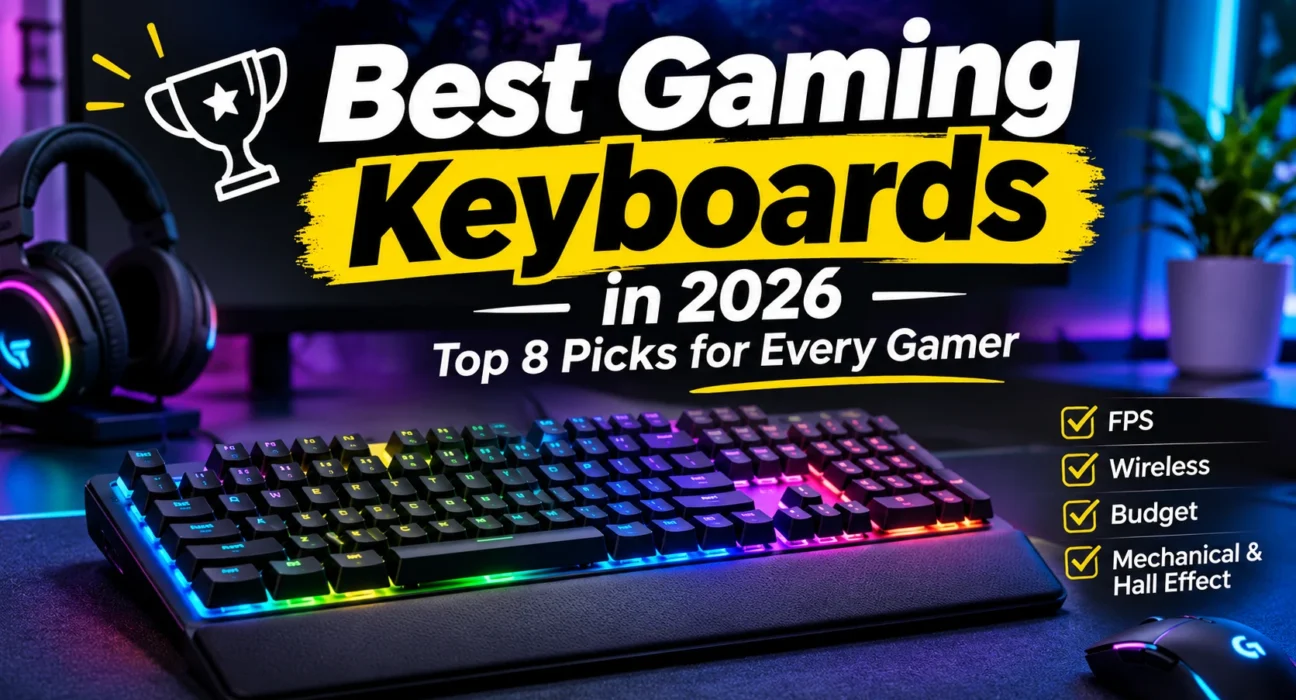
A $45 mechanical board and a $220 magnetic one can both register a keypress. What separates them is how the key behaves when you are strafing, spamming a macro, or typing a work email at 9 a.m. The best gaming keyboards in 2026 are no longer defined by RGB or a “mechanical” sticker. They are defined by switch technology (conventional or Hall Effect), layout, whether the board is wired or wireless, how much you can tune it, how it feels to type on, and what it costs.
That is why the most expensive keyboard is not automatically the right one. A competitive Counter-Strike 2 or Valorant player has different needs from someone grinding an MMO or playing story games after work. This guide ranks eight keyboards by who they actually suit, explains the trade-offs plainly, and tells you when to skip a feature you would be overpaying for.
Best Gaming Keyboards at a Glance
Use this table to narrow the field, then read the review for any board that fits your setup. Prices are US list or typical street prices checked in November 2026 and move with sales.
| Keyboard | Best for | Layout | Switch type | Connectivity | Main advantage |
|---|---|---|---|---|---|
| Wooting 80HE+ | Competitive FPS, Hall Effect fans | 80% (TKL-style with arrows) | Hall Effect linear (Lekker Tikken) | Wired USB-C | Fast, highly tunable, strong software |
| Corsair K70 Core RGB | Most gamers, full-size | Full-size | Mechanical linear (MLX Red) | Wired USB | Smooth, quiet, good value |
| Razer Huntsman V3 Pro TKL 8KHz | Premium competitive play | TKL | Analog optical linear (Gen-2) | Wired USB-C | 0.1–4.0mm actuation, Rapid Trigger, 8KHz |
| SteelSeries Apex Pro TKL Gen 3 | Customization, gaming plus work | TKL | Hall Effect (OmniPoint 3.0) | Wired (wireless version sold separately) | OLED screen, PBT keycaps, aluminum frame |
| Logitech G Pro X TKL Lightspeed | Wireless esports | TKL | Mechanical (GX tactile, clicky or linear) | 2.4GHz Lightspeed, Bluetooth | Proven low-latency wireless |
| Keychron Q1 HE 8K | Gaming and typing | 75% | Hall Effect linear (Lime) | Wired USB-C | Heavy aluminum, gasket-mount feel |
| HyperX Alloy Origins Core | Compact mechanical value | TKL | Mechanical (HyperX Red, Aqua or Blue) | Wired, detachable cable | Sturdy aluminum body at a modest price |
| Redragon K552 Kumara | Tight budgets | TKL (87 keys) | Mechanical (Outemu Blue or Red) | Wired | Mechanical feel for about $45 |
How We Selected the Best Gaming Keyboards
This is a research-based buying guide. We did not buy these keyboards, run latency rigs or log hours of gameplay, so nothing here should be read as a hands-on test. Instead, we compared the exact model and version of each keyboard against manufacturer pages, retailer listings and independent reviews from outlets such as RTINGS, Tom’s Hardware, PC Gamer, TechRadar and Notebookcheck, then read recurring owner feedback for patterns.
Each board was judged on the same questions:
- Responsiveness: switch technology, polling rate and what independent measurements say about latency.
- Switch feel and typing comfort: linear, tactile or magnetic, and how reviewers describe stability and sound.
- Layout and desk space: what keys you gain or lose and how much room your mouse hand keeps.
- Build quality: frame material, keycaps and any recurring complaints.
- Connectivity and software: wired or wireless, onboard memory, customization tools.
- Price and value: what you pay compared with what a cheaper rival offers.
We replaced two models from our starting shortlist with current versions. The old “Corsair K70 RGB” name now spans several different boards, so we chose the K70 Core RGB as the full-size pick. The Wooting 80HE has been succeeded by the 80HE+, so we review the newer board and note where independent testing covered the original. We do not use invented scores, and we say so when a claim comes from a manufacturer.
Best Gaming Keyboards: Detailed Reviews
1. Wooting 80HE+ – Best Gaming Keyboard Overall and Best Hall Effect Pick
Best for: competitive FPS players who want adjustable actuation, Rapid Trigger and a keyboard that is also pleasant to type on.
Real-world usage analysis
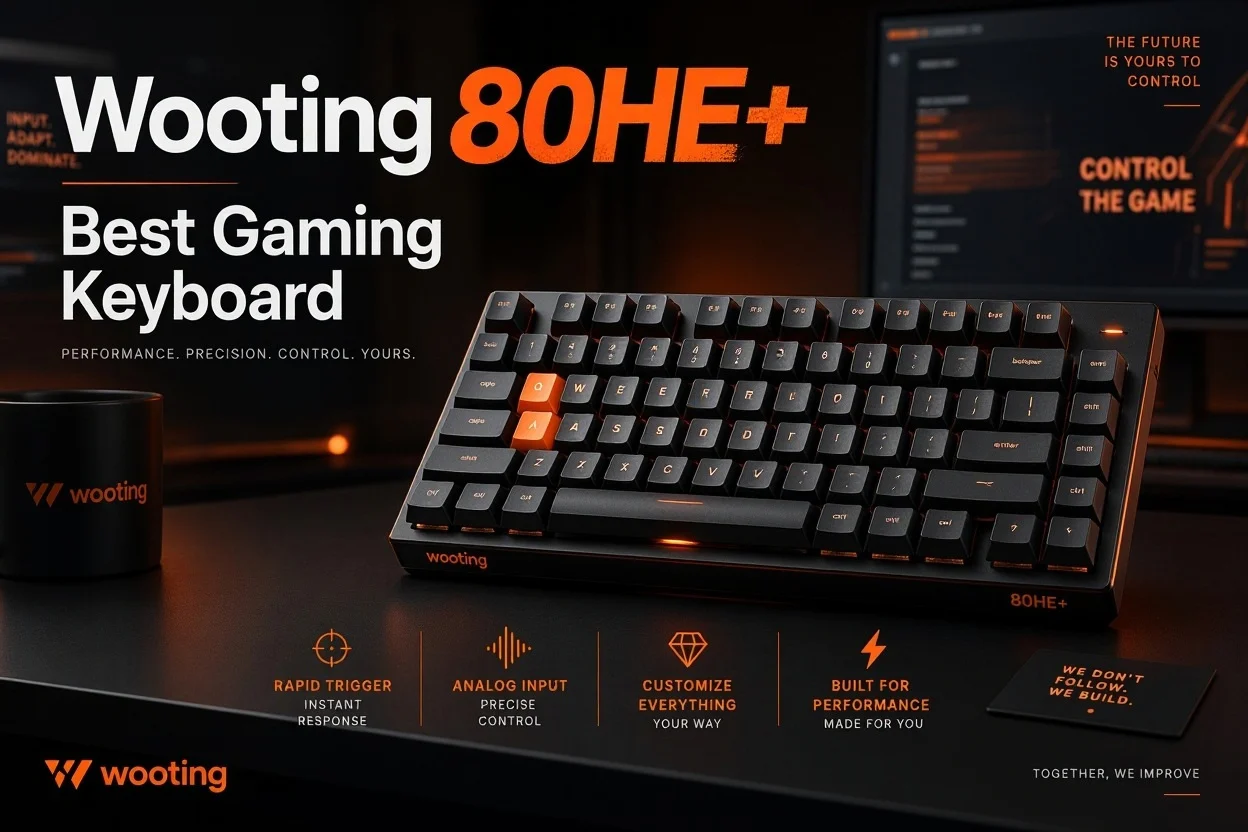
The Wooting is built for the player who changes settings per game. Rapid Trigger resets a key the instant you start lifting your finger, rather than after a fixed reset point. In movement-heavy shooters such as Counter-Strike 2 and Valorant, that matters when you counter-strafe repeatedly. Adjustable actuation lets you set a shallow trigger for fast inputs and a deeper one for keys you tend to brush by accident. RTINGS rates the original 80HE as having exceptionally low latency, and says it can use its full 8000Hz polling with Wooting’s Tachyon mode enabled in software.
The layout is a smart middle ground. You keep arrow keys and a function row, but lose the number pad, which frees mouse space. The 80HE+ also moves to a closed-bottom Lekker Tikken Medium switch and an FR4 plate, which Wooting and early coverage say tighten stem wobble and give a more muted sound than the original 80HE. PC Games Hardware reports that input performance stays at 80HE level, so the upgrade is about feel and sound, not speed. Casual players will enjoy the typing experience but may not notice a difference in single-player games.
Software is a highlight. Wootility runs in a web browser, which independent reviewers say makes it OS-agnostic and quick to use. The compromises are worth knowing: the board is wired only, the PCB is non-standard so aftermarket parts are limited, and PC Gamer thought the original plastic case felt a little flexy for the money. The zinc-case version costs more and ships later than the ABS board.
Key features
- Hall Effect linear switches with adjustable actuation and Rapid Trigger
- Up to 8000Hz polling over USB-C
- FR4 plate, ABS or zinc alloy case, optional large rotary knob (pre-installed on zinc prebuilts)
- Per-key RGB and an LED bar
- Browser-based Wootility software
Advantages
- Top-tier responsiveness in independent testing of the 80HE
- Excellent software and per-key tuning
- 80% size keeps arrows and function row
- Updated switch and plate target feel and sound
Limitations
- Wired only
- About $200 for the ABS version, more for zinc
- No wrist rest
- Overkill if you do not play competitive shooters
Who should buy it?
Competitive FPS players, tinkerers, and anyone who wants one board for ranked games and daily typing.
Who should skip it?
Wireless-only users, budget buyers, and gamers who prefer a conventional switch feel. Consider the Corsair K70 Core instead.
Final verdict: The Wooting 80HE+ is the most complete Hall Effect keyboard here and our top pick for capability. It is worth the money if you will use Rapid Trigger and actuation tuning; if not, you are paying for headroom you will not use.
2. Corsair K70 Core RGB – Best Full-Size Gaming Keyboard and Best Value for Most Gamers
Best for: MMO, strategy and everyday gamers who want a full-size board with dedicated keys and a comfortable switch.
Real-world usage analysis
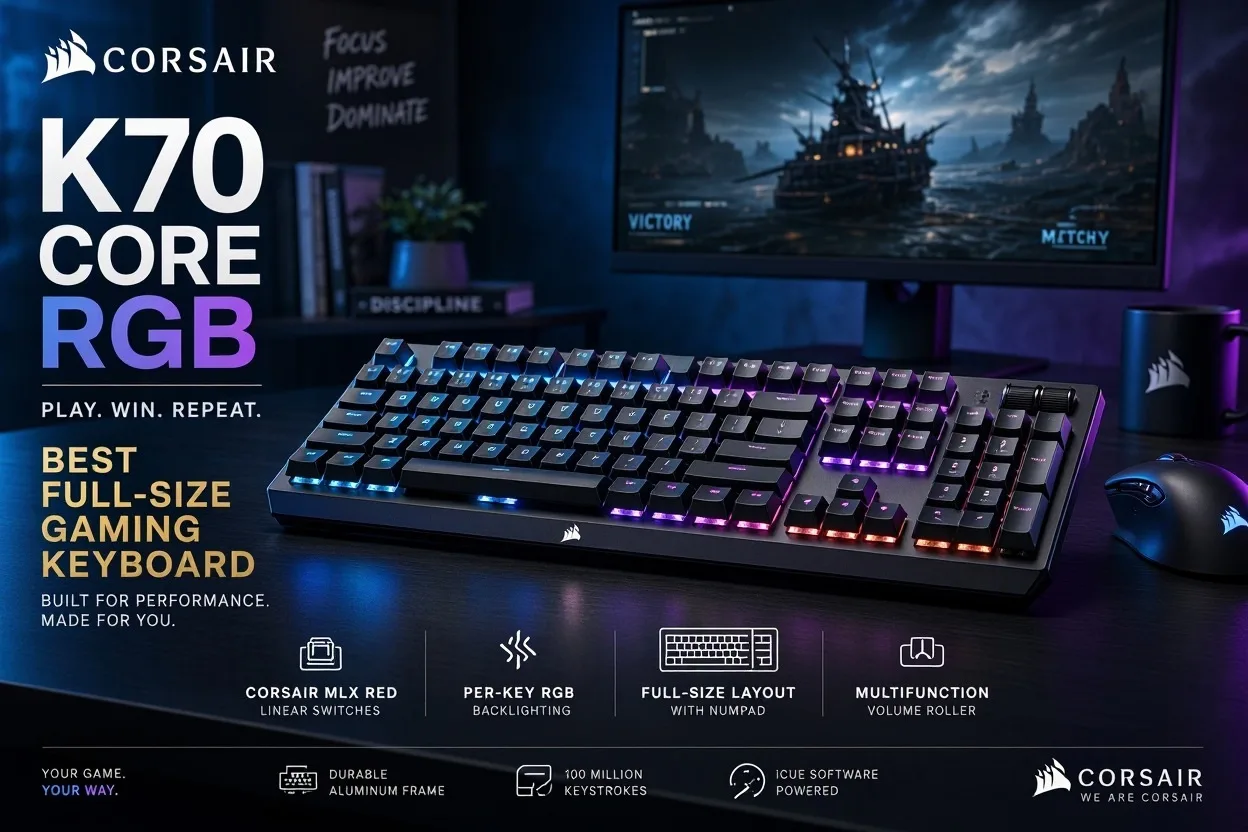
Corsair’s own spec sheet lists a 45g actuation force, 1.9mm actuation distance and 4mm total travel for the MLX Red switch. Tom’s Hardware built its review around how smooth the pre-lubed linear switches are, and reviewers consistently note that two layers of foam keep case ping low. That makes the K70 Core a pleasant board for long sessions and for shared rooms.
Full-size is the right call when you use the number pad for macros, shortcuts or spreadsheets, or you play MMOs and strategy games with lots of bound keys. The cost is desk space: your mouse hand sits further right, which can feel cramped on small desks or for low-sensitivity FPS players. For ranked shooters, a conventional switch with a fixed reset point works fine for most people, but you will not get Rapid Trigger.
Know the limits. The USB cable is not detachable and there is no USB passthrough. The magnetic wrist rest is optional and reviewers at Tom’s Hardware and Club386 found its texture less comfortable than they wanted; Club386 suggests buying the cheaper no-rest version and adding your own. PC Gamer lists the board as not hot-swappable. If you want magnetic switches in the same family, Corsair sells the pricier K70 Max, but we would only pay for it if you will tune actuation.
Key features
- Pre-lubed MLX Red linear switches rated for 70 million keystrokes by Corsair
- Aluminum top plate and two layers of sound-dampening foam
- Programmable rotary knob and per-key RGB via iCUE
- Onboard profile storage
- Double-shot ABS keycaps
Advantages
- Smooth, quiet linear feel for the price
- Full-size with dedicated media-style knob
- Strong iCUE customization
- Sensible value around $100
Limitations
- No Rapid Trigger or adjustable actuation
- Fixed cable, no USB hub
- Optional wrist rest is not loved
- Takes the most desk space on this list
Who should buy it?
MMO and strategy players, gaming-plus-office users, and anyone who wants a dependable all-rounder under $120.
Who should skip it?
Competitive FPS players on small desks, and buyers who want wireless or hot-swap switches.
Final verdict: The K70 Core RGB is the safest recommendation for most gamers. It does the basics very well, and it costs about half what the premium analog boards do.
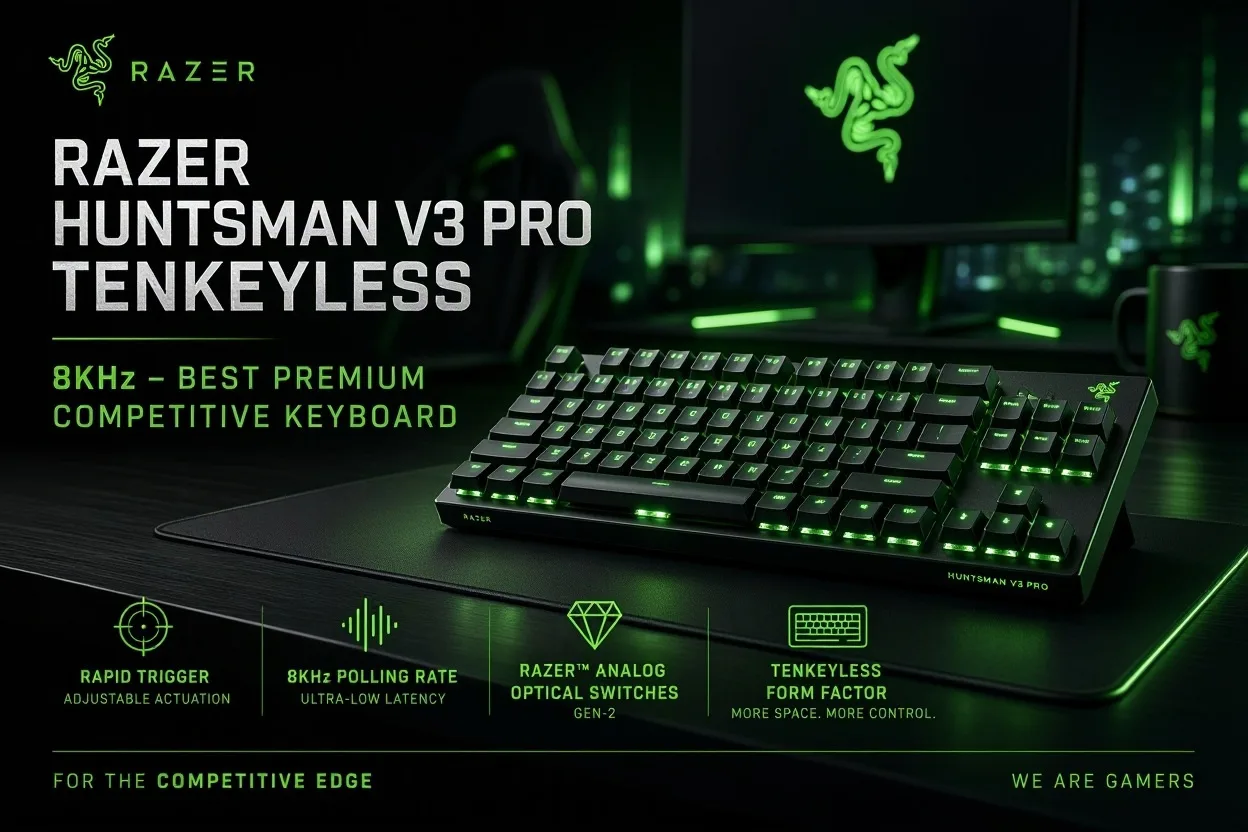
3. Razer Huntsman V3 Pro Tenkeyless 8KHz – Best Premium Competitive Keyboard
Best for: serious FPS players who want maximum tuning and are happy to pay for it.
Real-world usage analysis
Razer uses optical sensing rather than magnets, but the gaming result is similar: you tune how deep a key must travel before it registers. Razer lists adjustable actuation from 0.1 to 4.0mm, and the Snap Tap feature lets you choose how opposite directional inputs resolve, which is popular with some FPS players and restricted in a few competitive settings, so check tournament rules. The 8KHz version also adds lubricated switches and thicker dampening foam compared with the original V3 Pro, according to Razer.
The trade-off is complexity. Reviewers describe a learning curve, and one review headline says outright that most people probably do not need it. If you do not want to spend an evening tuning Synapse, you will use a fraction of what you paid for. Razer also sells a Mini (about $180 at launch) and, since August 2026, a low-profile TKL at $229.99 for those who want a different shape.
Compared with the SteelSeries Apex Pro TKL Gen 3, the Razer leans toward raw tuning and a deeper actuation range; the Apex counters with an OLED display and a more typing-friendly personality. Reviews of earlier Huntsman V3 Pro models mention a magnetic wrist rest in the box, so check the contents on your retailer’s listing before assuming one is included.
Key features
- Analog Optical Switches Gen-2, adjustable 0.1–4.0mm
- Rapid Trigger and Snap Tap-style input controls
- 8000Hz HyperPolling and per-key RGB
- Multi-function volume wheel and onboard profiles
- Razer Synapse software
Advantages
- Very wide actuation range
- Aimed squarely at esports use
- Premium build; wrist rest on some kits (check listing)
- Multiple sizes to choose from
Limitations
- Pricey at about $220
- Wired only
- Learning curve and software dependence
- Overbuilt for casual players
Who should buy it?
Ranked FPS players who like tinkering and want every setting exposed.
Who should skip it?
Casual gamers, wireless buyers, and anyone who just wants a comfortable board. The K70 Core costs far less.
Final verdict: A top-end competitive keyboard that justifies its price only for players who will exploit it. If you want the same class of feature set with better software reputation, look at the Wooting first.
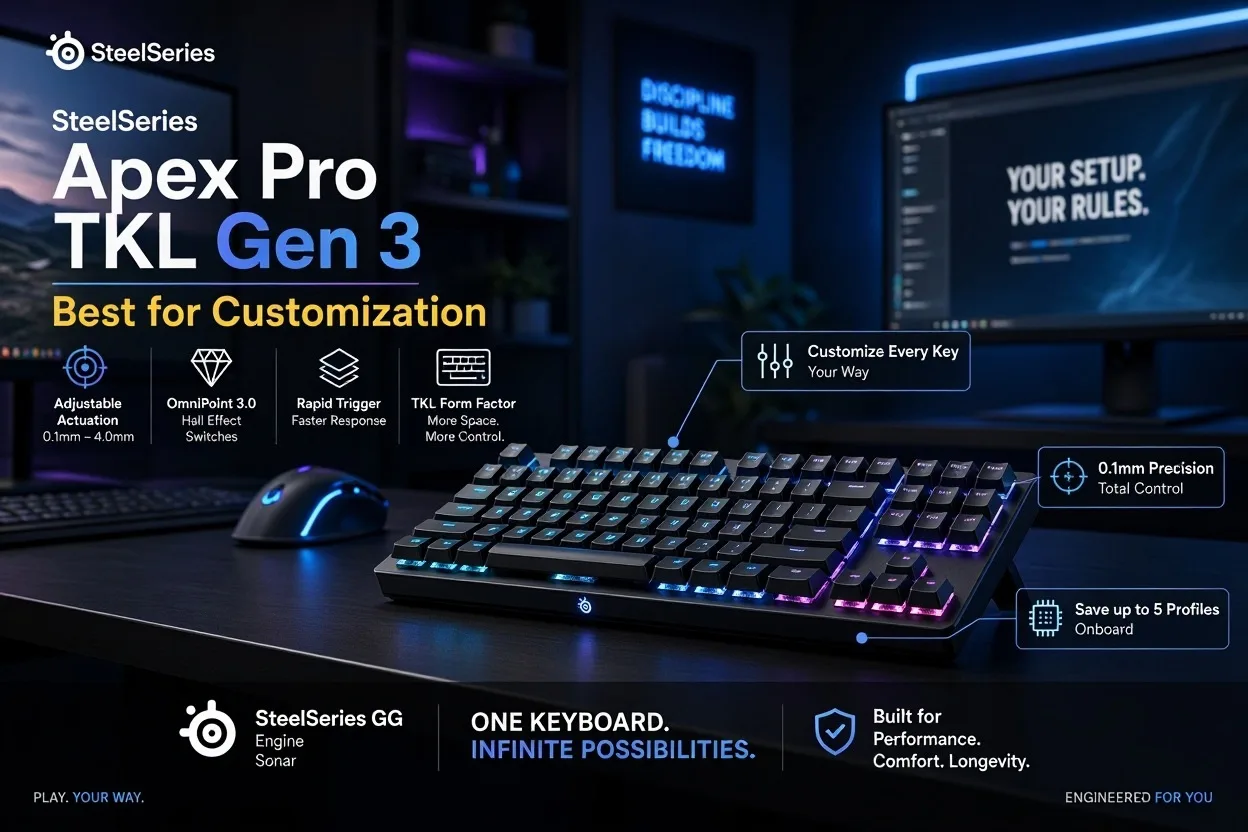
4. SteelSeries Apex Pro TKL Gen 3 – Best for Customization
Best for: players who want tunable Hall Effect switches, a built-in OLED display and a keyboard that also works as an office board.
Real-world usage analysis
The Apex Pro line has long been associated with esports, and the Gen 3 TKL keeps that identity with a clean TKL footprint and a sturdy aluminum frame. Reviewers praise the double-shot PBT keycaps and the typing feel, and say the board works well for people who game and work on the same machine. The OLED panel is genuinely practical: SteelSeries says you can adjust actuation, enable Rapid Trigger and display game information directly on the board.
One detail worth knowing, reported by Laptop Mag, is that the main keys use OmniPoint 3.0 Hall Effect switches while the function row and utility keys use conventional Gateron red switches. That is unlikely to matter in games, but it explains why the board is not “all Hall Effect.” TechRadar noted a few analog tweaks missing compared with some rivals and gave it a modest value score for the price.
Wired TKL list price is $219.99, and retailers regularly discount it into the high $190s. The wireless Apex Pro TKL Gen 3 costs about $269 and adds tri-mode connectivity, which is the better fit if you want a premium wireless Hall Effect board. Switches are not hot-swappable, so what you buy is what you keep.
Key features
- OmniPoint 3.0 HyperMagnetic switches with Rapid Trigger and game-ready presets
- OLED Smart Display for on-keyboard settings
- Double-shot PBT keycaps and aluminum frame
- Magnetic wrist rest (check that your kit includes it)
- Per-key RGB and SteelSeries software
Advantages
- OLED control without opening software
- Excellent build and keycaps
- Comfortable for typing as well as gaming
- Wireless version exists
Limitations
- High price for a wired TKL
- Not hot-swappable
- Function row uses regular switches
- Some analog tweaks missing versus rivals
Who should buy it?
Gamers who want on-board controls, great typing and a premium look, and who also work on the same desk.
Who should skip it?
Players chasing the lowest price per feature. The Wooting offers similar tuning with better-regarded software.
Final verdict: A polished, premium board with a useful gimmick that is actually practical. Buy it on sale; at full price, it is competing with stronger value.
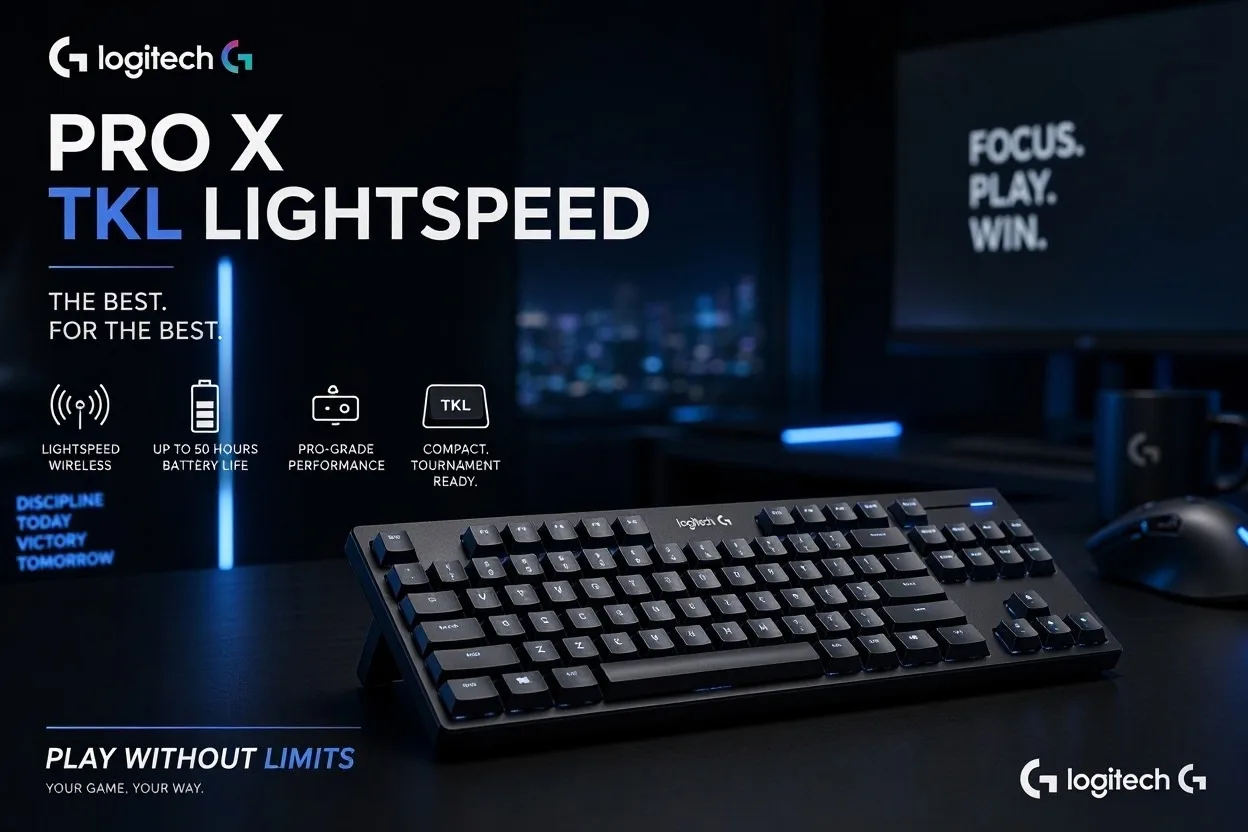
5. Logitech G Pro X TKL Lightspeed – Best Wireless Gaming Keyboard
Best for: competitive players who want a cable-free desk without the lag worries that Bluetooth keyboards bring.
Real-world usage analysis
Wireless gaming keyboards only make sense if the connection is trustworthy. Logitech’s Lightspeed receiver is the same one used by its wireless mice, so one dongle can serve both, and RTINGS notes you can also pair over low-power Bluetooth for work devices. For competitive play, use 2.4GHz; Bluetooth is for convenience, not for ranked matches.
The TKL layout is a sensible fit for FPS players, and the dedicated media keys and volume roller are rare on compact boards. A Game Mode lock button stops the Windows key from interrupting a match. Switch choice is real here: you can buy it with tactile, clicky or linear GX switches, so you are not locked into one feel.
The compromises are about price and flexibility. One European review called its launch pricing high, and the same review notes it is not hot-swappable. There is no wrist rest in the box (B&H lists none) and the board is relatively heavy at about 2.2 lb. Logitech also sells the wired Pro X TKL Rapid with Hall Effect switches at a lower list price, which is the smarter choice if you do not need wireless.
Key features
- LIGHTSPEED 2.4GHz wireless and Bluetooth
- TKL layout with dedicated media keys and volume roller
- Choice of tactile, clicky or linear GX switches
- Game Mode lock and programmable keys in G HUB
- PBT keycaps (per retailer listing) and LIGHTSYNC RGB
Advantages
- Reliable esports-grade wireless
- Compact TKL with media controls
- Three switch feels to choose from
- One receiver shared with Logitech mice
Limitations
- No Rapid Trigger or adjustable actuation
- Expensive for a non-analog board
- Not hot-swappable and no wrist rest
- You must charge it
Who should buy it?
Players with a clean-desk setup who want a wireless board that holds up in ranked play.
Who should skip it?
Anyone who wants Rapid Trigger, or who does not mind a cable. The wired Pro X TKL Rapid costs less.
Final verdict: The best wireless gaming keyboard here, with a price that is only easy to justify on sale. It is for desk tidiness and portability, not for squeezing out extra performance.
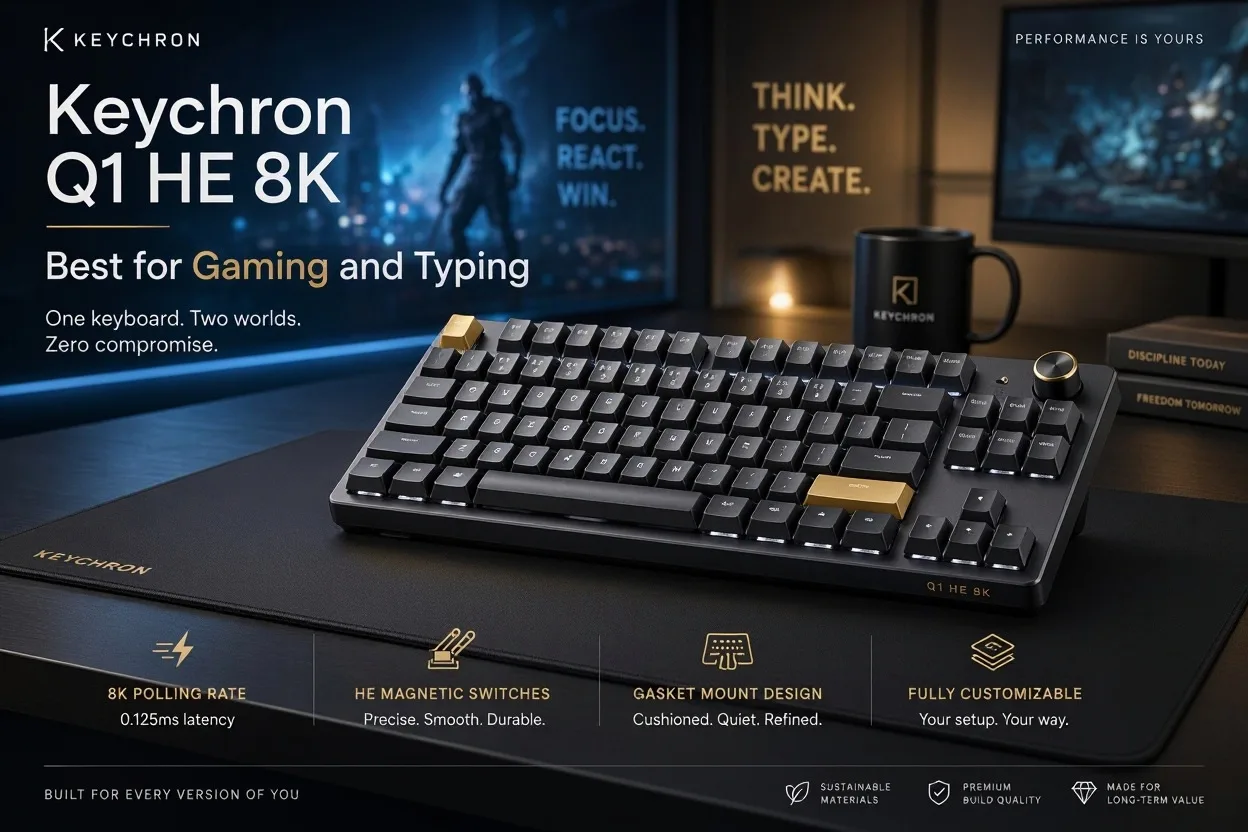
6. Keychron Q1 HE 8K – Best for Gaming and Typing
Best for: people who game at night and type all day, and who want a heavy, premium-feeling 75% board.
Real-world usage analysis
Be careful to buy the right version. The original Keychron Q1 HE is a wireless tri-mode board with Gateron double-rail switches that launched at $219 and runs at 1000Hz over 2.4GHz and USB. The newer Q1 HE 8K, which we review here, is wired only, uses Keychron’s Lime switches and supports 8000Hz polling for about $230. Notebookcheck says the 8K model adds universal Hall Effect switch compatibility and improved stabilizers, and that its pronounced gasket mount is noticeable in use.
The case is the selling point. The original Q1 HE weighed about 3.75 lb in a 6063 aluminum chassis, and the 8K shares that heavy, planted design, which reviewers say is quiet and feels premium. That is a good fit for someone who types for hours and then plays Valorant for the evening, because the board does not rattle or flex. The 75% layout keeps arrows and function keys but drops the number pad and some navigation keys, so check that you can live without them.
The compromises are straightforward: it costs about the same as the Razer and SteelSeries, it has no wireless option in this version, and the heft makes it a desk-bound board. If you want wireless, the original Q1 HE is still sold, though at a similar price.
Key features
- Full aluminum case with double-gasket mount
- Pre-lubed Keychron Lime Hall Effect switches, adjustable actuation and Rapid Trigger
- 8000Hz polling
- Hall Effect hot-swap support (not for standard mechanical switches)
- 75% layout
Advantages
- Premium, quiet build
- Comfortable typing feel
- Competitive polling and Hall Effect tuning
- Compact 75% layout
Limitations
- About $230 and wired only
- Very heavy, not portable
- 75% drops some keys
- Wireless is a different model
Who should buy it?
Gamers who work on the same keyboard and care about build quality and sound.
Who should skip it?
Budget buyers and anyone who wants a light, travel-friendly board.
Final verdict: The best fit for gamers who type a lot. It is not the best value, but few boards here feel as well built.
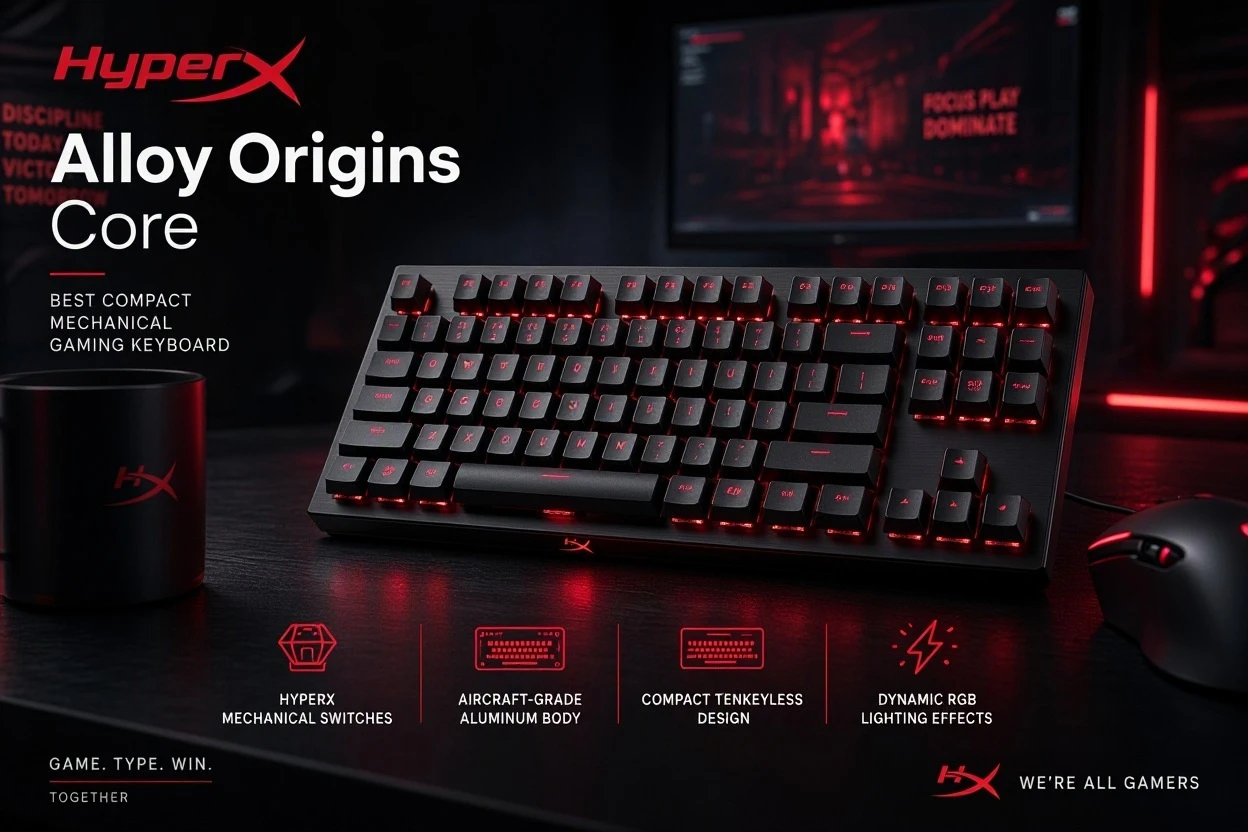
7. HyperX Alloy Origins Core – Best Compact Mechanical Gaming Keyboard
Best for: players who want a sturdy TKL mechanical board at a sane price.
Real-world usage analysis
The Alloy Origins Core is the compact version of the full-size Alloy Origins. Dropping the number pad gives your mouse more room, which matters for low-sensitivity FPS players. Buyers on Best Buy repeatedly mention the solid frame and strong RGB, and the metal body is a notable step up from plastic-cased budget boards.
You choose from HyperX Red (linear), Aqua (tactile) or Blue (clicky). The switches are soldered in, so unlike some budget boards you cannot swap them later. Media controls sit on the function keys rather than dedicated buttons, and the USB cable is detachable, which makes it easy to replace and pack.
HyperX has since moved to its Origins 2 series: the Origins 2 Pro 65 adds Hall Effect and 8KHz polling at about $150, though reports differ on how its Rapid Trigger support is documented. For a plain, reliable mechanical board at a lower price, the Alloy Origins Core remains easy to recommend.
Key features
- Aluminum-body TKL design
- HyperX Red, Aqua or Blue mechanical switches
- Per-key RGB with HyperX NGENUITY software
- Detachable USB cable
- Game Mode and N-key rollover
Advantages
- Metal build at under $100
- Compact footprint
- Three switch feels
- Detachable cable
Limitations
- Switches are not hot-swappable
- No dedicated media keys
- No wireless or analog features
- Older design, newer HyperX series exists
Who should buy it?
First-time mechanical buyers and FPS players on a $100 budget who want solid construction.
Who should skip it?
Anyone who wants Rapid Trigger, wireless or hot-swap sockets.
Final verdict: A reliable compact mechanical pick with strong build quality for the price. It is unglamorous but hard to fault if you only need the basics.
8. Redragon K552 Kumara – Best Budget Gaming Keyboard
Best for: gamers who want a real mechanical keyboard for the price of a membrane board.
Real-world usage analysis
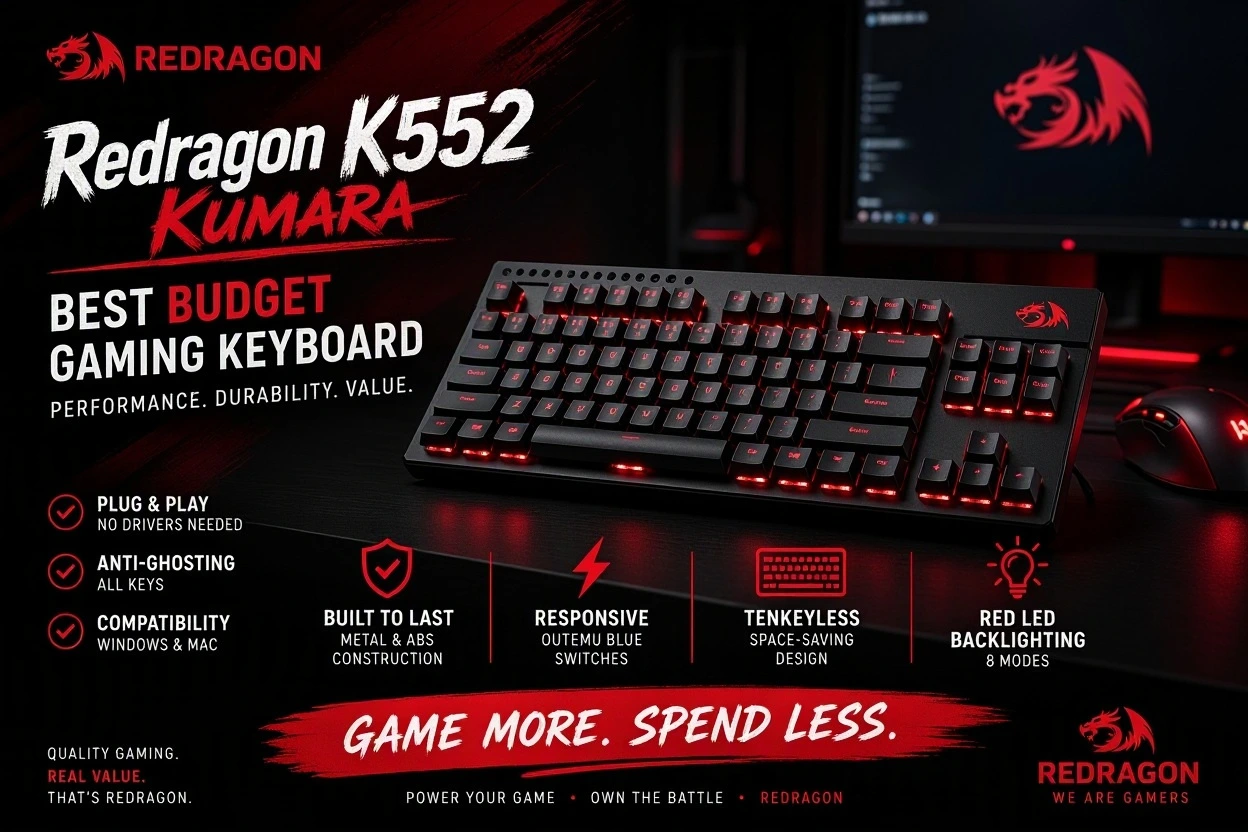
Know which version you are buying. The K552-RGB sold at Best Buy for around $44 uses Outemu Blue clicky switches and full RGB, while the basic K552 uses Outemu Red linear switches with red lighting, and there are rainbow and no-backlight variants. Clicky blues feel satisfying but are loud, which is a problem for shared rooms or voice chat; pick the Red version if that matters.
The layout is a standard 87-key TKL, which keeps arrows and a function row. Reviewers note it feels better built than many cheap boards, with less key wobble than rivals at its price. It lacks dedicated media keys, wireless, wrist rest and any analog features, and its software is basic compared with iCUE or Synapse.
The decision is simple: if your budget is under $50, this is the board to buy. If you can stretch to about $90, the HyperX Alloy Origins Core adds a more premium frame.
Key features
- 87-key TKL with metal and ABS construction
- Outemu mechanical switches (Blue or Red depending on model)
- Double-shot ABS keycaps
- RGB or single-color backlighting by model
Advantages
- Very low price
- Sturdy for the money
- Compact TKL layout
- Wide range of colors and variants
Limitations
- Blue switches are loud
- No wireless or wrist rest
- Basic software and no analog features
- Several model variants cause confusion
Who should buy it?
New mechanical keyboard users, students and secondary setups.
Who should skip it?
Competitive players, anyone sharing a room, and people who want premium feel.
Final verdict: The best budget gaming keyboard on the list. It will not wow you, but it gives you a genuine mechanical experience at a very low price.
Best Gaming Keyboards by Category
Some boards win more than one category, and we explain why. Where no board on the list is a strong fit for a category, we leave it out rather than force a pick.
| Category | Our pick | Why it wins |
|---|---|---|
| Best gaming keyboard overall | Wooting 80HE+ | Best combination of speed, tuning, typing feel and software |
| Best for most people | Corsair K70 Core RGB | Great feel and features around $100 |
| Best competitive FPS keyboard | Wooting 80HE+ (alt: Razer Huntsman V3 Pro TKL 8KHz) | Hall Effect tuning, 8000Hz and compact layout; Razer for those who prefer its ecosystem |
| Best wireless gaming keyboard | Logitech G Pro X TKL Lightspeed | Reliable 2.4GHz wireless; SteelSeries Apex Pro TKL Wireless is the premium analog alternative at about $269 |
| Best premium gaming keyboard | Razer Huntsman V3 Pro TKL 8KHz | Widest tuning range and premium build |
| Best Hall Effect gaming keyboard | Wooting 80HE+ | Strongest overall Hall Effect package |
| Best full-size gaming keyboard | Corsair K70 Core RGB | Dedicated keys, knob and value |
| Best compact gaming keyboard | HyperX Alloy Origins Core | Solid TKL for about $90 |
| Best budget gaming keyboard | Redragon K552 Kumara | Mechanical for roughly $45 |
The Wooting appears three times because the same strengths answer three questions. We kept Best Gaming and Typing (Keychron Q1 HE 8K) and Best for Customization (SteelSeries Apex Pro TKL Gen 3) as extra labels within the reviews rather than forcing more categories.
Best Gaming Keyboards by Gaming Style
Best keyboard for FPS games
Pick a compact layout so your mouse arm has room, then weigh whether you want Rapid Trigger and adjustable actuation. They help most in games where you rapidly stop and start movement. The Wooting 80HE+ and Razer Huntsman V3 Pro TKL 8KHz are the strongest choices; the Corsair K70 Core is a fine alternative if you play casually. Features like RGB and extreme polling rates are mostly marketing for most players: RTINGS says the real-world effect of going to 8000Hz is almost negligible for most people.
Best keyboard for casual gaming
Comfort, durability and price matter more than analog tuning. The Corsair K70 Core RGB is the easy answer, with the HyperX Alloy Origins Core as a compact alternative. Choose a switch you like the sound of; linear is the safe default.
Best keyboard for MMO gaming
MMOs reward a full-size layout, where the number pad and extra keys can hold macros and hotbar shortcuts. The Corsair K70 Core RGB is our pick, and iCUE lets you remap and save profiles to onboard memory. Compact boards can emulate extra keys with layers, but that is slower than having physical keys.
Best keyboard for gaming and work
You want typing comfort and connectivity. The Keychron Q1 HE 8K and SteelSeries Apex Pro TKL Gen 3 are the strongest fits for a premium desk, while the Wooting 80HE+ is excellent if you want one board for everything. If you need wireless for a laptop, the Logitech G Pro X TKL Lightspeed or the original wireless Keychron Q1 HE are worth considering.
Best keyboard for small desks
Smaller layouts give your mouse more room. A TKL cuts the number pad, a 75% layout trims it further, and 65% and 60% boards go smaller still. The Wooting 80HE+ and Logitech G Pro X TKL are both compact. For more extreme space savings, Wooting’s 60HE v2 (RTINGS says it reached 8000Hz polling in 2026) and the Razer Huntsman V3 Pro Mini (about $180 at launch) are the 60%-class options to research.
Gaming Keyboard Buying Guide
1. Mechanical vs. Hall Effect vs. Membrane
Mechanical keyboards use physical metal contacts under each key. They come in linear, tactile and clicky forms, last a long time and range from $45 to well over $200. Hall Effect keyboards use a magnet and sensor to track key position, which enables adjustable actuation and Rapid Trigger. They are great for competitive players but not needed by everyone. Membrane keyboards are cheap and quiet, but feel mushy and generally lack gaming-focused features.
| Keyboard type | Gaming advantages | Limitations | Best for |
|---|---|---|---|
| Mechanical | Consistent feel, durable, many switch choices | Fixed actuation point | Most gamers |
| Hall Effect | Adjustable actuation, Rapid Trigger, per-key tuning | Higher price, software dependence | Competitive FPS players, tinkerers |
| Membrane | Low price, quiet | Mushy feel, fewer features | Very tight budgets, shared spaces |
2. Linear vs. Tactile vs. Clicky Switches
Linear switches press smoothly without a bump. Many gamers like them for repeated inputs. Tactile switches add a bump that confirms the press, which some typists prefer. Clicky switches add an audible click and a bump; they are satisfying but unsuitable for shared rooms, voice chat or quiet offices. Switch preference is subjective, so no single type is best for everyone.
3. What Is Rapid Trigger?
Standard keyboards register a key release only after it rises past a fixed reset point. Rapid Trigger resets the key as soon as it moves upward by a small set distance, even if it has not reached the top. In games where you strafe and counter-strafe, that can make direction changes feel crisper. It takes some practice to tune, and too-sensitive settings can cause accidental inputs. It will not make you aim better. For RPGs, casual play and general use, it is nice but not essential.
4. What Is Adjustable Actuation?
Actuation distance is how far a key must travel before it registers. A shallow setting, such as 1mm or lower, responds quickly but can trigger accidentally. A deeper setting feels more deliberate and suits typing. Hall Effect boards let you set this per key, so you might use a light setting for movement keys and a deeper one for abilities. Many gamers keep a different profile for typing.
5. 60% vs. 65% vs. 75% vs. TKL vs. Full-Size
| Layout | Main advantage | Main compromise | Best for |
|---|---|---|---|
| 60% | Smallest footprint, maximum mouse room | No arrows or function row without shortcuts | Minimalist FPS setups |
| 65% | Compact with dedicated arrows | Fewer function keys | Small desks with some navigation needs |
| 75% | Compact but keeps function row | Tight key spacing on some boards | Gaming plus work |
| TKL | Most standard keys, no number pad | No number pad | Most FPS and general gamers |
| Full-size | Number pad and dedicated keys | Needs more desk space | MMO, strategy and productivity |
Layout affects comfort more than people expect. A narrower keyboard lets you keep your mouse hand closer to your body, which many people find more comfortable. A larger layout is better when you need the keys.
6. Wired vs. Wireless Gaming Keyboards
| Feature | Wired | Wireless |
|---|---|---|
| Connection | USB | 2.4GHz, Bluetooth, or both |
| Desk setup | Cable required | Cleaner setup |
| Competitive gaming | Reliable wired option | Modern low-latency models can be suitable |
| Battery | No keyboard battery | Requires charging or batteries |
| Portability | Cable management | More flexibility |
| Cost | Often affordable | Can cost more |
For gaming, 2.4GHz wireless is usually preferable to Bluetooth because it uses a dedicated receiver and offers lower, more consistent latency. Not every wireless keyboard performs the same, so check independent latency tests before assuming a model is competitive. Wireless is worth paying for when you value a tidy desk or move your board between setups. Wired remains the better choice for the lowest cost and the lowest battery hassle.
7. Polling Rate and Latency
Polling rate is how often a keyboard reports its state to the computer. At 125Hz that is every 8ms, at 500Hz every 2ms, at 1000Hz every 1ms and at 8000Hz every 0.125ms. Higher rates reduce the theoretical delay, but the benefit shrinks quickly. RTINGS says the real-world impact of moving the Wooting 60HE v2 to 8000Hz is almost negligible for most people. Your game, display and mouse often matter more. It will not make you a better player.
8. Keycaps, Build Quality, and Materials
ABS keycaps are common and can develop shine over time. PBT is typically more textured and durable, which is why double-shot PBT is a plus. Plastic frames keep costs low and weight down, while aluminum frames add rigidity and weight at a higher price. Metal plates are stiffer and can sound sharper; FR4 or polycarbonate plates flex more. Hot-swappable sockets let you change switches without soldering, but check which switches they support. Premium materials add feel, but they do not automatically improve performance.
9. RGB Lighting and Software
Per-key RGB is mostly aesthetic, though it can help you see layers and profiles. What is genuinely useful is onboard memory, which stores profiles on the keyboard, and good software for macros and actuation. Software quality varies: Wootility is praised for being browser-based, while heavier suites such as iCUE and Synapse offer more features but take more setup. Check that the settings you care about can be saved to the keyboard.
10. Wrist Rests and Ergonomics
A wrist rest can help you rest your hands during long sessions, and some boards include one. Keyboard height, desk height and angle all affect comfort, and what feels right for one person may not for another. Reviewers disagree on which rests feel comfortable, so try one if you can. We make no medical claims; if you have pain, talk to a professional.
Gaming Keyboard Buying Mistakes to Avoid
- Buying for RGB alone. Lighting is cosmetic; feel, layout and reliability matter more.
- Ignoring missing keys. Check that a 60% or 65% board has the keys your games use.
- Paying for Rapid Trigger you will not use. It matters in movement-heavy shooters, not in most RPGs.
- Ignoring switch preference. A bad-feeling switch ruins an expensive board.
- Assuming wireless means high latency. Good 2.4GHz boards perform well; Bluetooth is a different story.
- Overlooking battery life. A board you must charge constantly is annoying.
- Skipping software research. Poor software can limit what you can customize.
- Choosing an oversized board for a small desk. Full-size keyboards crowd your mouse.
- Ignoring typing comfort. If you also work on it, test how it feels for text.
- Not checking hot-swap support. It is not universal, and Hall Effect boards often only accept compatible switches.
- Assuming every mechanical board is competitive. Build, latency and polling vary.
- Buying by brand alone. Even good brands sell weak models.
Are Expensive Gaming Keyboards Worth It?
It depends on what you get. Higher prices can buy better build quality, advanced switches, wireless connectivity, premium materials, deeper software and enthusiast features such as hot-swap sockets, nicer keycaps and knobs. Past a point, though, you are paying for headroom that most gamers will not use. A $100 board with smooth switches and a quiet case will serve most people well.
- Budget gamers: buy a solid mechanical board under $100; skip premium features.
- Casual gamers: the Corsair K70 Core RGB is the sweet spot.
- Competitive FPS players: a Hall Effect board such as the Wooting 80HE+ is worth considering.
- Enthusiasts: premium boards like the Keychron Q1 HE 8K give you build and sound.
- Gaming and productivity users: prioritize typing feel and layout, not polling rate.
Price does not equal performance. In some cases, a cheaper Hall Effect board offers similar features to a premium one, and PC Gamer pointed to an all-metal rival at $139 when reviewing the Wooting.
Best Gaming Keyboard by Budget
| Budget | What to expect | Normal compromises | Best choice |
|---|---|---|---|
| Under $50 | Basic mechanical switches, RGB, wired | Loud blues, simple software | Redragon K552 Kumara (about $44) |
| $50–$100 | Metal frames, onboard memory, better switches | No wireless or analog tuning | HyperX Alloy Origins Core (about $90) or Corsair K70 Core (about $100) |
| $100–$150 | Wrist rests, wireless options or entry Hall Effect boards | Fewer premium materials | Corsair K70 Core with wrist rest; also look at Logitech’s wired Pro X TKL Rapid |
| $150 and above | Hall Effect, 8000Hz, aluminum builds, wireless | Price and learning curve | Wooting 80HE+ (about $200) |
Prices change often. These are approximate ranges based on listings checked in November 2026. Some lesser-known brands now sell Hall Effect boards under $100, but we have not ranked them here.
Gaming Keyboard Compatibility
Do not assume a keyboard behaves the same on every platform. Basic typing works over USB on Windows and macOS, but advanced features depend on the software. Wooting’s Wootility is web-based and described as OS-agnostic by Notebookcheck, while Logitech G HUB, Corsair iCUE and Razer Synapse are desktop apps with differing platform support; check each manufacturer’s page for your OS. Console support is inconsistent: some retailer Q&As say certain budget boards work on Xbox, but Rapid Trigger and actuation tuning rely on PC software. RTINGS also lists the Wooting 80HE as unsuited to tablets and phones. Bluetooth is lower-rate and generally not meant for gaming. Key remapping and firmware updates usually need the maker’s software, so confirm that your platform is supported before you buy.
Frequently Asked Questions
What is the best gaming keyboard in 2026?
For most gamers who value capability, the Wooting 80HE+ is the best overall. For most people on a normal budget, the Corsair K70 Core RGB offers the better value.
What keyboard do professional FPS gamers use?
Preferences vary by player, sponsor and game, so there is no single answer. We do not cite professional usage statistics because they change often.
Are Hall Effect keyboards better than mechanical keyboards?
They are different. Hall Effect boards offer adjustable actuation and Rapid Trigger, which help competitive players. A good mechanical board can be a better value for casual play.
Is Rapid Trigger worth it?
For movement-heavy shooters, yes, if you will tune it. For RPGs and casual gaming, it is a nice extra rather than a necessity.
What is the best gaming keyboard for FPS games?
The Wooting 80HE+ or Razer Huntsman V3 Pro TKL 8KHz, thanks to compact layouts, adjustable actuation and Rapid Trigger.
Are wireless gaming keyboards good for competitive gaming?
Modern 2.4GHz models can be, but Bluetooth is not ideal. Look for a dedicated receiver and independent latency testing.
Is a 60% keyboard good for gaming?
Yes, if you can live without arrows and function keys. It frees mouse space, but you may need layers for missing keys.
Is a TKL keyboard better than a full-size keyboard?
For FPS and small desks, usually. For MMOs, spreadsheets and macros, full-size wins.
What is the best budget gaming keyboard?
The Redragon K552 Kumara at about $44. You give up wireless, premium software and some build refinement.
How long do gaming keyboards last?
Switch ratings such as Corsair’s 70 million keystrokes for the K70 Core are manufacturer figures. Actual lifespan depends on use, build quality and spills.
Do gaming keyboards improve performance?
They can improve comfort, consistency and control, but they do not replace skill.
Which switch type is best for gaming?
There is no universal answer. Linear is popular, tactile suits typing, clicky is loud, and Hall Effect adds tuning options.
Are Snap Tap-style features allowed in competitive play?
Rules vary by game and tournament, so check the organizer’s rules before using them.
Final Verdict: Which of the Best Gaming Keyboards Should You Buy?
Among the best gaming keyboards in 2026, the right choice follows your play style and budget.
- Best for most people: Corsair K70 Core RGB. Smooth, quiet and about $100.
- Best overall and best for competitive FPS: Wooting 80HE+. Our top pick if you will use the features.
- Best wireless: Logitech G Pro X TKL Lightspeed.
- Best premium: Razer Huntsman V3 Pro TKL 8KHz.
- Best for gaming and productivity: Keychron Q1 HE 8K or SteelSeries Apex Pro TKL Gen 3.
- Best budget: Redragon K552 Kumara.
If you are unsure, start with the Corsair, since you can always upgrade to Hall Effect later. Check current prices before you buy, because sales are frequent.
Related guides: [Internal link: Best Gaming Mice] · [Internal link: Best Gaming Headsets] · [Internal link: Best Gaming Mousepads] · [Internal link: Best Gaming Monitors] · [Internal link: Best Mechanical Keyboards] · [Internal link: Hall Effect Keyboard Guide] · Best Laptops in 2026
Editorial transparency: This guide is based on research, not hands-on testing. We reviewed manufacturer pages, retailer listings, independent reviews and owner feedback. We did not measure latency or battery life ourselves. Prices and availability were checked in November 2026 and can change. TechNewGadgets may earn a commission from links, which does not affect our rankings.