

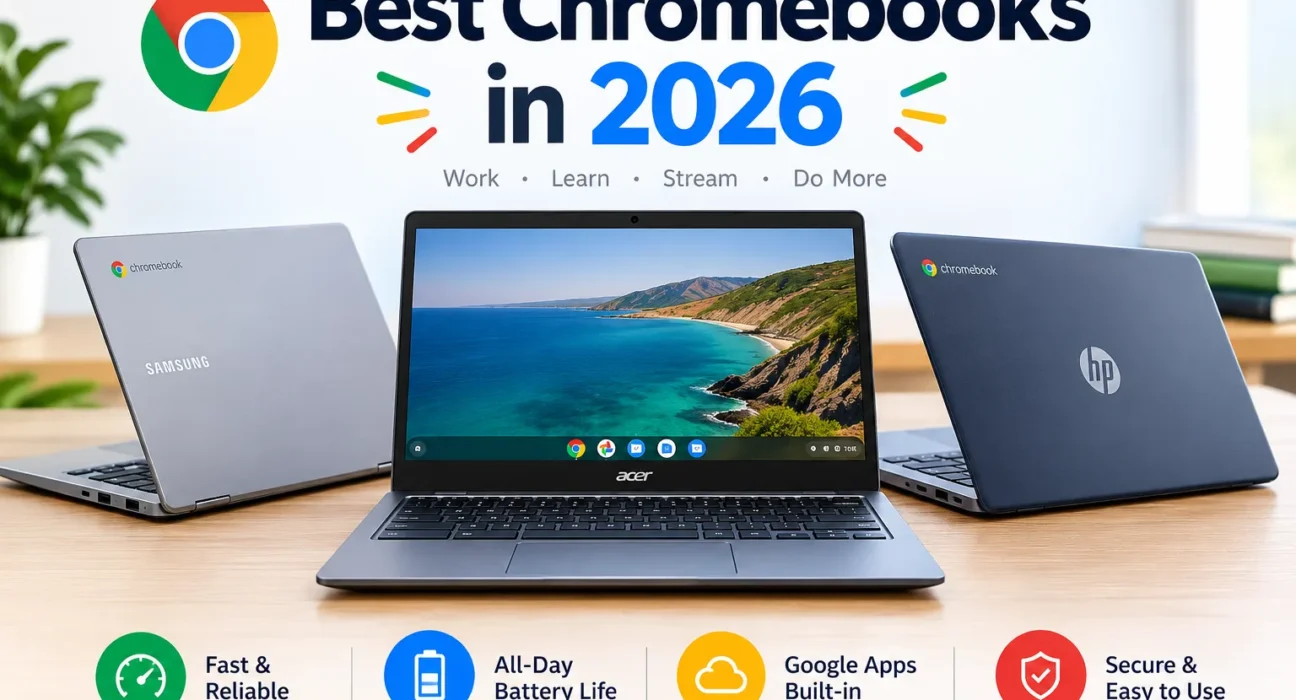
A Chromebook is a great laptop for school, work and everyday browsing, but the exact model decides whether you’ll love it. Two machines at similar prices can differ by years of updates, screen brightness and battery life.
This guide compares four verified models across six use cases. Every spec is tied to a manufacturer or Google page where one exists, and anything we couldn’t confirm is labeled not confirmed.
Quick Picks
Lenovo Chromebook Plus 14
Model 14M9610. Fastest Chromebook processor in our evidence set, an OLED screen and the longest rated battery life.
Lenovo Chromebook Plus 2-in-1
Model 14ITN10. Plus-class minimums at a sale price of $399 in October 2026. A dim screen and short battery are the trade-offs.
Lenovo Chromebook Plus 2-in-1
Touchscreen, pen support (sold separately) and a low price. Step up to the Plus 14 if you can afford it.
Lenovo Chromebook Plus 14, 16GB
Configuration 83MW000EUS. 16GB RAM and USB-C DisplayPort for an external monitor.
Acer Chromebook Plus Spin 514
Model CP514-5HN. Same chip as the Lenovo Plus 14 in a convertible, with measured 12 to 17+ hour battery life.
Samsung Galaxy Chromebook Plus
Model XE550XGA. A 15.6" AMOLED laptop at 1.17 kg, but it has the shortest update window of the four.
Four models cover six categories, and two models each win two. The text explains why where they overlap.
Verified Specifications
| Model and exact identifier | Processor | RAM / storage | Display | Weight | Battery | Manufacturer page |
|---|---|---|---|---|---|---|
| Lenovo Chromebook Plus 14 14M9610, config 83MW000EUS | MediaTek Kompanio Ultra 910 (Arm) | 16GB LPDDR5X / 256GB UFS 4.0. A 12GB/128GB non-touch variant also exists. | 14" 1920×1200 OLED, 400 nits, touch | 1.26 kg touch; 1.17 kg non-touch | 60Wh. Rated up to 17 hours; independent measurement: not confirmed | Lenovo PSREF |
| Lenovo Chromebook Plus 2-in-1 14ITN10 (PSREF config 83LN0015MB) | Intel Core 3 N355 | 8GB LPDDR5 (not upgradable) / 128GB or 256GB UFS 2.2. The Best Buy listing was 128GB. | 14" 1920×1200 IPS touch, 300 nits | About 1.49 kg (3.3 lb) | 50Wh. Lenovo rates up to 11 hours; Notebookcheck cites shorter battery life | Lenovo PSREF |
| Acer Chromebook Plus Spin 514 CP514-5HN. Tested unit CP514-5HN-K6DY; Acer US SKU CPE584-1N-K7F1 (NX.JTNAA.001) | MediaTek Kompanio Ultra 910 (Arm) | 12GB / 256GB (K6DY); 16GB / 256GB (K7F1) | 14" touch. K6DY: 1920×1200. K7F1: 2880×1800. | 1.36 kg (2.99 lb) | Acer rates up to 17 hours. Consumer Reports measured 17.75 h web and 12 h 4K video. Capacity is reported inconsistently: 69Wh to 78Wh. Not confirmed. | Acer US | Acer press release |
| Samsung Galaxy Chromebook Plus XE550XGA. US SKU XE550XGA-KC1US; UK SKU XE550XGA-KC2UK | US: Intel Core 3 100U (retailer listing). UK: Core 5 120U (Samsung) | 8GB LPDDR5X / 256GB eUFS | 15.6" Full HD AMOLED. Brightness: not confirmed. | 1.17 kg, 11.8 mm thick | 68Wh. Samsung rates up to 13 hours. Android Central reported rarely reaching its claimed hours. | Samsung UK |
We found no Samsung US product page with the Core 3 specification, so the US processor comes from a retailer listing, which is a lower-quality source than a manufacturer page. Confirm your SKU before buying.
Prices and Update-Support Dates
| Model | Reported prices (source, date) | Google “automatic updates until” | Verified |
|---|---|---|---|
| Lenovo Chromebook Plus 14 | $649 on sale from a $999 list price for the 256GB model (Android Central, Memorial Day 2026). Other sales reported at $599 and $649 (Chrome Unboxed, 2026, undated). Current live price: not confirmed. | Jun 2035 (listed as “Chromebook Plus (14”, 10)”) | Oct 22, 2026 |
| Lenovo Chromebook Plus 2-in-1 | $399 sale, listed as down from $629 (Tom’s Guide, Oct 16, 2026). $579 at launch (Chrome Unboxed). $429 sale earlier in 2026. The “was” price differs between sources. | Google lists two entries: Jun 2035 (“14ITN10”) and Jun 2033 (“Plus 2-in-1 (14”, 10)”). Check your unit; plan on the earlier date. | Oct 22, 2026 |
| Acer Chromebook Plus Spin 514 | $649 sale from $749, 12GB/256GB (Tom’s Guide, Oct 16, 2026). $599 sale in late September 2026 (Chrome Unboxed). | Jun 2035 (listed under “Chromebook Spin 514 (CP514-5HN, CPE594-2N, CPE584-1N)”). Consumer Reports also lists June 2035. | Oct 22, 2026 |
| Samsung Galaxy Chromebook Plus | $599.99 sale (Chrome Unboxed, June 2026) and a further $75-off sale (Chrome Unboxed, Aug 31, 2026). Regular price: not confirmed from a current source. | Jun 2032 | Oct 22, 2026 |
Reading the update column: Google’s policy gives ChromeOS devices 10 years from the platform release date. Separately, Google says regular ChromeOS updates continue through mid-2034, with a Googlebook OS migration path promised for qualifying devices whose lifecycle runs longer. Treat any date after mid-2034 as dependent on that transition. Check your own device under Settings, About ChromeOS, Additional details.
How We Chose the Best Chromebooks
This is a documented, evidence-based comparison. It is not a laboratory test, and we assigned no numeric scores. We did not run benchmarks or battery tests ourselves. Where we cite a measurement, it belongs to the named source.
Step 1: Build the Candidate Pool
We collected every Chromebook that appeared in 2026 roundups and reviews from Android Central, Chrome Unboxed, Notebookcheck, Tom’s Guide, TechRadar, PCWorld and Consumer Reports. The pool is not exhaustive. It reflects what those outlets covered.
Step 2: Apply Four Entry Gates
- Chromebook Plus-class minimums: at least 8GB RAM and 128GB storage.
- At least two independent published reviews or hands-on articles.
- A manufacturer specification page or datasheet we could read.
- A model listed on Google’s Auto Update policy page with a date of 2032 or later.
Four models passed all four gates: the Lenovo Plus 14, the Lenovo Plus 2-in-1, the Acer Spin 514 (Kompanio model) and the Samsung Galaxy Chromebook Plus. We excluded the older Intel-based Acer Spin 514 (CP514-4HN) because the Kompanio model supersedes it. We could not verify enough 2026 evidence for sub-$300 models such as the Acer Chromebook 314, so none is recommended. The budget section explains what to check instead.
Step 3: Rank Evidence by Reliability
Manufacturer and Google pages decide specs and update dates. Independent measurements (Consumer Reports, Notebookcheck) outrank a reviewer’s impressions. Impressions outrank manufacturer claims for battery life. Deal articles are used only for prices and always dated.
Step 4: Handle Conflicts Openly
- Different numbers for the same spec: we show the range and mark it not confirmed. Example: the Acer’s battery capacity appears as 69Wh, 70Wh and 78Wh across sources.
- Reviewers disagree: we say so. PCWorld found the Acer snappier than the Lenovo Plus 14 in its benchmarks, while Chrome Unboxed and Android Central rate the Lenovo as the top Chromebook overall. We therefore don’t claim either is “fastest.”
- Manufacturer claim vs reviewer experience: we report both. Samsung’s 13-hour rating sits beside Android Central’s comment that it rarely matched claims.
- Conflicting Google entries: we show both and advise the earlier date (Lenovo 2-in-1).
Step 5: What Each Award Required
| Award | Required evidence | Evidence that qualified the winner |
|---|---|---|
| Overall | Strongest combination of performance, display, battery and update date across sources | Fastest benchmark placement per Chrome Unboxed and strong results in Notebookcheck, OLED panel and 60Wh battery, update date of Jun 2035 |
| Budget value | Plus-class minimums at the lowest verified price | $399 reported price with 8GB/128GB meeting the Plus floor |
| Students | Low price, touch, light enough to carry, Plus-class floor | Touch and optional pen support, reported sale price. Limits: dim display and shorter battery life |
| Work | 16GB RAM, external-display output, fast processor | 16GB configuration, USB-C with DisplayPort 1.4 |
| 2-in-1 | Convertible with a top-tier processor and independently measured battery life | Kompanio Ultra 910, Consumer Reports battery measurements, Chrome Unboxed’s “best convertible” verdict |
| Premium | Build, display and weight, with caveats stated | 1.17 kg, 11.8 mm, AMOLED. Limits: 8GB RAM and a Jun 2032 update date |
Best Overall: Lenovo Chromebook Plus 14
Notebookcheck described the Kompanio Ultra 910 as strong in both application performance and battery life, and noted a chassis that is mostly aluminum and glass. Chrome Unboxed called it the best Chromebook ever made and reported the fastest performance it had benchmarked in a Chromebook, with no fan. TechRadar praised the performance but questioned whether the price is worth it next to Windows laptops. That split is why we recommend it for people who will use all of its capabilities.
The 16GB configuration is the one to look for. Its ports are 2 USB-C, 1 USB-A and a headset jack, with no HDMI or card reader.
What to Like
- Fastest Chromebook processor in the sources we reviewed
- Rated up to 17 hours of battery
- OLED panel and a comfortable keyboard
- Update date of Jun 2035
What to Consider
- Limited ports
- List price has been reported as high as $999, so check the sale price
- Arm processor, so check heavy Linux workflows
Best Budget: Lenovo Chromebook Plus 2-in-1
This is a value pick, not a sub-$300 pick. At the $399 sale price reported on October 16, 2026, it brings Plus-class RAM and storage, a touchscreen, a backlit keyboard and a fingerprint reader. Chrome Unboxed called it pretty great in a vacuum but noted that 8GB and 128GB feel limiting, and it faces strong rivals. Notebookcheck said its shorter battery life and dim display keep it from being perfect. Tom’s Guide measured about 65% sRGB coverage.
Best for Students: Lenovo Chromebook Plus 2-in-1
Students need a laptop that’s affordable, light enough for a backpack and good for writing and reading. This one weighs about 1.49 kg and is a touchscreen convertible with optional pen support (sold separately). It meets the Plus-class floor, so the memory and storage suit browser-based coursework.
Know the limits. The screen is modest at 300 nits, and Notebookcheck flagged short battery life, so carry the charger on long days. Its Google update date may be Jun 2033, which still covers a university degree. Confirm any app your school requires before buying, since we have not tested compatibility. If your budget stretches, the Lenovo Plus 14 or Acer Spin 514 last longer on a charge.
Best for Work: Lenovo Chromebook Plus 14 (16GB, 83MW000EUS)
Remote work stresses memory and connectivity. The 16GB configuration leaves room for a video call, shared documents and many tabs. It has two USB-C ports with DisplayPort 1.4, which can drive an external monitor, and USB Power Delivery. The lack of HDMI means you will need a USB-C cable or hub for some displays.
Check Before Buying
- Does your video-conferencing tool run in the browser or as an Android app?
- Do you need HDMI, an SD reader or Ethernet? You’ll need a hub.
- Does your employer require a managed Windows device?
Choose a Windows laptop instead if you depend on desktop-only software, such as specialist accounting, CAD or advanced video-editing tools. We did not test any such software on ChromeOS.
Best 2-in-1: Acer Chromebook Plus Spin 514
This is the Kompanio Ultra 910 convertible (CP514-5HN), not the older Intel Spin 514 that shares its name. Consumer Reports measured 17.75 hours of web browsing and 12 hours of 4K video playback on the CP514-5HN-K6DY, and listed an update date of June 2035. Acer rates it up to 17 hours and says it is MIL-STD 810H compliant, with an aluminum exterior. PCWorld found it snappier than the Lenovo Plus 14 in its own tests.
Mind the variants. Screen resolution differs by SKU: 1920×1200 on the K6DY unit and 2880×1800 on the K7F1. Battery capacity is reported as 69Wh to 78Wh by different sources, so we list it as not confirmed.
Best Premium: Samsung Galaxy Chromebook Plus
Samsung’s pitch is thin-and-light hardware with a big AMOLED screen. At 1.17 kg and 11.8 mm it is light for its size. Chrome Unboxed repeatedly praises its keyboard, trackpad and ports.
The caveats are real. It has 8GB of RAM, its Google update date (Jun 2032) is the earliest of our four, and Android Central said real battery life rarely matched claims. That makes it a premium-feel pick, not the most future-proof one. If longevity matters more than size, the Lenovo Plus 14 is the better buy.
Chromebook Plus vs. Standard Chromebook
Chromebook Plus is a Google certification, not a brand. At its October 2023 launch it required an Intel Core i3 (12th gen) or AMD Ryzen 3 (7000 series) processor, 8GB of RAM, 128GB of storage, a Full HD IPS display and a 1080p webcam. Arm-based models such as the Lenovo Plus 14 now carry the Plus label, so the requirements have evolved. Check Google’s current list for any model you consider.
| Feature | Standard Chromebook | Chromebook Plus |
|---|---|---|
| RAM / storage | Often 4GB and 32 to 64GB at low prices | 8GB and 128GB or more |
| Screen and webcam | Varies | Full HD IPS or better, 1080p webcam (2023 launch rules) |
| AI features | Limited | Fuller set, subject to device, software and region |
| Update support | Check exact model | Check exact model |
What to Check Before You Buy
RAM
8GB is a sensible floor. Choose 12 to 16GB for heavy tabs or Android apps.
Processor
Arm (Kompanio Ultra) favors battery life. Intel suits heavier local tools.
Storage
128GB covers offline files and apps comfortably.
Display
Compare brightness and panel type. The 300-nit Lenovo 2-in-1 is dimmer than the 400-nit OLED models.
Battery
Prefer measured results over ratings. Consumer Reports’ Acer figures show how far real tests can differ by workload.
Ports
Confirm USB-C display output, USB-A and HDMI for your exact SKU.
How to Verify Update Support
Open Settings, choose About ChromeOS, then Additional details, and read the Update schedule. For a device you haven’t bought, search its model on Google’s Auto Update policy page. The manufacturer’s end-of-sale date is unrelated to update eligibility.
Chromebook vs. Windows Laptop
| Your main requirement | Better starting point |
|---|---|
| Browsing and online documents | Chromebook |
| Browser-based schoolwork | Chromebook, if your school allows it |
| Windows-only business or specialist software | Windows laptop |
| Demanding PC gaming | Windows gaming laptop |
| Creative or engineering apps | Verify compatibility first |
Common Buying Mistakes
- Choosing on price alone and ending up with 4GB of RAM
- Ignoring the exact SKU, since specs differ by variant (the Acer and Lenovo above both do)
- Trusting battery ratings without independent tests
- Skipping the update date
- Assuming every app works
Frequently Asked Questions
Are Chromebooks Worth Buying in 2026?
Yes, if most of your work happens in a browser or Android apps. If you rely on desktop-only software, a Windows laptop is safer. Googlebook OS adds some uncertainty, but Google says Chromebooks keep receiving updates.
What Is the Best Chromebook for Students?
On our evidence, the Lenovo Chromebook Plus 2-in-1 near $399, or the Plus 14 if you can spend more. Check your school’s required apps first.
Is Chromebook Plus Better than a Regular Chromebook?
Usually for multitasking, because it guarantees 8GB RAM and 128GB storage. The exact model still matters.
How Much RAM Should a Chromebook Have?
8GB suits most people. Choose 12 to 16GB for heavy multitasking.
Can a Chromebook Replace a Windows Laptop?
For web-based work, yes. Desktop-only software and demanding games are the gaps.
How Long Do Chromebooks Receive Updates?
Google’s policy is 10 years from the platform release date. Google also says regular ChromeOS updates run through mid-2034, with a Googlebook OS migration path for qualifying newer devices. Check your exact model.
What Is Googlebook OS and Does It Affect Me?
It is Google’s new operating system combining ChromeOS and Android technology. Google says many newer Chromebooks will be able to upgrade, but it hasn’t named models or dates.
Can You Use a Chromebook Offline?
Yes. Enable offline access for Google Docs, Sheets and Slides and sync files before you travel.
Are Chromebooks Good for Gaming?
Good for browser, Android and cloud games. Demanding native PC games need Windows.
Final Verdict
For most people, buy the Lenovo Chromebook Plus 14 if you can find it near $650. Choose the Lenovo Plus 2-in-1 near $399 to save money, the Acer Spin 514 for a convertible, and the Samsung if you want a large, light AMOLED screen and accept its shorter update window. Before paying, confirm your exact SKU, current price and update date.
Sources
- Google: Auto Update policy (device dates read Oct 22, 2026)
- Google: Check your Chromebook’s update schedule
- Google: What the Googlebook announcement means for your ChromeOS devices
- Engadget: Google will support ChromeOS until 2034
- Lenovo PSREF: Chromebook Plus 14 (83MW000EUS)
- Lenovo PSREF: Chromebook Plus 14 weights
- Lenovo PSREF: Chromebook Plus 2-in-1 (83LN0015MB)
- Lenovo PSREF spec PDF: 2-in-1 14ITN10
- Lenovo datasheet: Chromebook Plus 2-in-1
- Acer press release, Sept 3, 2025
- Acer US: CPE584-1N-K7F1 tech specs
- Consumer Reports: Acer Chromebook Plus Spin 514 (CP514-5HN-K6DY)
- Samsung UK: Galaxy Chromebook Plus XE550XGA-KC2UK
- Provantage: XE550XGA-KC1US listing (retailer)
- Notebookcheck: Lenovo Chromebook Plus 14 review
- TechRadar: Lenovo Chromebook Plus 14-inch review
- Chrome Unboxed: Lenovo Chromebook Plus 14 review summary
- Android Central: best Chromebooks
- Android Central: Lenovo Plus 14 Memorial Day price and 17-hour rating
- PCWorld: Acer Chromebook Plus Spin 514 review
- Chrome Unboxed: Lenovo Chromebook Plus 2-in-1 review
- Notebookcheck: Lenovo Chromebook Plus 2-in-1 G10 14ITN10
- Tom’s Guide: Best Buy Chromebook deals, Oct 16, 2026
- Chrome Unboxed: Acer Spin 514 at $599
- Chrome Unboxed: Samsung Galaxy Chromebook Plus pricing
- Techfinitive: What is Chromebook Plus?
- Notebookcheck: Googlebook OS and Chromebooks
- Tom’s Guide: Lenovo Chromebook Plus 2-in-1 Gen 10 review